
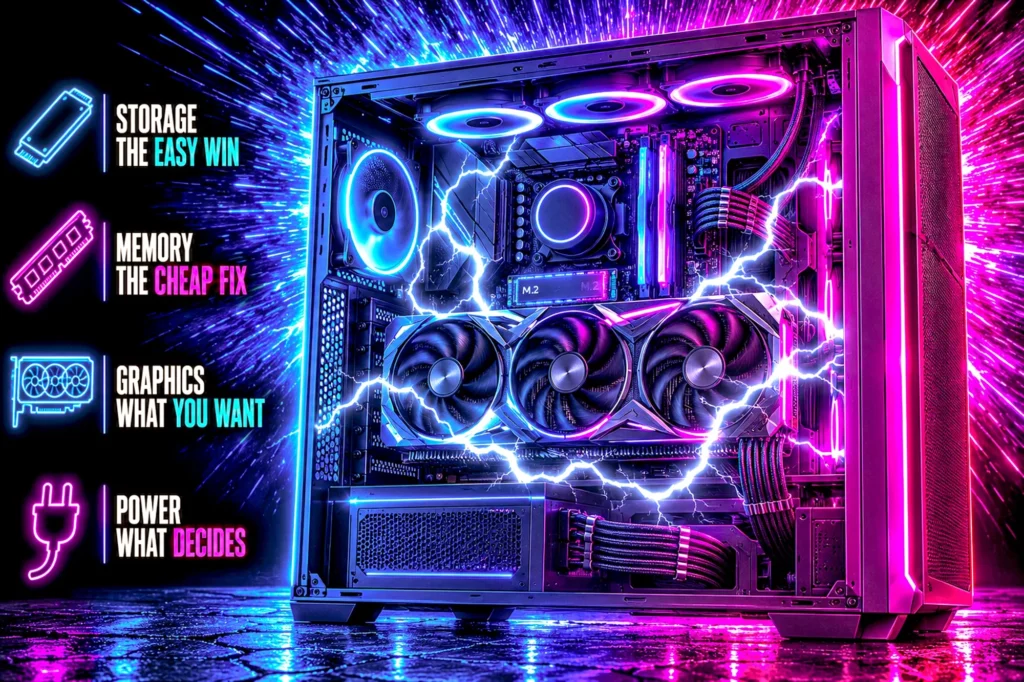
A prebuilt is not a sealed box, but it is not an open one either. Four parts come out easily, one part decides whether the others are worth buying, and two are usually fixed for the life of the machine.
- Storage and memory are easy. Almost every prebuilt takes a second drive and more memory with no planning at all.
- The graphics card is the upgrade people actually want, and the power supply is what decides whether they can have it.
- The power supply is the part makers cut first. Replace it and the rest of the machine opens up.
- The case and the motherboard are usually permanent. If those are wrong, you are building, not upgrading.
Can you upgrade a prebuilt gaming PC? Yes, and more of it than the internet suggests. The honest version of the answer is that upgrading a prebuilt is not one question but four, and they have very different answers: storage is trivial, memory is nearly trivial, the graphics card depends entirely on a part nobody thinks about, and the case and motherboard are usually permanent.
This guide is written the other way round from most. Rather than list what you might buy, it starts from what your machine will physically accept, because that is the constraint that actually decides the outcome. Every part below was verified on its own Amazon product page, and every one is grouped by how hard it is to fit, not by price.
If you have not bought the machine yet, our best gaming PCs guide covers six prebuilt machines and our prebuilt versus build comparison covers whether to buy one at all. This page is about the machine you already own.
Every upgrade at a glance
Twelve parts, arranged by how hard they are to fit rather than by price. The first six go into almost any prebuilt. The last six depend on what is already inside yours.

| Type | M.2 2280 NVMe |
| Speed | 6,500 MB/s read |
| Fits | Any free M.2 slot |
| Rating | 4.6 (133) |

| Type | M.2 2280 NVMe |
| Speed | 7,400 MB/s read |
| Fits | Any free M.2 slot |
| Rating | 4.8 (1,327) |

| Type | M.2 2280 NVMe |
| Speed | 7,450 MB/s read |
| Fits | Any free M.2 slot |
| Rating | 4.7 (13,488) |

| Type | DDR4 (2x8GB) |
| Speed | 3200MHz CL22 |
| Check | Two free DIMM slots |
| Rating | 4.5 (557) |

| Type | DDR4 (2x16GB) |
| Speed | 3200MHz CL16 |
| Check | DDR4 board only |
| Rating | 4.8 (20,256) |

| Type | DDR5 (2x16GB) |
| Speed | 6000MHz CL30 |
| Check | DDR5 board only |
| Rating | 4.6 (819) |

| Power | No PCIe connector needed |
| Size | 2 slot |
| Memory | 6GB GDDR6 |
| Rating | 4.7 (1,140) |
| Length | 8 inches |
| Size | 2.5 slot |
| Memory | 16GB GDDR6 |
| Rating | 4.7 (357) |

| Power | Needs real headroom |
| Memory | 16GB GDDR6 |
| Rating | 4.4 (644) |

| Capacity | 750W |
| Efficiency | 80+ Gold |
| Cables | Fully modular |
| Owners | 4.6 (340) |

| Capacity | 750W |
| Efficiency | Cybenetics Gold |
| Cables | Fully modular |
| Owners | 4.6 (403) |
| Capacity | 1000W |
| Efficiency | 80 PLUS Gold |
| Cables | Fully modular |
| Owners | 4.6 (324) |
Can you upgrade a prebuilt gaming PC? The 30-second answer
Yes, and the order is always the same: storage, memory, graphics card, power supply. The first two are genuinely easy and work in almost any machine sold today. The third is the one people actually want, and it is gated by the fourth.
The thing worth understanding before you spend anything is that a prebuilt is not built to be difficult to upgrade. It is built to a price. The parts that get cut to hit that price are the ones with no number on the box, and the power supply is first on that list because no retail listing has ever sold a machine on its wattage.
The two parts that decide everything else
The power supply and the case. Between them they decide which graphics card you can fit, and the graphics card is the upgrade that changes how the machine actually plays.
The supply sets the electrical ceiling and the case sets the physical one. A machine with a 750W unit and 330mm of clearance will take almost anything current. A machine with a 400W unit and 270mm of clearance will take a card with no power connector and nothing else, no matter what you are willing to spend.
This is also why the honest answer to “can I upgrade this” is a question rather than a yes. Our PSU wattage guide works through sizing properly, and our case guide covers clearance figures, which most listings do not publish at all.
What comes out easily, and what never comes out
| Part | Difficulty | What decides it |
|---|---|---|
| Storage | Easy | A free M.2 slot, which almost every machine has |
| Memory | Easy | Free slots, and DDR4 against DDR5 |
| Graphics card | Moderate | Power supply wattage, connectors and case clearance |
| Power supply | Moderate | Whether the unit is a standard ATX shape |
| Cooler | Moderate | Case height clearance |
| Processor | Hard | Socket, and whether the maker allows BIOS updates |
| Motherboard | Rarely worth it | Front panel wiring and standoff positions |
| Case | Not an upgrade | Replacing it means rebuilding the machine |
Storage is the easiest upgrade in any prebuilt
If you do one thing to a prebuilt, do this. Machines ship with 500GB or 1TB, modern games run 60 to 150GB each, and a second drive is the rare upgrade with no compatibility question attached. You are adding a drive rather than replacing one, so nothing has to be moved and nothing has to be reinstalled.
The one thing to check: whether your machine has a second M.2 slot free. Most do. Budget machines sometimes ship with one slot occupied and no second, in which case you are replacing rather than adding, and that means reinstalling Windows or cloning the original drive.
All three drives below are M.2 2280, which is the full-length standard every desktop board uses. Our M.2 NVMe SSD guide covers the wider field, including why PCIe Gen 5 is not the upgrade it looks like for gaming.
1. Lexar NQ780 1TB: the cheapest way to stop deleting games
M.2 2280, PCIe Gen 4, 6,500 MB/s read. $184.99. 4.6 stars from 133 ratings. This is the drive to buy when the problem is capacity rather than speed, which in a prebuilt it almost always is.
- Delivers read/write speeds up to 6000/2500 MB/s for fast gameplay and boot-ups
- High-quality 8-channel Gen 4 controller provides better sustained write performance while HMB and SLC cache technologies…
- Great for laptops too thanks to its single-sided design and Intelligent Power Control
A terabyte holds roughly eight to twelve current games. Added alongside the drive already in the machine, it doubles what most prebuilts ship with for less than the price of two new releases.
- The cheapest route to a second terabyte here
- M.2 2280, so it fits any desktop board
- Gen 4 speeds on a Gen 4 machine
- Sold by Amazon directly
- 133 ratings is the thinnest sample on this page
- Slower write speed than the two drives below
- No heatsink included
2. Lexar NM790 2TB: the value pick, with a heatsink
2TB, 7,400 MB/s read, heatsink included. $334.99. 4.8 stars from 1,327 ratings. Twice the capacity of the NQ780 for well under twice the money, and the single-sided design matters more in a prebuilt than in a self-built machine.
- [2TB] Exceptional performance up to 7400MB/s read, 6500MB/s write; 1500TBW
- 2x faster than PCIe Gen 3 SSDs
- Designed with a heatsink to keep your rig cool for better performance and power efficiency
Single-sided means all the chips are on one face of the drive, which is what lets it sit in slots with limited clearance underneath. Prebuilt boards frequently mount M.2 slots close to the graphics card or under a shroud, and that is exactly where a double-sided drive becomes a problem.
- 2TB, which is where storage stops being a running problem
- Heatsink included rather than sold separately
- Single-sided, so it fits tight prebuilt slots
- 4.8 stars from 1,327 ratings
- The heatsink can foul a slot that sits under a graphics card
- Costs more than the 1TB NQ780 above
- Gen 4 rather than Gen 5, though that is the right call here
3. Samsung 990 PRO 2TB: the one to buy if you want to stop researching
2TB, PCIe 4.0, 7,450 MB/s read. $409.99. 4.7 stars from 13,488 ratings, which is the deepest sample of any drive on this page by a wide margin.
- MEET THE NEXT GEN: Consider this a cheat code; Our Samsung 990 PRO Gen4 SSD helps you reach near max performance with li…
- REACH THE NEXT LEVEL: Gen4 steps up with faster transfer speeds and high-performance bandwidth; With a more than 55% imp…
- THE FASTEST SSD FROM THE WORLD’S FLASH MEMORY BRAND: The speed you need for any occasion; With read and write speeds up …
It costs more than the Lexar and it is not meaningfully faster in games. What it has is evidence: thirteen thousand ratings is the difference between a drive that reviews well and a drive that is known to work. In a machine you did not build, that is worth paying for.
- 13,488 ratings, the deepest sample on this page
- The drive other drives are compared against
- 2TB, PCIe 4.0, 7,450 MB/s read
- Sold by Amazon directly
- The most expensive drive here
- No meaningful gaming advantage over the Lexar NM790
- The heatsink version is a separate listing
Memory: easy, except for the trap prebuilts set
Memory is the second easy upgrade, and in a prebuilt it is often the one that produces the biggest improvement for the least money. That is not because prebuilts ship too little memory. It is because a great many of them ship it wrong.
The trap is single channel. A machine advertised as having 16GB frequently has it as one 16GB stick rather than two 8GB sticks. One stick runs the memory controller at half its width, and the cost shows up exactly where gamers notice it, in minimum frame rates rather than averages. Adding a second matching stick, or replacing the one with a matched pair, is the cheapest real performance upgrade available to most prebuilts.
Check two things before you buy. First, open the side panel and count the sticks. Second, find out whether the board takes DDR4 or DDR5, because they are not interchangeable and the slots are keyed differently so a wrong kit will not physically fit. Our DDR5 versus DDR4 guide explains which machines have which.
One warning worth stating plainly: buy a matched kit rather than a single stick to sit alongside the one you have. Two sticks sold together are tested together. A stick bought separately may run at a lower speed than either module is rated for, or refuse to run at the rated speed at all.
4. Silicon Power DDR4 16GB: the cheapest way out of single channel
DDR4, 2x8GB, 3200MHz CL22. $109.97. 4.5 stars from 557 ratings. If your prebuilt is a DDR4 machine running one stick, this is the fix, and it is the least money of the three memory upgrades here.
- Complies with JEDEC standards
- Low voltage of 1.2V for less power consumption
- Strict test and verification procedures are performed for products
Note this replaces rather than supplements: you pull the single stick and fit the pair. The 16GB you end up with is the same figure the machine advertised, running in dual channel instead of single. That is the whole upgrade, and it is why it costs so little.
- Ends the single-channel compromise for the least money here
- 4.5 stars from 557 ratings
- An aluminum heat spreader, and 1.2V operation
- A matched 2x8GB kit, backed by a lifetime warranty
- CL22 timing, looser than the CL16 kits here
- Still 16GB, so it adds speed rather than capacity
- DDR4 only, and will not fit a DDR5 board
5. CORSAIR Vengeance LPX DDR4 32GB: more capacity and the deepest evidence anywhere here
DDR4, 2x16GB, 3200MHz CL16. $247.00. 4.8 stars from 20,256 ratings, which is the largest owner sample of any product in this guide.
- Disclaimer: Maximum Speed requires overclocking/PC BIOS adjustments. Maximum speed and performance depend on system comp…
- Hand-sorted memory chips ensure high performance with generous overclocking headroom
- VENGEANCE LPX is optimized for wide compatibility with the latest Intel and AMD DDR4 motherboards
Thirty-two gigabytes is more than gaming alone requires, and it is the right buy anyway if you keep a browser, a chat client and a stream running behind the game. LPX modules are deliberately short, which matters in a prebuilt where a bundled cooler may overhang the first slot.
- 20,256 ratings, the deepest sample in this guide
- 32GB and dual channel in one purchase
- Low profile, so it clears bundled coolers
- Sold by Amazon directly
- More than twice the price of the 16GB kit above
- DDR4 only
- More memory than gaming by itself needs
6. TEAMGROUP T-Create Expert DDR5 32GB: for machines built in the last two years
DDR5, 2x16GB, 6000MHz CL30. $539.99. 4.6 stars from 819 ratings. CL30 at 6000 is the sweet spot for current AMD platforms and perfectly good on Intel.
- TEAMGROUP T-CREATE EXPERT 32GB KIT 2 X 16GB DDR5-6000 PC5-48000 CL30 DUAL CH
DDR5 memory pricing in 2026 is genuinely bad, and this kit costs more than some entire budget upgrades on this page. That is the market rather than this product. If your machine is DDR5 and running a single stick, the upgrade is still worth doing, but go in knowing that memory is now a serious line item rather than an afterthought.
- CL30 at 6000MHz, the sensible DDR5 target
- 32GB in a matched, tested pair
- Sold by the TEAMGROUP store directly
- Plain heat spreaders that clear tall coolers
- DDR5 pricing makes this the dearest upgrade here bar the graphics cards
- 819 ratings, a thinner sample than the DDR4 kits
- Will not fit a DDR4 board
The graphics card: where the power supply decides for you
This is the upgrade people mean when they ask the question, and it is the one with real constraints. Three of them, in the order they will stop you.
One: the power connectors. Your supply either has the PCIe connectors the card needs or it does not. Adapters that split one connector into two exist and are a bad idea, because they do not create capacity, they just move the load.
Two: the wattage. Cards draw brief spikes well above their rated figure. A supply with no margin does not usually fail dramatically, it reboots the machine under load with no error message, which is a genuinely miserable fault to diagnose.
Three: the physical length and slot height. Measure from the back of the case to whatever is in the way, usually the drive cage. Then check the slot count, because a thick card in a case with three slots below the top one will block everything else.
The three cards below are chosen to sit at three different points on that constraint scale, from one that fits essentially anything to one that assumes you have already fixed the supply. Our graphics card guide covers the full field, and how much VRAM you need covers the memory question separately.
7. ASUS Dual RTX 3050 6GB: the card that fits when nothing else will
6GB GDDR6, two slots, and no supplementary power connector at all. $257.22. 4.7 stars from 1,140 ratings. It draws what the slot itself provides, which means it works in machines whose supply has nothing spare to give.
- NVIDIA Ampere Streaming Multiprocessors: The all-new Ampere SM brings 2X the FP32 throughput and improved power efficien…
- 2nd Generation RT Cores: Experience 2X the throughput of 1st gen RT Cores, plus concurrent RT and shading for a whole ne…
- 3rd Generation Tensor Cores: Get up to 2X the throughput with structural sparsity and advanced AI algorithms such as DLS…
This is the answer to the most common version of the question, which is some form of “my prebuilt has a weak card and a supply I cannot identify.” It is not a fast card and this guide will not pretend otherwise. It is the card that turns a machine with integrated graphics or an aging entry card into something that plays current games at 1080p, without touching the power supply.
- Needs no PCIe power connector, so it fits weak and proprietary supplies
- Two slots and short, so clearance is rarely an issue
- 4.7 stars from 1,140 ratings
- Sold by Amazon directly
- 6GB of memory is the floor, and it is the first thing to run out
- Entry-level performance, 1080p only
- Costs more per frame than the cards below
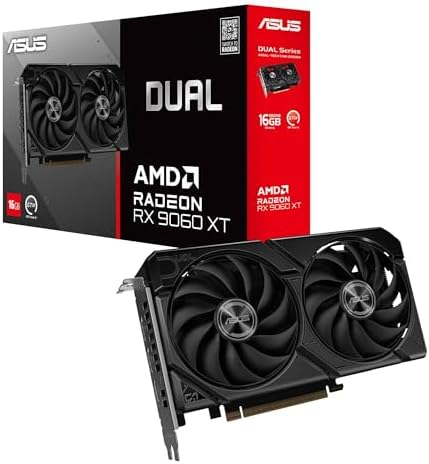
8. ASUS Dual RX 9060 XT 16GB: the 16GB step up, if the case has the room
16GB GDDR6, PCIe 5.0, a 2.5-slot card eight inches long. $542.99. 4.7 stars from 357 ratings. This is the card to fit when the machine has the physical room and a supply with headroom to spare, which describes a great many mid-range prebuilts.
- Axial-tech fans now feature a smaller fan hub that facilitates longer blades and a barrier ring that increases downward …
- 2.5-slot design allows for greater build compatibility while maintaining cooling performance
- 0dB technology lets you enjoy light gaming in relative silence
Sixteen gigabytes of memory at this price is the reason it is here rather than an 8GB card of similar speed. Memory is what runs out first as games get larger, and it is the specification least likely to be improved by turning settings down.
Thickness matters as much as the wattage. At 2.5 slots this is slimmer than the three-slot cards in its class, and that is what decides whether it clears the parts below it in a case with very little room. Prebuilt cases frequently have very little.
- 16GB of memory at a mid-range price
- A 2.5-slot card, slimmer than the three-slot cards in its class
- PCIe 5.0, with dual ball bearing fans and a 0dB mode
- Sold by Amazon directly
- 357 ratings is a thin sample and worth knowing
- Needs a supply with a spare PCIe power cable, so check yours first
- A step up in draw from the RTX 3050 above
9. GIGABYTE RX 9070 XT Gaming OC 16G: the ceiling, and the card that forces you to measure
16GB GDDR6 on a 256-bit bus, and a triple-fan cooler. $929.99. 4.4 stars from 644 ratings. This is as far as a prebuilt upgrade sensibly goes, and it is the card most likely to arrive and not fit.
- Powered by Radeon RX 9070 XT
- WINDFORCE Cooling System
- RGB Lighting
Thickness is the figure to take seriously, and this listing does not publish one. What matters is the physical thickness of the cooler, and in a case with limited expansion slots it decides whether the card goes in at all. Measure before ordering rather than after.
This card also assumes the power supply question is already settled. If you are fitting this to a machine with its original budget supply, buy the supply first and the card second, in that order, or you will be diagnosing reboots instead of playing.
- The fastest card here, and 16GB of memory with it
- 256-bit bus rather than the 128-bit of the 9060 XT
- 644 ratings, a deeper sample than the 9060 XT
- Sold by Amazon directly
- A thick triple-fan card that will not fit every prebuilt case
- Needs a genuine wattage upgrade in most machines
- The most expensive part in this guide
The power supply: the part that unlocks the other three
If the graphics card is the upgrade you want, this is usually the upgrade you need first. It is also the one people resist, because a power supply produces no frames on its own and feels like money spent on nothing.
Before you buy one, check the shape. Most prebuilts from CyberPowerPC, iBUYPOWER, MSI and Skytech use standard ATX supplies, and a replacement drops straight in. Some machines from the large OEMs do not: they use a supply with a non-standard length, a proprietary motherboard connector, or both. In that case a standard unit will not fit or will not plug in, and the machine is effectively finished at whatever it shipped with.
The tell is the connector into the motherboard. A standard supply uses a 24-pin. If the machine uses something narrower, it is proprietary, and no ATX unit will replace it. That single check takes a minute with the side panel off and saves an expensive return.
All three units below are standard ATX. Our power supply guide compares eight, and what PSU wattage do you need works through sizing by graphics card.
10. Thermaltake GF1 750W: the cheapest honest 750W here
750W, 80+ Gold, fully modular. $69.99. 4.6 stars from 340 ratings. The least money on this page that buys a real 750 watts from a manufacturer with a reputation to protect.

- 80Plus Gold certified and Intel C6/C7 state and ErP Ready
- Smart Zero Fan: minimizes undesired noise
- Ultra quiet 140mm fluid bearing fan
Fully modular is the operative feature for a prebuilt. Prebuilt cases route cables around a drive cage that was positioned assuming the original supply, and every lead you can leave in the box is one you do not have to hide. Measure the bay depth before you order: this is a standard ATX unit, and the supply it replaces was probably shorter.
- Real 750W for the least money in this guide
- Fully modular, so unused cables stay in the box
- 80+ Gold rather than Bronze at the same tier
- Zero-RPM mode, silent under light load
- The listing names neither ATX 3.1 nor a 12V-2×6 cable
- Standard ATX depth, so check the bay in a small prebuilt
- 340 ratings is a moderate sample
11. CORSAIR RM750e: the one to buy if you want to stop thinking about it
750W, Cybenetics Gold, fully modular, ATX 3.1 and PCIe 5.1 ready. $89.99. 4.6 stars from 403 ratings. This is the same unit our $3,000 build specifies, and it is here for the same reasons.
- Fully Modular PSU: Reliable and efficient, low-noise power supply with fully modular cabling, so you only have to connec…
- Intel ATX 3.1 Certified: Compliant with the ATX 3.1 power standard, supporting PCIe 5.1 platform withstands 2x transient…
- Keeps Quiet: A 120mm rifle bearing fan with a specially calculated fan curve keeps fan noise down, even when operating a…
Fully modular is worth more in a prebuilt than in a machine you built yourself. Prebuilt cases are rarely generous behind the motherboard tray, and every cable you do not attach is a cable you do not have to hide.
ATX 3.1 means it carries the modern connector natively rather than through an adapter, which removes a bulky junction from a case that probably has no room for one.
- ATX 3.1 with the current connector native, no adapter
- Fully modular, which matters most in a cramped case
- Cybenetics Gold efficiency
- 4.6 stars from 403 ratings
- Costs more than the MSI Bronze unit above
- 750W leaves little headroom for a future flagship card
- Fewer ratings than some competing units
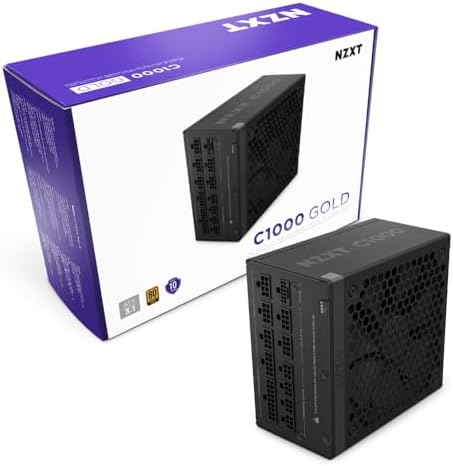
12. NZXT C1000 Gold: buy this if you intend to upgrade once and stop
1000W, 80 PLUS Gold, fully modular, ten year warranty. $124.99. 4.6 stars from 324 ratings.
- ATX 3.1 — Compliant with the ATX 3.1 standard to fuel high-performance PC components with stability, efficiency, and pow…
- 40 SERIES READY — Durable, heat-resistant 12V-2×6 connector pumps up to 600 watts to NVIDIA GeForce RTX 40 Series graphi…
- HIGH EFFICIENCY, LOW NOISE — Awarded certifications of 80 PLUS Gold Efficiency, Cybenetics Gold Efficiency, and Cybeneti…
A thousand watts is more than any card in this guide requires. The argument for it is not this upgrade, it is the next one: a supply is the one component you can buy once and carry through two or three machines, and the ten year warranty is the manufacturer saying the same thing.
- 1000W, so no future card in this class will trouble it
- Ten year warranty, matched here only by the Thermaltake
- Fully modular
- 80 PLUS Gold
- Overkill for every graphics card in this guide
- The most expensive supply here
- 6.3 inches long, so check the clearance in a compact case
Every upgrade compared
| Part | Type | What it needs from your machine | Price | Rating |
|---|---|---|---|---|
| Lexar NQ780 1TB | Storage | A free M.2 slot | $184.99 | 4.6 (133) |
| Lexar NM790 2TB | Storage | A free M.2 slot with clearance | $334.99 | 4.8 (1,327) |
| Samsung 990 PRO 2TB | Storage | A free M.2 slot | $409.99 | 4.7 (13,488) |
| Silicon Power DDR4 16GB | Memory | A DDR4 board | $109.97 | 4.5 (557) |
| CORSAIR Vengeance LPX 32GB | Memory | A DDR4 board | $247.00 | 4.8 (20,256) |
| TEAMGROUP T-Create 32GB | Memory | A DDR5 board | $539.99 | 4.6 (819) |
| ASUS Dual RTX 3050 6GB | Graphics | Nothing but a free slot | $257.22 | 4.7 (1,140) |
| ASUS Dual RX 9060 XT 16GB | Graphics | Room for a 2.5-slot card | $542.99 | 4.7 (357) |
| GIGABYTE RX 9070 XT 16G | Graphics | Real headroom, and space to check for | $929.99 | 4.4 (644) |
| Thermaltake GF1 750W | Power | A standard ATX bay | $69.99 | 4.6 (340) |
| CORSAIR RM750e 750W | Power | A standard ATX bay | $89.99 | 4.6 (403) |
| NZXT C1000 Gold 1000W | Power | A standard ATX bay with room | $124.99 | 4.6 (324) |
What you cannot change in most prebuilts
Three things, and it is better to know before you start than after you have bought something.
A proprietary power supply. If the motherboard connector is not a standard 24-pin, no retail supply will replace it. The machine is capped at whatever the original unit delivers, and that in turn caps the graphics card permanently.
The processor, usually. Physically it comes out. Practically, a faster chip on the same socket often needs a BIOS update, and OEM machines frequently ship a locked BIOS with no updates published. Even where it works, the gain is smaller than the same money spent on a graphics card in almost every gaming scenario. Our gaming CPU guide covers which chips are worth it, and X3D versus non-X3D covers why cache beats cores for games.
The case, in any meaningful sense. Moving a prebuilt into a new case is not an upgrade, it is a rebuild with parts you already own. It is a perfectly reasonable thing to do, and our case guide covers the options, but it should be understood as a project rather than a part swap.
How to check your own machine in five minutes
Take the side panel off. Everything below is visible without removing a single component.
Count the memory sticks. One stick means single channel and the cheapest upgrade on this page is available to you. Note whether the empty slots sit next to the occupied one.
Read the label on the power supply. It states the wattage. If you cannot see it, the unit is mounted label-down and the figure is in the machine listing or the manual.
Find the motherboard power connector. Count the pins. Twenty-four means standard and replaceable. Anything else means proprietary.
Look for spare PCIe cables. Unused 6+2-pin connectors tucked behind the drive cage tell you the supply was built with a graphics card upgrade in mind.
Measure the space in front of the graphics card, from the slot to the drive cage or the front fans. That figure, in millimeters, is the longest card the machine will take.
Does upgrading a prebuilt void the warranty?
Adding memory or a drive does not void a warranty in the United States, and a manufacturer that tells you otherwise is on weak ground: the Magnuson-Moss Warranty Act prevents a warranty being voided simply because a user-serviceable part was fitted.
What is true is narrower and still worth respecting. If you damage something while fitting a part, that damage is not covered. If the machine has a warranty sticker over a screw, breaking it will start an argument even if you would eventually win it. And support will usually ask you to return the machine to its original configuration before they will troubleshoot it, which is a practical nuisance rather than a legal one.
Keep the parts you remove. Putting the original stick of memory or the original drive back takes ten minutes and removes the argument entirely.
The order to do this in, if you are doing all of it
Power supply first, graphics card second. This is the single most common mistake and it is an expensive one: a card fitted to an inadequate supply produces reboots under load, and the obvious suspect is the new card rather than the old supply. People return perfectly good graphics cards over this.
Memory and storage can be done at any point, in any order, and neither depends on anything else. If budget is the constraint, do the memory first, because ending single channel costs the least and is felt immediately in the games where frame rates dip.
What we would not worry about
PCIe generation. A Gen 4 drive in a Gen 3 slot works and the difference in game loading is not something you will notice. Buy on capacity.
Matching brands. Memory does not need to match the brand of the board, and a drive does not need to match the brand of the machine. Match the standard, not the logo.
The bundled cooler, in most cases. If the machine is not thermally throttling, the stock cooler is doing its job. Our CPU cooler guide covers this if the machine is loud rather than slow.
Your upgrade path, decided in one minute
Running out of space: add a drive. Any of the three above, sized to budget. Nothing else in the machine is affected.
One stick of memory inside: fix that next, and expect the largest gain per dollar of anything here.
A 750W supply with a spare PCIe cable: the RX 9060 XT is the upgrade, provided the case has room for a 2.5-slot card eight inches long.
A weak or unlabeled supply: either the RTX 3050, which asks nothing of it, or a new supply followed by a real card. Both are legitimate; the first is cheaper and the second is faster.
A proprietary supply with a non-standard connector: the RTX 3050 is your ceiling, and the next real upgrade is a different machine.
Where prebuilt makers actually cut, and why it is always the same parts
A prebuilt has to hit a shelf price against machines with identical headline specifications. The processor and the graphics card are printed on the listing, so those cannot be quietly reduced. Everything else can, and the pattern is consistent enough across brands to be predictable.
The power supply goes first, because no machine has ever been sold on its wattage. A build with a strong card and a marginal supply reviews exactly the same as one with proper headroom, right up until someone tries to upgrade it.
Memory configuration goes second. Sixteen gigabytes as a single stick costs less than sixteen as a matched pair, and both are advertised as 16GB. The listing is not lying. It is simply not telling you the part that matters, which is that one stick halves the memory bandwidth the processor can use.
Storage goes third, and it is the most visible cut because you feel it within a month. A 500GB drive holds four or five current games. It is also the cheapest of these to fix, which is some consolation.
Case airflow goes fourth, usually as fan count rather than case quality. This one is worth knowing about but rarely worth fixing: unless the machine is throttling, extra fans buy noise more than performance.
None of this makes prebuilts a bad purchase. Our prebuilt versus build comparison found several machines that genuinely undercut the same parts bought individually. It does mean the upgrades worth making are predictable before you even open the machine, because the corners cut are the same ones every time.
Boutique builders against the big OEMs
This is the single biggest predictor of whether a machine can be upgraded, and it is worth checking before you buy rather than after.
Boutique builders such as CyberPowerPC, iBUYPOWER, Skytech and MSI assemble machines from retail parts. The case is a standard case, the board is a retail board, the supply is a standard ATX unit. Everything in this guide applies to them without qualification, and a supply swap is a genuinely simple job.
The large OEMs design their own chassis and frequently their own supplies. That buys smaller, quieter, better-finished machines, and it costs you the ability to replace the parts that were designed around each other. A supply with a non-standard length or a proprietary motherboard connector cannot be replaced with a retail unit at any price.
This is not a rule you can apply by brand name alone, because the same manufacturer will use standard parts in one line and proprietary parts in another. It has to be checked per machine, and the 24-pin check described above settles it in under a minute.
If you are still choosing a machine and expect to upgrade it later, that check is worth doing before you buy. A machine that costs slightly more and takes a standard supply will be worth upgrading in three years. A sealed one will not.
Upgrading a prebuilt for 1440p: what actually has to change
Most prebuilts under a thousand dollars are 1080p machines. Moving one to 1440p is the most common reason people start looking at upgrades at all, and it is worth being precise about what that takes.
The graphics card, and its memory more than its speed. Sixteen gigabytes at 1440p is not marketing; texture settings are the first thing to exceed an 8GB card, and running out of memory produces stutter rather than a lower average frame rate, which is far more noticeable. Both 16GB cards in this guide exist for that reason. Our VRAM guide works through the capacities in detail, and 1080p versus 1440p versus 4K covers what each resolution actually demands.
Memory, if the machine is running one stick. At 1440p the graphics card is doing more of the work, but single channel still costs frames, and it is cheap to fix.
Not the processor, in most cases. At 1440p the load shifts toward the graphics card, so a processor that was adequate at 1080p is generally still adequate. This is the upgrade people most often make unnecessarily.
And the monitor, which is not part of the machine but is half of the outcome. There is no point fitting a 1440p-capable card to a 1080p screen. Our best gaming monitors 2026 guide covers that side.
The three things not to buy for a prebuilt
A PCIe power adapter. Cables that split one connector into two, or convert SATA connectors into PCIe, do not create capacity. They redistribute a load the supply may not have to give, across a junction that was not designed for it. If your supply lacks the connectors a card needs, that is the supply telling you it lacks the capacity too.
A single stick to pair with the one already fitted. It looks like the efficient choice and frequently is not. Modules sold separately are not tested together, and the usual outcome is both running below their rated speed. Buy the matched pair and keep the original stick as a spare.
A supply far larger than anything you plan to fit. Supplies are most efficient at around half load, so a 1000W unit in a machine drawing 300W is running in its least efficient region while costing more. The NZXT C1000 in this guide is here for people who intend to upgrade again, not as a default.
There is a fourth, less common one worth naming: a graphics card chosen from a review rather than from a measurement. The most highly rated card in its class is no use at all if it is thirty millimeters too long for the case, and case clearance is the specification listings are least likely to publish.
How long a prebuilt stays worth upgrading
Longer than most people assume, and the deciding factor is the socket rather than the calendar. A machine on a current socket with a standard supply can take a new graphics card now and a faster processor later. A machine on a socket the manufacturer has already stopped supporting is a storage and memory machine for the rest of its life, and that is a perfectly reasonable thing for it to be.
The practical test is what the upgrade costs against what the machine is worth. Two hundred dollars of storage and memory in a three year old prebuilt is nearly always sound, because both parts carry forward into whatever replaces it. Seven hundred dollars of graphics card in the same machine is a harder argument, and at that point the honest comparison is against our $2,000 build rather than against doing nothing.
The one thing that ages badly is the assumption that you will upgrade later. Machines bought with a marginal supply and a plan to fix it in a year are usually still running the marginal supply three years on. If you know you want the graphics card, the cheapest route is nearly always to buy the machine that can already take it.
That is the whole case for checking before you buy rather than after. Knowing how to upgrade a prebuilt gaming PC is useful; knowing which machines will let you is what actually saves the money.
Frequently asked questions
Can you upgrade a prebuilt gaming PC?
Yes. Storage and memory are straightforward in almost every machine sold today, and the graphics card is usually possible provided the power supply and the case can take it. What is generally not practical is the motherboard, and in some machines the power supply itself is proprietary, which caps everything else.
What is the easiest upgrade for a prebuilt gaming PC?
A second M.2 drive. It asks nothing of the rest of the machine, nothing has to be removed, and no software has to be reinstalled because you are adding storage rather than replacing it. Almost every prebuilt has a spare M.2 slot.
Can I put any graphics card in a prebuilt PC?
No, and three things decide it. The power supply must have the right connectors, it must have the wattage headroom, and the case must have the physical length and slot clearance. A card that needs no supplementary power connector, such as the RTX 3050 6GB, fits almost anything.
Can I upgrade the power supply in a prebuilt?
Usually yes, if the unit is a standard ATX shape. Check the motherboard power connector: 24 pins means standard and replaceable. Anything narrower is proprietary, and no retail supply will fit, which permanently caps what graphics card the machine can run.
Does upgrading a prebuilt PC void the warranty?
Adding memory or a drive does not void a warranty in the United States. The Magnuson-Moss Warranty Act prevents a warranty being voided merely because a user-serviceable part was fitted. Damage you cause while fitting a part is not covered, and support will often ask you to restore the original configuration before troubleshooting, so keep the parts you remove.
How do I know if my prebuilt has single-channel memory?
Take the side panel off and count the sticks. One stick is single channel even if the total is 16GB. Fitting a matched pair instead is the cheapest meaningful performance upgrade available to most prebuilts, and it shows up in minimum frame rates rather than averages.
Can I add more RAM to a prebuilt gaming PC?
Yes, provided there are free slots and you match the standard. DDR4 and DDR5 are keyed differently and will not fit each other. Buy a matched kit rather than a single stick to pair with the one already fitted, because modules sold separately are not tested together and may not run at their rated speed.
Can I upgrade the CPU in a prebuilt gaming PC?
Sometimes, and it is rarely the best use of the money. A faster chip on the same socket often needs a BIOS update, and OEM machines frequently publish none. For gaming specifically, the same money spent on a graphics card produces a larger improvement in almost every case.
Is it cheaper to upgrade a prebuilt or build a new PC?
Upgrading is cheaper, because you keep the case, the board, the processor and the license. A drive and a memory kit cost a fraction of a new machine. Building only wins once the power supply is proprietary or the processor is the limit, at which point you are replacing most of the machine anyway.
Related buying guides
- Best Gaming PCs 2026 — six prebuilt machines, if you have not bought one yet.
- Prebuilt vs Build Your Own PC — the arithmetic on whether to buy or build in the first place.
- Best Gaming Power Supply 2026 — eight units, and the part that decides your ceiling.
- Best M.2 NVMe SSD 2026 — the full storage field, including why Gen 5 is not the upgrade it looks like.
- Best RAM for Gaming 2026 — eight kits, DDR4 and DDR5.
- What CPU to Pair With Your GPU — whether a new graphics card will be held back by the processor already inside.
- Best Graphics Cards 2026 — the full field, with clearance figures where listings publish them.
- What PSU Wattage Do You Need? — sizing a supply by graphics card.
More questions about upgrading a prebuilt
Will a new graphics card physically fit in my prebuilt case?
Measure from the PCIe slot forward to the drive cage or front fans, and note how many expansion slots are free below the top one. That gives you the maximum length and thickness. A thick triple-fan card such as the RX 9070 XT will not fit every prebuilt even when the power supply is adequate.
Do I need to reinstall Windows after adding a second drive?
No. Adding a drive alongside the existing one leaves the installation untouched; the new drive appears as empty storage once you initialize it. Reinstalling is only necessary if you replace the drive Windows is on, and even then cloning avoids it.
Can I mix DDR4 and DDR5 memory?
No. They are different standards with differently keyed slots, so a DDR5 kit will not physically seat in a DDR4 board or the reverse. Your motherboard takes one or the other, and that is fixed for the life of the machine.
How much wattage do I need to upgrade my prebuilt graphics card?
For the cards in this guide, 750W covers everything up to the RX 9060 XT comfortably and is the sensible target. Step up if you are fitting something faster or want to upgrade again later without replacing the supply a second time.
Is it worth upgrading an older prebuilt at all?
It depends on the power supply rather than the age. A machine with a standard ATX supply and a free M.2 slot is worth upgrading almost regardless of how old it is. A machine with a proprietary supply is worth adding storage and memory to, and nothing more.
The bottom line on upgrading a prebuilt gaming PC
A prebuilt is more upgradeable than its reputation suggests and less upgradeable than its case implies. Storage and memory are open to almost every machine, cost the least, and in the case of single-channel memory deliver the largest gain per dollar available anywhere in this guide.
The graphics card is the upgrade people want and the power supply is the gate in front of it. Check the motherboard connector before you plan anything expensive: twenty-four pins means the machine has a future, and anything narrower means the RTX 3050 is your ceiling and the next real upgrade is a different computer.
Everything on this page was verified against its own Amazon product page. Prices and sellers move faster than specifications, so check each one before you buy.
Gamers Tech Guide participates in the Amazon Services LLC Associates Program. As an Amazon Associate we earn from qualifying purchases.