
The power supply is the part people spend least time on and the part most likely to take other components with it when it fails. Sizing it is not complicated.
- Your graphics card decides it. Everything else in a gaming PC is a rounding error by comparison.
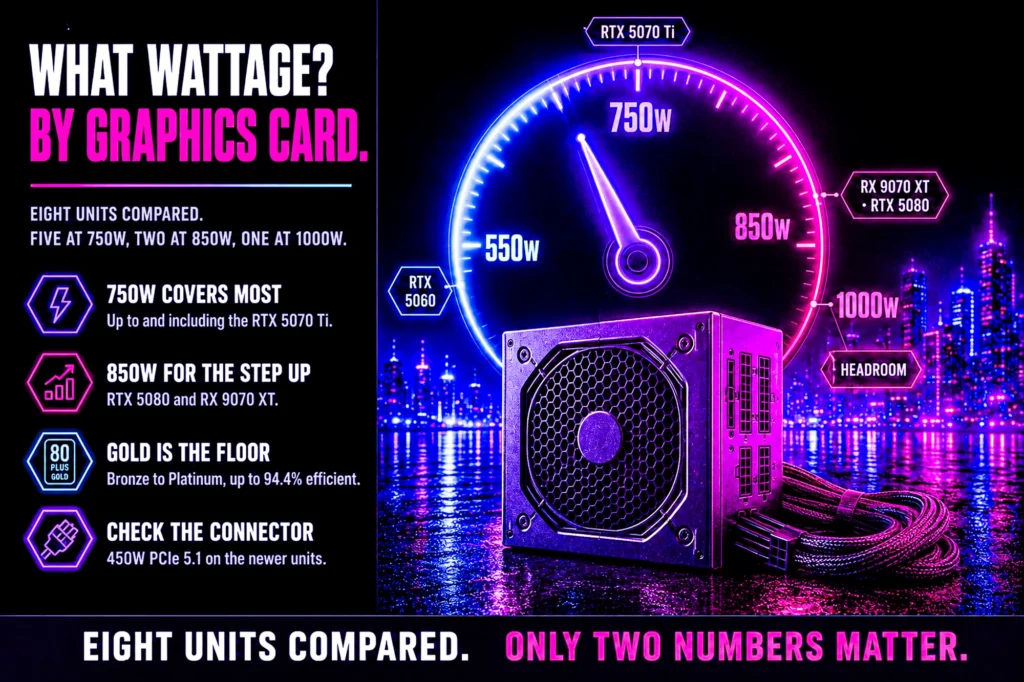
- 750W covers the overwhelming majority of builds, up to and including an RTX 5070 or an RX 9070 XT.
- 850W for an RTX 5080 or a heavily overclocked system.
- Buy quality over capacity. A good 750W unit beats a poor 1000W one every time.
What PSU wattage do you need is one of the few build questions with a genuinely simple answer: look at your graphics card, add headroom, stop. The card accounts for the large majority of what a gaming PC draws, and every other component is small enough that precision does not pay.
Below are eight power supplies arranged by capacity rather than by price, every one verified on its own Amazon product page for our power supply guide, each matched to the graphics cards it comfortably runs. No figure here was typed from memory.
Every capacity at a glance

| Capacity | 750W |
| Runs | Up to RTX 5070 |
| Cables | Fully modular |
| Rating | 4.6 (403) |

| Capacity | 750W |
| Efficiency | 80+ Gold |
| Warranty | 10 years |
| Rating | 4.6 (1,501) |

| Capacity | 750W |
| Efficiency | 80+ Gold |
| Noise | Cybenetics A |
| Rating | 4.6 (154) |
| Capacity | 750W |
| Efficiency | 80+ Gold |
| Cables | Fully modular |
| Rating | 4.4 (217) |

| Capacity | 750W |
| Efficiency | 80+ Gold |
| Cables | Fully modular |
| Rating | 4.6 (340) |
| Capacity | 850W |
| Runs | RX 9070 XT, 5080 |
| Connector | 450W PCIe 5.1 |
| Rating | 4.5 (590) |

| Capacity | 850W |
| Efficiency | Up to 94.4% |
| Fan | Semi-passive 120mm |
| Rating | 4.6 (202) |

| Capacity | 1000W |
| Efficiency | 80 PLUS Gold |
| Cables | Fully modular |
| Rating | 4.6 (324) |
The short answer, by graphics card
Work from the card and give yourself room. These are sensible whole-system targets rather than minimums, because a supply running at roughly half its rating is quieter, cooler and longer-lived than one running near its limit.
- RTX 3050 or RTX 5060 — a good 750W unit, and you will never think about it again.
- RTX 5060 Ti or RTX 5070 — 750W.
- RX 9070 XT — 750W, which is what AMD and ASUS both rate it for.
- RTX 5080 — 850W minimum, 1000W if you want real headroom.
If that looks like 750W is the answer to most questions, that is because it is. Five of the eight units here are 750W for exactly that reason, and below a certain point the price difference between capacities is small enough that buying up is simply easier than calculating.
How to size your PSU wattage properly
The honest method has three steps. Take the graphics card manufacturer’s recommended system wattage, which is printed on the product page. Add roughly 100 to 150 watts for the processor and everything else. Then add headroom so the unit is not living at its ceiling.
The reason for that last step is not safety margin in the dramatic sense. It is that power supplies are most efficient and quietest at around half load, and modern graphics cards draw brief spikes well above their rated figure. A unit sized with no margin will trip its protection on a spike even though the average draw looks fine, which presents as the machine rebooting under load with no error at all.
That failure mode is worth recognizing because it is so often misdiagnosed. A machine that reboots in one demanding game and nowhere else is usually a supply problem, not a graphics card problem, and no amount of driver reinstalling will fix it.
What the efficiency rating actually means
80+ Bronze, Gold and Platinum describe how much of the power drawn from the wall reaches your components rather than becoming heat. Gold is the sensible target: the step up from Bronze is worth having, and the step from Gold to Platinum takes a long time to repay itself on a gaming machine.
Efficiency is also a decent proxy for build quality, because manufacturers do not generally put good certification on bad internals. It is not a guarantee, but a Gold unit from a known brand is a reasonable filter when you cannot read a full review. Six of the eight units here are Gold or better, and the one Bronze unit is explicitly the budget pick.
You will also see Cybenetics ratings alongside the 80 Plus badge on two units here. It is a separate testing body that measures noise as well as efficiency, which is why the Cooler Master unit can claim a quietness grade rather than just an efficiency one.
1. CORSAIR RM750e: the 750W pick for most builds
750W, Cybenetics Gold, fully modular. $89.99. 4.6 stars from 403 ratings. ATX 3.1 and PCIe 5.1 ready, which means it ships with the connector current cards actually use rather than an adapter.
- Fully Modular PSU: Reliable and efficient, low-noise power supply with fully modular cabling, so you only have to connec…
- Intel ATX 3.1 Certified: Compliant with the ATX 3.1 power standard, supporting PCIe 5.1 platform withstands 2x transient…
- Keeps Quiet: A 120mm rifle bearing fan with a specially calculated fan curve keeps fan noise down, even when operating a…
Fully modular matters more in a small case than a large one: every cable you do not attach is airflow you get back, and the cables you do attach can be routed properly rather than bundled behind the drive cage.
This is the unit to buy if you want to stop thinking about the power supply. It runs everything up to an RTX 5070 with the supply sitting comfortably around half load, which is where it is quietest and lasts longest.
- ATX 3.1 with the modern connector native, no adapter
- Fully modular for clean routing and better airflow
- Cybenetics Gold efficiency
- 4.6 stars from 403 ratings
- Costs more than the Bronze and non-modular options here
- 750W leaves no headroom for a future flagship card
- Fewer ratings than the MSI A750GL
2. MSI MAG A750GL PCIE5: the deep owner sample
750W, 80+ Gold, fully modular, ten year warranty. $99.99. 4.6 stars from 1,501 ratings, a very deep review base for a power supply.
- 80 PLUS GOLD CERTIFIED
- 10-year limited warranty, guaranteeing long term reliable operation
- Fully modular design
The ten year warranty is the specification worth paying attention to on any power supply, because it is the manufacturer telling you how long they expect it to last. A supply is the one component whose failure can damage everything attached to it, so a long warranty is not a nicety, it is a statement about the internals.
It is also compact, which makes it a sensible choice in a smaller case where a longer unit fouls the drive cage.
- 1,501 ratings behind it
- Ten year warranty
- Fully modular and compact
- 80+ Gold with the PCIe 5 connector
- 4.6 rather than the 4.7 of the CORSAIR
- 750W, so no headroom for a flagship card
- Compact depth means tighter cable bends at the back
3. Cooler Master MWE Gold 750 V3: the quiet one
750W, 80+ Gold, fully modular, with a Cybenetics A noise grade. $111.74. 4.6 stars from 154 ratings.
- Designed For Durability: The MWE Gold V3 sets a new benchmark for durability and efficiency, now with ATX 3.1 support.
- 90° Durable Cables: Featuring a 90° 12V-2×6 PCIe 5.1 connector, for improved electrical durability and safety.
- ATX 3.1 Cables: The ATX 3.1 delivers up to 450W power to your GPU.
The Cybenetics noise grade is the reason to choose this one. Most power supplies quote efficiency and say nothing about how loud they get, because there is no requirement to. An independently measured noise rating is a genuinely useful piece of information, and it is rare.
Worth being straight: 4.6 from 154 ratings is a moderate sample for a power supply. It is still a good unit, so treat the score as indicative rather than settled.
- Independently measured Cybenetics A noise grade
- Fully modular, PCIe 5.1 ready
- 80+ Gold efficiency
- The quietest choice here on measured evidence
- 4.6 stars, in line with the rest of this lineup
- 154 ratings, a moderate evidence base
- 750W, same headroom limit as the others in this tier
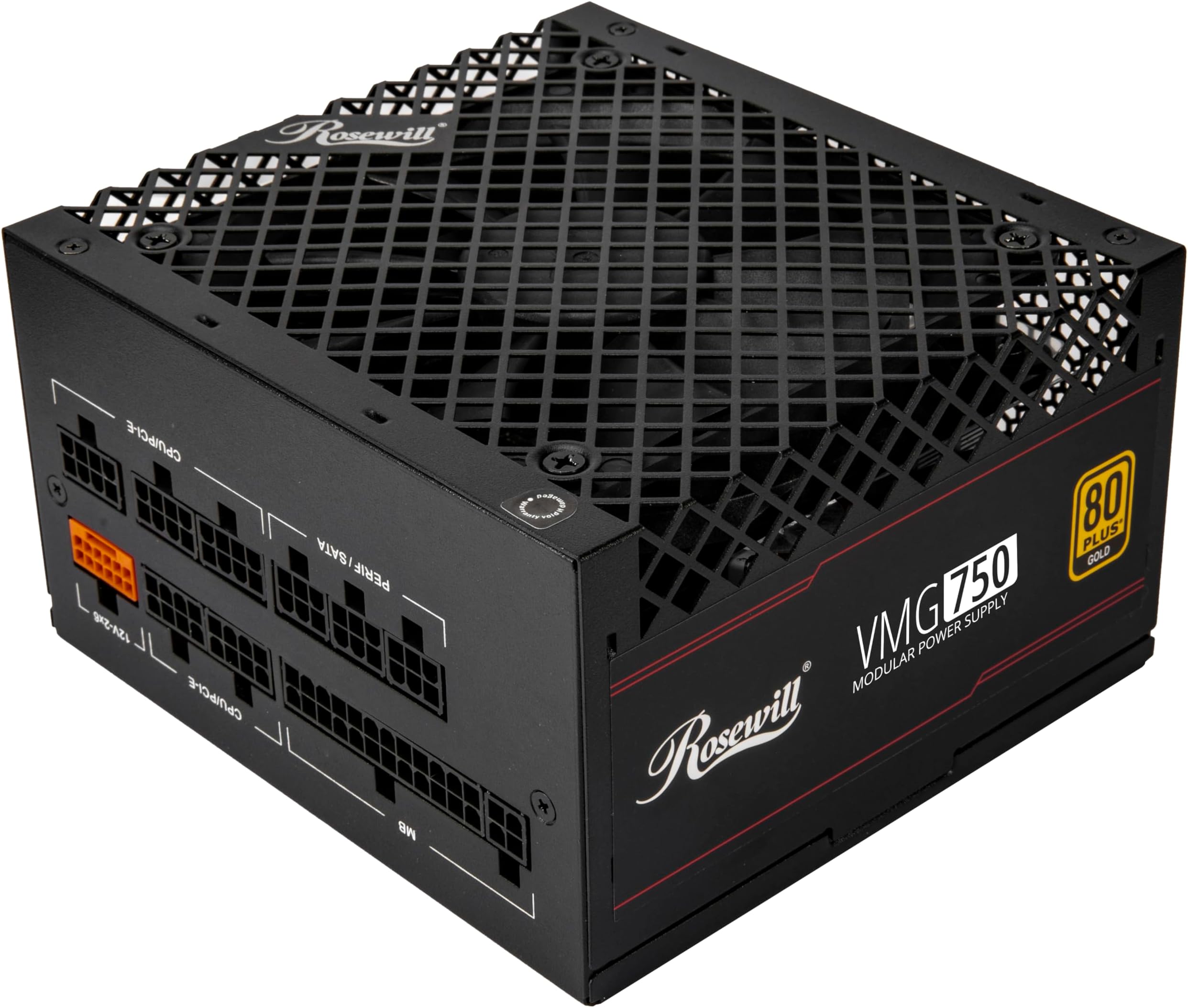
4. Rosewill VMG 750W: the entry-price Gold unit
750W, 80+ Gold, ATX 3.1, fully modular. $79.99. 4.4 stars from 217 ratings, and an inexpensive route on this page to the modern connector.
Getting 80+ Gold, the modern ATX 3.1 connector and fully modular cables at this price is genuinely unusual, and it is the reason this unit is on the list. The 12V-2×6 lead is native rather than an adapter, and the cables you do not need stay in the box.
On the rating, 4.4 is a good rather than outstanding average and 217 ratings is a moderate sample. Rosewill is a value brand rather than a first-tier one, and the Corsair and be quiet! units carry both higher averages and far more evidence behind them.
- 80+ Gold and ATX 3.1 at an entry price
- Modern connector native rather than via adapter
- Fully modular, so unused cables stay in the box
- 4.4 stars, a good rather than outstanding average
- 217 ratings is a moderate sample for a power supply
- Rosewill is a value brand rather than a first-tier one
5. Thermaltake GF1 750W: the budget 750W
750W, 80+ Gold, fully modular. 4.6 stars from 340 ratings. Usually available in the low eighties, which is the floor for a supply we would put in a machine we cared about.

- 80Plus Gold certified and Intel C6/C7 state and ErP Ready
- Smart Zero Fan: minimizes undesired noise
- Ultra quiet 140mm fluid bearing fan
Gold at this price is the useful part. The saving on the electricity bill is small either way; the practical benefit is that Gold units are generally built with better components, which is why they run cooler and quieter than a Bronze unit of the same wattage.
The important point is what it is not: it is not an unbranded supply with no warranty and no certification. That distinction is where the real risk lives, and it is why this rather than something cheaper.
- Entry pricing from a first-tier manufacturer
- Fully modular, so every cable detaches
- 4.6 stars from 340 ratings
- Zero-RPM mode, silent under light load
- The listing names neither ATX 3.1 nor a 12V-2×6 cable
- 340 ratings is a moderate sample for a power supply
- No headroom above a mid-range card
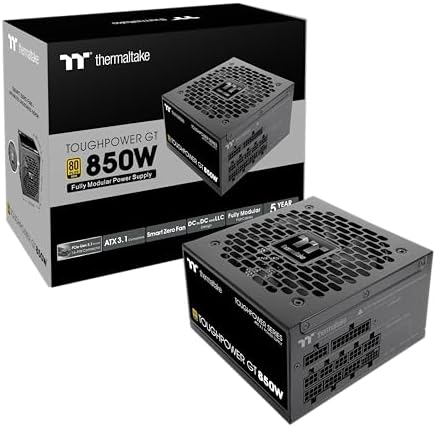
6. Thermaltake Toughpower GT 850W: the entry route to 850
850W, 80+ Gold, ATX 3.1, with a 450W PCIe 5.1 connector. $89.99. 4.5 stars from 590 ratings. This is where you step up for a 5080, or for headroom above the 750W tier.
- ATX 3.1 and PCIe 5.1 Support: Fully compatible with Intel ATX 3.1 specifications, with native PCIe 12V-2×6 (12+4 pin) co…
- 80 PLUS Gold Efficiency: Provides up to 90% efficiency, reducing energy consumption and heat output during operation.
- Smart Zero Fan Technology: Automatically adjusts fan speed based on load, minimizing noise during low-load operations.
The 450W rating on the PCIe 5.1 connector is the number to check rather than the headline wattage. That single cable is what feeds the graphics card, and a card that wants more than the connector delivers will not run correctly no matter how large the supply is overall. 450W covers everything in our graphics card guide.
- The entry price for 850W here
- 450W on the PCIe 5.1 connector, enough for any current card
- ATX 3.1 with 80+ Gold
- 590 ratings at 4.5
- Larger physical unit, check case clearance
- Overkill for anything inside the 750W tier
- Less efficient than the be quiet! unit at the same capacity
7. be quiet! Pure Power 13 M 850W: the efficient, near-silent 850
850W, ATX 3.1, fully modular, up to 94.4% efficient, semi-passive 120mm fan. $109.90. 4.6 stars from 202 ratings. A full 600W available on the modern connector.
- 80 PLUS GOLD & CYBENETICS PLATINUM: 80 PLUS Gold, Cybenetics Platinum, and Cybenetics A++ certify high energy efficiency…
- FUTURE-PROOF YOUR SYSTEM: Pure Power 13 M 850W is an ATX 3.1 PSU and comes with both native integration of the 12V-2×6 c…
- THE NEW STANDARD OF POWER: Pure Power 13 M offers 850W of continuous power with one massive 12V rail. Even if the graphi…
Semi-passive means the fan does not spin at all under light load. In practice the power supply is silent while you browse and only becomes audible when the machine is genuinely working, which for most people is most of the time it is on.
The 600W connector rating is higher than the Thermaltake’s 450W, which buys headroom for whatever comes after the current generation of cards. At 94.4% efficiency it also wastes less as heat than anything else here.
- Up to 94.4% efficient, the highest figure here
- Semi-passive fan, silent under light load
- 600W on the modern connector, more headroom than the Thermaltake
- 4.6 stars, fully modular
- More expensive than the Thermaltake at the same capacity
- 202 ratings, a modest sample
- Overkill inside the 750W tier
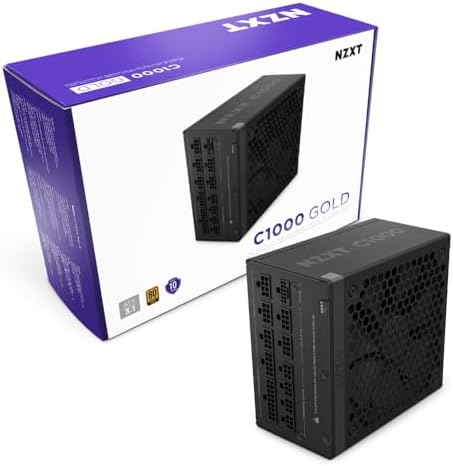
8. NZXT C1000 Gold: flagship headroom
1000W, 80 PLUS Gold, ATX 3.1, fully modular. $124.99. 4.6 stars from 324 ratings. The only four-figure unit here, and the one to buy if you want a flagship card running with the supply barely working.
- ATX 3.1 — Compliant with the ATX 3.1 standard to fuel high-performance PC components with stability, efficiency, and pow…
- 40 SERIES READY — Durable, heat-resistant 12V-2×6 connector pumps up to 600 watts to NVIDIA GeForce RTX 40 Series graphi…
- HIGH EFFICIENCY, LOW NOISE — Awarded certifications of 80 PLUS Gold Efficiency, Cybenetics Gold Efficiency, and Cybeneti…
What you are buying here is capacity and longevity rather than a higher efficiency grade. It is 80 PLUS Gold like most of this list, PCIe 5 ready, and the listing states a ten-year warranty, which is as long as anything here offers.
Be honest with yourself about whether you need it. An RTX 5080 runs on 850W. This buys you a supply loafing rather than working, and room for whatever you upgrade to next without replacing the unit. Those are real benefits and they are not free. At 324 ratings the sample sits mid-pack here.
- 1000W, the only four-figure capacity here
- 1000W leaves headroom for a future upgrade
- Fully modular ATX 3.1
- 4.6 stars
- 324 ratings, a mid-pack sample here
- More capacity than any current gaming card needs
- Runs less efficiently at very light load than a smaller unit
The four cards that decide your PSU wattage
Everything on this page follows from the graphics card, so here are the four that set the tiers — with what each one means for the supply you should buy.
These are the cards from our graphics card guide that span the useful range, and putting real prices beside real wattages makes the trade concrete: the supply is almost always the cheapest component in this decision, and the one people try hardest to save on.

| GPU | RTX 5060 |
| Memory | 8GB GDDR7 |
| Bus | 128-bit |
| Rating | 4.7 (187) |

| GPU | RTX 5070 |
| Memory | 12GB GDDR7 |
| Connector | 1 x 16-pin |
| Rating | 4.7 (539) |
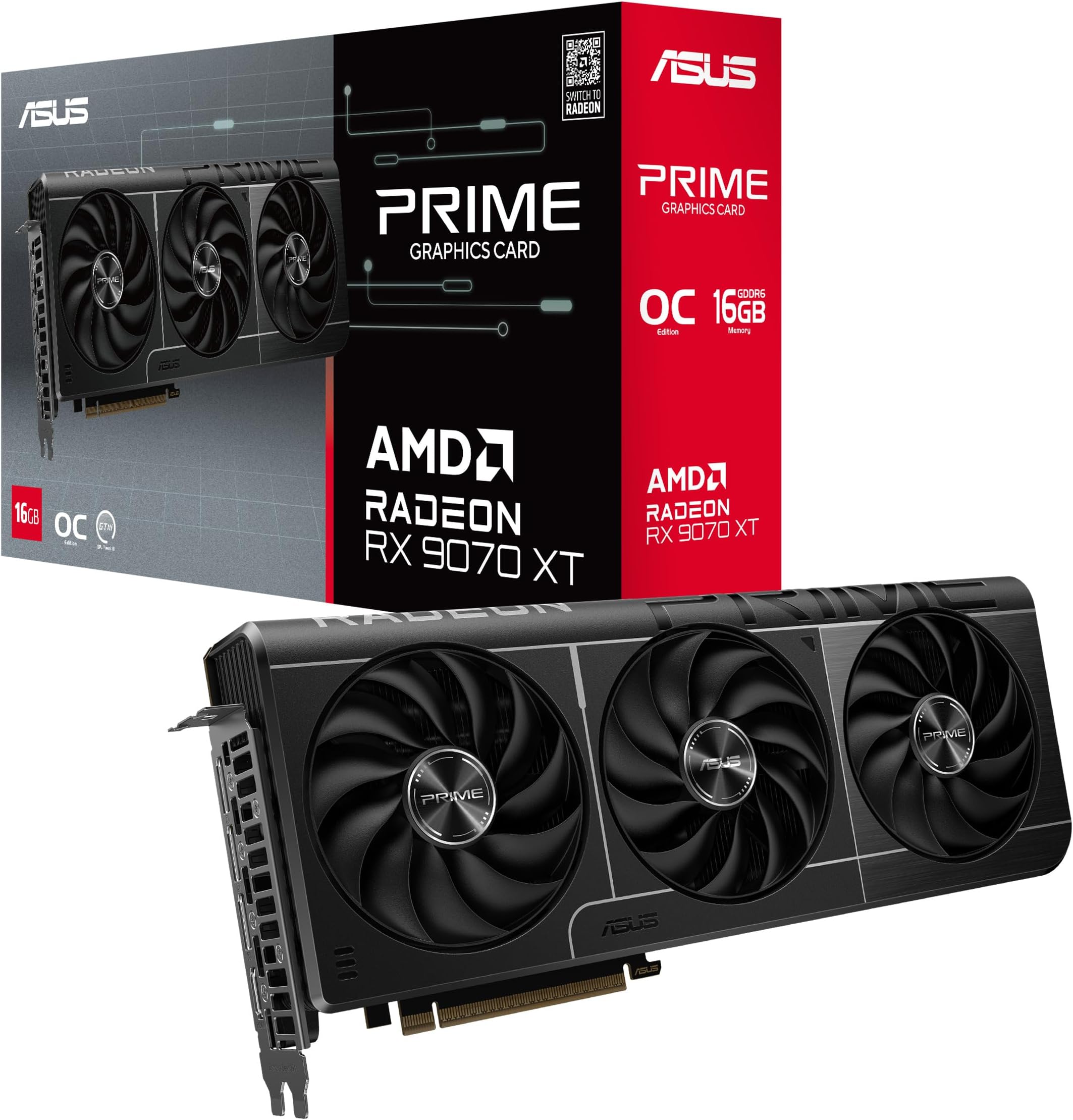
| GPU | RX 9070 XT |
| Memory | 16GB GDDR6 |
| Bus | 256-bit |
| Rating | 4.6 (493) |

| GPU | RTX 5080 |
| Memory | 16GB GDDR7 |
| Rating | 4.7 (293) |
RTX 5060 — the card that does not need a big supply
$489.99, and the lowest-draw card here. A quality 650W unit covers a build around this card comfortably, and the 750W units on this page give it room to spare rather than room it needs.
The useful point: if this is your card, do not spend the saving on more watts. Put it into the quality of a smaller unit instead — a good 750W supply here costs $99.99 and will outlast the card, while a cheap 1000W unit costs more and buys you nothing but a bigger number.
- AI Performance: 630 AI TOPS
- Powered by the NVIDIA Blackwell architecture and DLSS 4
- SFF-Ready Enthusiast GeForce Card. OC Mode: 2527 MHz/ Defult Mode: 2497 MHz (Boost clock)
- Lowest power demand of the four cards here
- Works comfortably with even the entry-priced units on this page
- 4.7 stars from 187 owners
- 2.5-slot design with a dual BIOS switch, PCIe 5.0 with DLSS 4
- 8GB of memory, which our VRAM explainer flags as a 1080p figure
- Leaves no headroom if you upgrade the card but keep the supply
- Entry tier, so it will be the first thing you want to replace
RTX 5070 — the NVIDIA side of the 750W tier
ASUS recommends a 750W system for this card and fits it with a single 16-pin power connector. That is exactly why 750W is the recommendation this article opens with — it covers everything up to and including this tier.
If you are buying this card and expect to go further later, an 850W unit stops being over-buying and starts being sensible planning. The difference between the 750W and 850W units here is modest; the difference between replacing a supply and not replacing one is an afternoon.

- Powered by the NVIDIA Blackwell architecture and DLSS 4 OC mode: 2640MHz/Default mode: 2610MHz (Boost Clock)
- Military-grade components deliver rock-solid power and longer lifespan for ultimate durability
- Protective PCB coating helps protect against short circuits caused by moisture, dust, or debris
- ASUS recommends 750W for it, the most common capacity
- 12GB of GDDR7 on ASUS OC Edition clocks
- One 16-pin power connector, so no adapter to route
- 12GB rather than the 16GB of the tier above it
- 4.7 stars across 539 ratings
- Its price makes the supply look like a rounding error, which is how people end up under-buying it
RX 9070 XT — the AMD side of the 750W tier
$829.99 and 4.6 stars from 493 owners. This is the card that offers a lot of memory for the money, and AMD rates it at a 750W minimum, which puts it at the top of that tier rather than above it.
Worth stating plainly because it catches people out: wattage tiers are not a Nvidia-versus-AMD question. Cards from both makers sit across all of these tiers, and the only figure that matters is the one on the product page for the specific card you are buying — not a general impression of which brand runs hotter.

- Axial-tech fans now feature a smaller fan hub that facilitates longer blades and a barrier ring that increases downward …
- Phase-change GPU thermal pad helps ensure optimal heat transfer, lowering GPU temperatures for enhanced performance and …
- 2.5-slot design allows for greater build compatibility while maintaining cooling performance
- 16GB and a 256-bit bus for $829.99
- 4.6 stars from 493 owners
- Considerably cheaper than the comparable Nvidia tier
- Wants an 850W supply rather than a 750W one
- GDDR6 rather than the GDDR7 on the Nvidia cards here
- 2.5-slot card, so check clearance in a compact case
RTX 5080 — the 850W card
$1,899.99 and the highest draw on this page. This card wants 850W, and the be quiet! and Thermaltake units above are the ones sized for it.
The proportion is worth seeing written down. The card is $1,899.99. An 850W supply capable of running it properly is a small fraction of that. Saving fifty dollars on the one component whose failure can damage everything else in the machine, in order to protect a sixteen-hundred-dollar card, is not a saving. It is the worst trade available in a PC build, and it is made constantly.
- Powered by the NVIDIA Blackwell architecture and DLSS 4. System Requirements: Minimum 850W PSU with 16-pin 12V-2×6 (12VH…
- Military-grade components deliver rock-solid power and longer lifespan for ultimate durability. Compatibility: 348mm (13…
- Protective PCB coating helps protect against short circuits caused by moisture, dust, or debris
- The fastest card in our graphics guide
- 4.7 stars from 293 owners
- 850W minimum, so it rules out every 750W unit on this page
- 293 ratings is thin evidence for this money
- The card costs many times what the supply that feeds it does
Every unit compared
| Power supply | Capacity | Efficiency | Cables | Price | Rating |
|---|---|---|---|---|---|
| CORSAIR RM750e | 750W | Cybenetics Gold | Fully modular | $89.99 | 4.6 (403) |
| MSI MAG A750GL PCIE5 | 750W | 80+ Gold | Fully modular | $99.99 | 4.6 (1,501) |
| Cooler Master MWE Gold 750 V3 | 750W | 80+ Gold | Fully modular | $111.74 | 4.6 (154) |
| Rosewill VMG 750W | 750W | 80+ Gold | Fully modular | $79.99 | 4.4 (217) |
| Thermaltake GF1 750W | 750W | 80+ Gold | Fully modular | Check price | 4.6 (340) |
| Thermaltake Toughpower GT | 850W | 80+ Gold | Modular | $89.99 | 4.5 (590) |
| be quiet! Pure Power 13 M | 850W | Up to 94.4% | Fully modular | $109.90 | 4.6 (202) |
| NZXT C1000 Gold | 1000W | 80 PLUS Gold | Fully modular | $124.99 | 4.6 (324) |
The connector question
Current graphics cards may use the 12V-2×6 connector rather than the older eight-pin arrangement. Cards ship with an adapter, so an older supply will work, but the adapter is bulky and adds a junction where there was not one.
If you are buying new anyway, choosing a unit with the connector native is the tidier answer. Seven of the eight units here are ATX 3.1 with the modern connector built in, including the entry-priced one, which is unusual and worth knowing.
The number to check is not the supply’s total wattage but what that single connector is rated for. The Thermaltake delivers 450W on it and the be quiet! delivers 600W. Both cover every card in our graphics card guide; the higher figure is headroom for what comes next.
What actually happens when your PSU wattage is too low
The failure mode surprises people, because it does not look like a power problem. It looks like a broken game or a faulty graphics card, and that misdiagnosis costs money.
The usual symptom is the machine rebooting under load with no error message. You are playing, the scene gets demanding, and the system restarts as though someone pulled the plug. No blue screen, no crash report, nothing in the logs, because the machine did not crash — it lost power for an instant and started again.
Why it happens even when the arithmetic says you have enough. Modern graphics cards do not draw a steady figure. They draw brief spikes well above their rated power, lasting a fraction of a second, and a supply running near its limit can trip its own protection during one of those spikes rather than deliver it. This is exactly why headroom is not wasted capacity, and why sizing with no margin is a false economy.
Other signs pointing the same way: shutdowns that happen in demanding games but never on the desktop, a machine that behaves once you turn settings down, coil whine that appears under load, and instability that got worse immediately after you fitted a new graphics card. That last one is the giveaway, and it is the most commonly misread.
How to confirm it cheaply before buying anything. Cap your frame rate or turn settings down so the card draws less, and see whether the restarts stop. If they do, you have your answer for free. If they continue at low load, the supply is probably not your problem and you should look elsewhere.
And the reason this matters more than any other component sizing decision: a supply that fails badly can take other parts with it. A graphics card that is too slow disappoints you. A power supply that fails without proper protection circuitry can damage the board, the drives and the card at once. That asymmetry is the entire argument for buying quality here rather than capacity.
Modular, semi-modular or non-modular?
This is about cables, and it affects how the build goes together rather than how it performs. All three types deliver identical power.
Non-modular means every cable is permanently attached. You get all of them whether you need them or not, and the unused ones have to be tucked somewhere. It is the entry-priced option, and no unit on this page makes that trade any more — every pick here detaches at least its peripheral cables.
Semi-modular attaches the cables everyone needs — motherboard and processor power — and lets you add the rest. It covers most of the benefit for most of the saving.
Fully modular means nothing is attached until you attach it. You connect only what the build uses, which makes routing considerably easier and airflow tidier, and it makes the supply far easier to reuse in a different case later.
Does it matter? For a first build, genuinely yes — not for performance but for how difficult the afternoon is. Cable management is the part of building people find most frustrating, and a fully modular unit removes a large share of it. In a small case it stops being a convenience and becomes close to a requirement, because there is nowhere to hide a bundle of unused cables.
What to do: in a normal mid-tower on a budget, semi-modular is the sensible middle. In a compact case, or if this is your first build, pay the small premium for fully modular. Never choose a worse-quality unit to get modular cables — the quality matters and the cables do not.
How long should a power supply last?
Longer than anything else in the machine, which is why the warranty is the specification worth reading.
A good supply routinely outlives two or three graphics cards. It has no meaningful performance ceiling to age against — a 750W unit delivers 750W in ten years the same as on day one, provided it was built properly. This is the one component where buying above your current needs genuinely pays off, because it carries into your next build.
Read the warranty as a quality signal, not as insurance. Manufacturers set warranty length based on what their own failure data tells them, so a ten-year warranty is a statement about expected lifespan far more than it is a promise of a replacement. The MSI MAG A750GL above carries ten years, and that figure tells you more about the unit than most of its other specifications combined.
What actually shortens a supply’s life: heat, dust and running constantly near its limit. All three are addressed by the same decision — buying enough capacity that the unit spends its life at moderate load, where it runs cooler, quieter and more efficiently.
When to replace one anyway. If it is more than roughly a decade old, if it came free inside a budget case, or if it is an unknown brand with no warranty information available at all. In all three cases the risk is not that it stops working — it is what it might do to everything else on its way out.
Can I reuse the power supply from my old build?
Often yes, and it is a legitimate saving. Four checks decide it.
1. Is the capacity right for the new card? Not the old one. Work from the graphics card you are fitting, using the tiers on this page. This is the check people skip, and it is the one that causes the reboots described above.
2. Does it have the connectors the new card needs? Current high-end cards use a connector older supplies do not carry. Adapters exist and are shipped with many cards, but a supply with the connector native is the cleaner answer — which is what ATX 3.1 and PCIe 5.1 on the CORSAIR RM750e above refer to.
3. How old is it, and what was it doing? A five-year-old quality unit from a machine used lightly is a reasonable bet. A ten-year-old unit, or one that has spent years running near its limit in a hot case, is not worth the risk in front of new components.
4. Do you know what it actually is? If it came bundled with a case or a prebuilt and has no brand or rating you can look up, treat that as a no. An unknown supply in front of a graphics card at this tier is a bad trade regardless of how well it has behaved so far.
The honest summary: reusing a good supply of adequate capacity is sensible and saves real money. Reusing an unknown or elderly one to protect a new, expensive card is the single most common way people damage a build they just spent weeks planning.
The connector and cable check, before you order
Five quick confirmations. They prevent the two most annoying delivery-day discoveries: a cable that does not exist, and a unit that does not fit.
1. The graphics card connector. Check what your specific card requires and confirm the supply provides it natively or ships the adapter. Do not assume from the wattage — capacity and connector type are separate specifications.
2. The processor connector. Some boards want two, particularly higher-end ones. Confirm the supply has both before the board is in the case.
3. Physical length against the case. Higher-capacity units are frequently longer, and a compact case can run out of room, especially with a front radiator fitted. Our case guide covers why clearance is the specification that actually stops builds.
4. Cable length, in a large case. The opposite problem. In a full tower with a bottom-mounted supply, the processor cable has a long way to travel behind the board tray, and stock cables occasionally do not reach.
5. Never mix cables between supplies. This one matters more than the rest combined. Modular cables are not standardized between manufacturers, and sometimes not between models from the same manufacturer. A cable that physically fits another unit can be wired differently, and connecting it can destroy components immediately. Use only the cables that came in the box with that specific supply, and if you are reusing an old modular unit, make sure you still have its own cables.
Does more PSU wattage use more electricity?
No, and this misunderstanding is behind a lot of unnecessary under-buying, so it is worth settling clearly.
A power supply is not a heater that runs at its rating. It delivers what the components ask for and no more. A 1000W unit in a machine drawing 400W is delivering 400W, exactly like a 750W unit would in the same machine. The number on the box is a maximum, not a consumption figure.
The subtlety is efficiency, and it runs the opposite way to what people assume. Supplies are least efficient at very light load and most efficient somewhere around the middle of their range. So a 1000W unit in a 400W machine is actually sitting closer to its efficient zone than a 750W unit would be, not further from it.
Where over-buying genuinely costs you is the purchase price, not the power bill. The NZXT C1000 above is on this page for builds that need it, and it costs meaningfully more than the 750W units. If your card does not need that capacity, that money buys nothing — but it is not costing you anything month to month either.
And the flip side matters more: a unit running constantly near its ceiling runs hotter, spins its fan harder, and lives a shorter life. That is a real cost of under-buying, paid in noise now and replacement later. Between a unit slightly too large and one slightly too small, the too-large one is the cheaper mistake by a wide margin.
What the efficiency rating actually saves you, in money
Efficiency ratings describe how much of the power drawn from the wall reaches your components, with the rest lost as heat. A Gold-rated unit is roughly ninety percent efficient across its normal range.
Run the arithmetic honestly, because the marketing does not. On a machine averaging 300W while gaming, the gap between a Bronze unit and a Gold one is on the order of fifteen to twenty watts. Over several hours of gaming a day across a year, that is a few dollars. It is not nothing, and it is also not the reason to choose one.
The real reasons Gold is worth it are heat and build quality. Those lost watts become heat inside your case, which the fans then have to remove — so a more efficient unit means a quieter machine, not just a cheaper one. And efficiency correlates strongly with the quality of the components inside, because you cannot hit a high rating with poor parts. The rating is a proxy for build quality, and that is what you are actually buying.
What about Platinum and above? Platinum and Titanium units exist and the efficiency gain over Gold is genuinely small. Buy capacity and build quality, not the electricity saving, which will not repay the premium in any realistic timeframe.
The practical guidance: Gold is the sensible target and most of this page sits there. Bronze is acceptable on a tight budget for a modest build, though every unit on this page is Gold or better. Below Bronze, or unrated entirely, is where you should stop.
Does the case affect what supply you need?
Not the wattage, but it can decide which unit you can physically buy. Higher-capacity supplies are frequently longer, and a compact case with a front radiator fitted can run out of depth for one. This is the same clearance problem our case guide describes for cooler height, and it catches people the same way: the specification is rarely published prominently, and it is discovered at the point of assembly rather than the point of purchase.
Airflow matters more than the case badge. A supply drawing cool air through a filtered bottom intake runs cooler, quieter and longer than one breathing warm air recirculated from inside the case. Check the case has a bottom intake with a removable dust filter, and check that filter occasionally — a clogged one is the most common reason a previously quiet machine develops a loud supply fan.
Single rail or multi rail?
A question that generated enormous argument a decade ago and matters very little now, but it still appears in listings so it is worth thirty seconds.
A rail is a channel delivering power at a given voltage. A single-rail design puts all available power on one channel. A multi-rail design splits it across several, each with its own protection limit.
Single rail is simpler and is what most modern units use. Everything can draw from the whole pool, so there is no way to overload one channel while another sits idle. For a normal gaming build with one graphics card, this is the straightforward choice and requires no thought.
Multi rail adds a layer of protection by capping how much any one channel can deliver, which limits what a fault can do. In practice, on a well-built modern unit, the other protections matter far more.
What to do: ignore it. Both designs are safe when the unit is well built, and neither is a reason to choose between the supplies on this page. Spend your attention on capacity, efficiency rating and warranty length — those three tell you what you need to know. If a listing makes a great deal of noise about its rail configuration while saying little about its warranty, that ordering of priorities is itself informative.
Do you also need a surge protector or a UPS?
Different question from wattage, but it comes up here constantly and it deserves a straight answer, because the two devices do genuinely different jobs.
A surge protector defends against a voltage spike. Cheap, worth having, and it does nothing whatsoever if the power simply goes off. Note that a power strip is not automatically a surge protector — it has to say so.
A UPS keeps the machine running briefly when power fails, which is enough time to save and shut down properly. It also smooths out the small sags and brownouts that a supply otherwise has to absorb.
Does a gaming PC need one? If your power is reliable, a surge protector is sufficient and the money is better spent elsewhere in the build. If you get frequent brief outages, a UPS is worth it — not mainly to protect the hardware, which a good supply already handles, but to avoid losing progress and to prevent the abrupt shutdowns that are hard on drives over time.
One thing worth knowing if you buy one: size it against what your machine actually draws, using the same logic as the whole of this page. A UPS rated close to your system’s draw will provide very little runtime. You are buying minutes to shut down cleanly, not hours of play — and being clear about that before you spend is the difference between a useful purchase and a disappointing one.
PSU wattage for the card you have, or the one you want next?
This is the decision that separates a supply you buy once from one you buy twice, and the answer depends on a single honest question: how likely are you, really, to upgrade the graphics card before you replace the whole machine?
If the answer is very likely — you are buying an entry card now because of budget, with a clear intention to move up — then buy the supply for the card you intend to end at, not the one you are starting with. The premium between 750W and 850W here is small. The cost of discovering later that your upgrade needs a new supply as well is the price of the supply plus another afternoon inside the case.
If the answer is probably not — you are building a machine and expect to use it as-is until you replace it — then size it properly for what you are building and put the difference into the card itself. A larger supply does nothing for a machine that never grows into it.
The middle case, which is most people: buy 750W. It covers everything up to and including the RTX 5070 and RX 9070 XT tier, it is the most competitively priced capacity because it is the most common, and it leaves genuine headroom for a card upgrade within the same tier. That is why this article opens with 750W as the default rather than a number derived from your specific parts.
One thing that is not worth planning for. Do not buy 1000W today because a future flagship card might need it. Supplies improve, connector standards change, and a unit bought years ahead of the card it was intended for may not have the connector that card ships with — which is exactly what happened to a great many perfectly good units when the current connector arrived. Plan one upgrade ahead, not three.
And the counterweight, which is the real point of this whole page: when you are genuinely unsure between two capacities, take the larger one. The penalty for slightly too much is some money you did not need to spend. The penalty for slightly too little is a machine that reboots under load, a fault that is hard to diagnose, and a component whose failure can take others with it. Those are not symmetrical risks, and they should not be treated as a close call.
What we would not worry about
- Buying far more capacity than you need. A 1200W unit in a 5060 build is wasted money, and it will run less efficiently at very light load.
- Online wattage calculators. They are generous by design. The card’s own recommendation plus headroom is a better guide.
- Modular versus non-modular for performance. It affects cable tidiness and airflow, not power delivery.
- Peak versus continuous ratings. Any unit worth buying quotes continuous. If a listing leads with peak wattage, that is the signal to walk away.
- A 4.8 star average from 40 reviews. Encouraging, not conclusive. Weight the sample size alongside the score.
PSU wattage decided in one minute
Building around anything up to an RTX 5070 or an RX 9070 XT, buy a good 750W Gold unit. Running a 5080, buy 850W. Running a flagship and wanting headroom for the next upgrade, buy 1000W. In all three cases, buy the better-built unit rather than the higher number.
Complete builds with the supply already matched to the card are in our parts lists for $1,000, $2,000 and $3,000. If the card is still undecided, our guides to how much VRAM you need and 1080p vs 1440p vs 4K settle that first.
Frequently asked questions
What PSU wattage do I need for gaming in 2026?
For most builds, 750W. That covers everything up to an RTX 5070 or an RX 9070 XT, both of which their makers rate for a 750W system. Step up to 850W for an RTX 5080 or a heavily overclocked system, and 1000W only if you want a flagship card running with the supply barely working.
How do I calculate the wattage I need?
Take the graphics card manufacturer’s recommended system wattage from the product page, add roughly 100 to 150 watts for the processor and everything else, then add headroom on top. Supplies are quietest and most efficient at around half load, so sizing with no margin is a false economy.
Is a higher wattage power supply always better?
No. A good 750W unit beats a poor 1000W one every time, and a very large supply in a modest build runs less efficiently at light load as well as costing more. Buy quality and the right capacity rather than the biggest number available.
What happens if my power supply is too small?
Usually not a dramatic failure. The common symptom is the machine rebooting under load with no error message, because modern graphics cards draw brief spikes well above their rated figure and the supply trips its protection. A machine that reboots in one demanding game and nowhere else is usually a supply problem, not a graphics card problem. It typically shows up right after fitting a new card, and it stops if you cap the frame rate or lower the settings.
Is 80+ Gold worth it over Bronze?
Yes, and Gold is the sensible stopping point. The gain from Bronze to Gold is worth having, while Gold to Platinum takes a long time to pay for itself on a gaming machine. Efficiency certification is also a rough proxy for build quality, since good certification rarely sits on bad internals.
Do I need a PSU with the 12V-2×6 connector?
Not strictly. Cards that use it ship with an adapter, so an older supply works. But the adapter is bulky and adds a junction, so if you are buying a new unit anyway it is tidier to choose one with the connector built in. Seven of the eight units in this guide have it native.
What does the connector wattage rating mean?
It is what that single cable can deliver to the graphics card, which matters more than the supply’s total capacity. A card that wants more than the connector provides will not run correctly regardless of how large the unit is overall. 450W covers every current gaming card; 600W is headroom for the next generation.
Can a bad power supply damage other components?
Yes, which is why it is the last part to economize on. A failing unit can take other components with it, so a cheaper supply from a real manufacturer with a real warranty is a very different proposition from an unbranded one at the same price. A long warranty is the manufacturer telling you how long they expect it to last.
Does a bigger power supply use more electricity?
No. A supply delivers what the components ask for and no more, so a 1000W unit in a 400W machine draws 400W exactly as a 750W unit would. The number on the box is a maximum, not a consumption figure. If anything a larger unit sits closer to its efficient range, though the purchase price is real and buying capacity you will never use is money spent for nothing.
Should I get modular or non-modular?
All three types deliver identical power, so this is about how easy the build is rather than how it performs. Fully modular is worth the small premium for a first build or a compact case, because cable management is the part people find most frustrating. Semi-modular is the sensible middle in a normal mid-tower. Never take a lower quality unit just to get modular cables.
How long does a power supply last?
A good one routinely outlives two or three graphics cards, which is why buying above your current needs pays off here more than anywhere else in a build. Read the warranty as a quality signal rather than as insurance, since manufacturers set it from their own failure data. Heat, dust and running constantly near the limit are what shorten a supply life.
Can I reuse my old power supply?
Often yes. Check four things: that the capacity suits the new graphics card rather than the old one, that it has the connector the new card needs, how old it is and how hard it has worked, and whether you actually know what it is. An unknown supply that came bundled with a case, sitting in front of an expensive new card, is not worth the risk.
Can I use cables from another power supply?
No, and this one can destroy hardware. Modular cables are not standardized between manufacturers and sometimes not between models from the same manufacturer. A cable that physically fits can be wired differently, and connecting it can damage components immediately. Only ever use the cables that came in the box with that specific unit.
Related buying guides
- Best Gaming Power Supply 2026 — the full review of all eight units above.
- Best Graphics Cards 2026 — the card is what sets your wattage.
- How Much VRAM Do You Need — the other specification that decides which card you buy.
- Best PC Case 2026 — check supply length against case clearance before ordering.
- Prebuilt vs Build Your Own PC — the power supply is the part prebuilt makers cut first.
- Gaming PC Build Under $2,000 — a complete parts list with the supply already matched.
- How to Build the Ultimate Gaming PC — an RTX 5080 build with a 1000W supply and every assembly step.
The bottom line on PSU wattage
Buy 750W and stop thinking about it, unless your card is an RTX 5080 or above, in which case buy 850W. The only reason to go to 1000W is a flagship card plus a genuine plan to upgrade again without replacing the unit.
Whatever capacity you land on, spend the extra on the better-built unit rather than the bigger number. This is the one component whose failure can take the rest of the machine with it, and a ten year warranty tells you more about a power supply than any specification on the box.
Gamers Tech Guide participates in the Amazon Services LLC Associates Program. As an Amazon Associate we earn from qualifying purchases.