
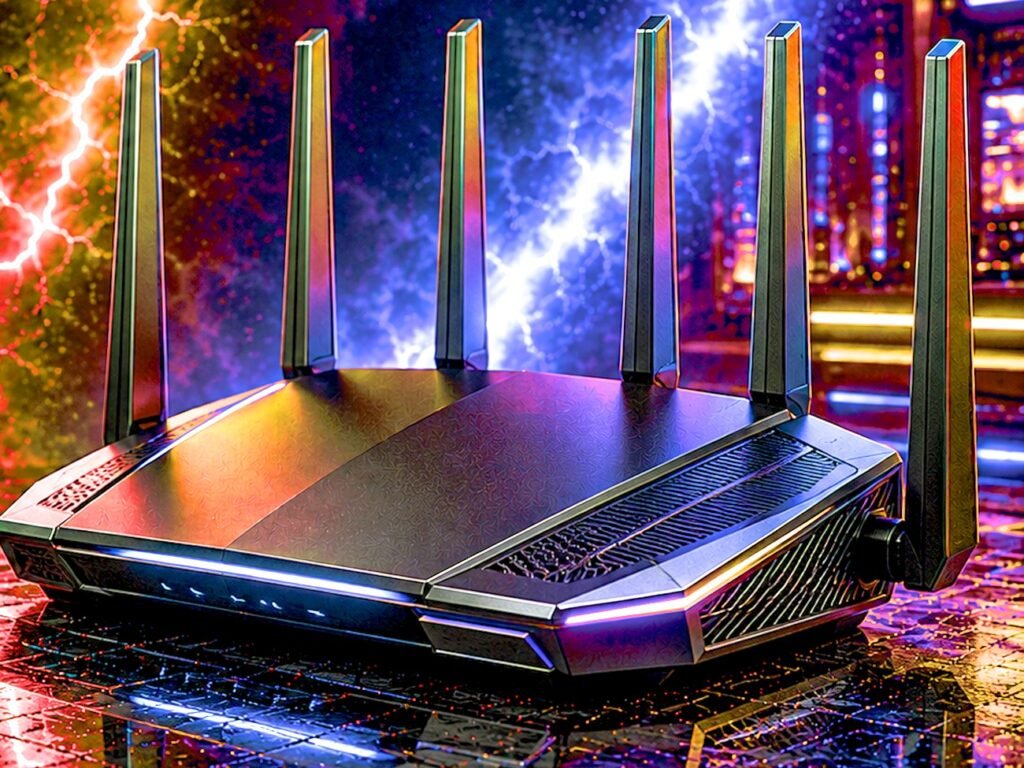
A faster router will not raise your internet speed. What it fixes is the lag spike when the rest of the house gets busy, and the connection that drops mid-match for no visible reason.
- Buy the $74.99 TP-Link Archer AX55 unless something specific pushes you elsewhere. Nothing here does more for the money, and 10,856 owners rate it 4.4.
- Best rated here is the GL.iNet Flint 2 at 4.5 stars from 3,075 owners.
- If the signal will not reach, buy mesh — distance is a different problem from speed.
- Run a cable if you possibly can. It beats every router on this page.
The best gaming router is rarely the fastest one on the shelf. Your internet plan sets your download speed and no router raises it — what a good one fixes is the part that actually loses you fights: the lag spike when somebody else in the house starts a download, and the wireless connection that drops out mid-match for no visible reason.
We validated every router on this page against its live Amazon listing: the price, the star rating, and how many owners are behind that score. Two candidates were rejected outright before writing, and we name them further down rather than quietly leaving them out.
Prices here run from $54.99 to $587.99, and the honest headline is that the $74.99 pick beats the $587.99 one for most people.
Every router at a glance
Eight routers, each verified on its own product page. Sorted by what they are for rather than by price.

| Wi-Fi | Wi-Fi 6, 8-stream |
| Ports | Dual 2.5G |
| Firmware | OpenWrt pre-installed |
| Rating | 4.5 (3,075) |

| Wi-Fi | Wi-Fi 6, AX3000 |
| Extras | VPN server, USB 3.0 |
| Mesh | EasyMesh |
| Rating | 4.4 (10,856) |

| Wi-Fi | Wi-Fi 6, AX1800 |
| Owners | 24,840 ratings |
| Mesh | EasyMesh |
| Rating | 4.4 (24,840) |

| Wi-Fi | Wi-Fi 6E, AXE5400 |
| Coverage | Up to 5,500 sq ft |
| Units | 2-pack |
| Rating | 4.4 (4,873) |

| Wi-Fi | Wi-Fi 7, quad-band |
| Ports | Dual 10G, 2.5G |
| Gaming | Triple-level acceleration |
| Rating | 4.2 (616) |

| Wi-Fi | Wi-Fi 7, BE6500 |
| Ports | Dual 2.5Gbps |
| Coverage | Up to 2,400 sq ft |
| Rating | 4.3 (1,704) |

| Wi-Fi | Wi-Fi 7, tri-band |
| 2.5G ports | Eight |
| Extras | Game acceleration, VPN |
| Rating | 4.1 (157) |

| Wi-Fi | Wi-Fi 7, BE3600 |
| Port | 2.5 Gig internet |
| Coverage | Up to 2,000 sq ft |
| Rating | 4.3 (1,628) |
What actually matters in a gaming router
Most router marketing is about a headline speed number you will never reach. Here is what changes your experience, roughly in order.
1. QoS, and whether it works without configuration. Quality of Service decides which traffic gets priority when the connection is busy. This is the single feature that stops your ping spiking because somebody upstairs started a 4K stream, and it is the reason a gaming router beats a generic one. Every router on this page has some form of it; the ones with a dedicated gaming mode make it a switch rather than a project.
2. A dedicated gaming port. Some routers reserve one physical LAN port that automatically gets top priority. If your PC or console is within cable reach, this is the simplest performance win available — no app, no settings, no ongoing tuning.
3. Processor and memory. A router is a small computer and it has to make routing decisions for every packet. Under load — many devices, heavy traffic, QoS actively working — a weak processor becomes the bottleneck, and the symptom is exactly the lag you bought the router to fix. This is where the cheapest units genuinely differ from the mid-range.
4. Multi-gig ports, but only if your plan justifies them. A 2.5G port matters if your internet is faster than 1 gigabit. If it is not, that port is doing nothing for your download speed — though it can still be useful between devices on your own network.
5. Coverage, honestly assessed. A router cannot cover a house it cannot reach through. If your gaming machine is two floors and three walls away, a stronger single router is usually the wrong answer and a mesh system is the right one.
What matters far less than the box suggests: the headline speed figure. AX5400, AXE6600 and BE6500 describe a theoretical maximum across all bands combined, under conditions you will never have. Nobody has ever seen one of those numbers on a speed test.
Wired still wins, and any honest guide should say so
If your machine is close enough to run a cable, run the cable. A wired connection is more consistent than any wireless one and it costs the price of the cable.
The reason is not raw speed, it is variance. Wireless has to share airtime with every other device and contend with interference from walls, microwaves and your neighbors. Even when the average is good, the variation is what you feel in a competitive match — and a router cannot eliminate that, only manage it.
So why buy a gaming router at all? Because most people genuinely cannot run a cable, and because the router still handles every wired device in the house, still runs QoS, and still decides what happens when the connection gets busy. A good router improves a wired setup too. It just improves a wireless one more.
The middle option people forget: a mesh system with an ethernet port on the satellite unit. Put the satellite near your gaming machine, cable the machine to it, and the wireless hop happens between two units with good antennas rather than between your router and a laptop behind a wall. It is frequently better than either extreme.
1. GL.iNet GL-MT6000 Flint 2 — the best gaming router for most people
$169.99, and the highest-rated router in this entire comparison at 4.5 stars from 3,075 owners. No other unit here combines that score with that depth of evidence, and on a category full of 4.3s and 4.4s, that gap is the story.
It runs OpenWrt out of the box, which is unusual and genuinely matters: it means the software is open, actively developed by people who are not the manufacturer, and not going to be abandoned when the model stops selling. Router firmware quietly deciding to stop receiving updates is one of the real long-term risks in this category, and this is the one unit here that structurally avoids it. Dual 2.5G ports and an 8-stream Wi-Fi 6 radio cover the hardware side.
- ***Please update the firmware upon initial setup of the router, as it greatly enhances the device’s performance and ensu…
- 【High Speed Gaming Router】Dominate with uninterrupted performance with the ultimate MT6000 gaming internet router, equip…
- 【Rapid OpenVPN & Wireguard speed】Wireguard VPN and OpenVPN speeds up to 900Mbps and 880Mbps respectively, giving you com…
- 4.5 stars from 3,075 owners, the best score here
- OpenWrt pre-installed, so firmware support does not depend on one manufacturer
- Dual 2.5G ports at $169.99
- VPN support built in rather than bolted on
- Wi-Fi 6 rather than 6E or 7, so no 6GHz band
- OpenWrt is more capable and less hand-holding than a consumer interface
- No dedicated gaming port like the ASUS units
- Less recognizable brand than NETGEAR or ASUS
2. TP-Link Archer AX55 — the value pick, and the one most people should buy
$74.99 with 4.4 stars from 10,856 owners — the second-deepest owner sample on this page. At that price this is the router most readers should buy, and the reason is that nothing else here does as much for the money.
AX3000 dual-band Wi-Fi 6 with OFDMA and MU-MIMO, four gigabit LAN ports, and a USB 3.0 port for sharing a drive across the house. It runs both a VPN client and a VPN server, which is unusual at this price and genuinely useful if you want your traffic encrypted or want to reach your home network while you are away. HomeShield covers the security side, and EasyMesh means a second unit can extend it later rather than replace it.

- Next-Gen Gigabit Wi-Fi 6 Speeds: 2402 Mbps on 5 GHz and 574 Mbps on 2.4 GHz bands ensure smoother streaming and faster d…
- A More Responsive Experience: Enjoy smooth gaming, video streaming, and live feeds simultaneously. OFDMA makes your Wi-F…
- Expanded Wi-Fi Coverage: 4 high-gain external antennas and Beamforming technology combine to extend strong, reliable, Wi…
- $74.99, the best price-to-capability ratio on this page
- 10,856 ratings at 4.4, evidence almost nothing here matches
- VPN client and VPN server built in, rare at this price
- USB 3.0 port for sharing a drive across the network
- Wi-Fi 6 only, no 6GHz band
- No dedicated gaming port
- Gigabit WAN only, so no benefit on a multi-gig plan
- Plain black box, with no RGB if that matters to you
3. TP-Link Archer AX21 — the cheapest upgrade worth making
$54.99 and 4.4 stars from 24,840 owners, which is by a wide margin the deepest owner evidence on this page. This is the floor of this guide, and it is here because it is a genuine upgrade over an internet provider’s supplied box, not because it is cheap.
No gaming port and no 6GHz band, but it is real Wi-Fi 6 with four gigabit LAN ports, and it supports EasyMesh — meaning you can add a second unit later and turn it into a mesh rather than replacing it. For anyone still using the router their ISP shipped, this is the least money that produces a noticeable difference.

- DUAL-BAND WIFI 6 ROUTER: Wi-Fi 6(802.11ax) technology achieves faster speeds, greater capacity and reduced network conge…
- AX1800: Enjoy smoother and more stable streaming, gaming, downloading with 1.8 Gbps total bandwidth (up to 1200 Mbps on …
- CONNECT MORE DEVICES: Wi-Fi 6 technology communicates more data to more devices simultaneously using revolutionary OFDMA…
- $54.99, the cheapest router here
- 24,840 ratings at 4.4, more owner evidence than the rest of this page combined
- EasyMesh compatible, so it can become part of a mesh later
- Setup runs through the Tether app in a few minutes
- AX1800 is the slowest wireless specification on this page
- No dedicated gaming port
- No 6GHz band
- Modest processor, so it is the first here to struggle with many devices
4. TP-Link Deco XE75 — the answer when the router is too far away
$199.99 for a two-pack, covering up to 5,500 square feet, with 4.4 stars from 4,873 owners — the third-deepest owner sample in this guide.
Buy this if your problem is distance rather than speed. If your gaming machine is upstairs, at the other end of the house, or through several walls, no single router on this page will fix that as well as two units working together will. The tri-band 6E design means the units can talk to each other on the 6GHz band while leaving the other bands for your devices, which is what separates a good mesh from a bad one.
- WiFi 6E Tri-Band Mesh WiFi – Cover up to 5,500 Sq.Ft with next-gen seamless WiFi and make dead zones and buffering a thi…
- New 6 GHz Band – The latest Wi-Fi frequency, eliminates interference from legacy devices. The 6 GHz band can work as a b…
- True Tri-Band Speed – All three WiFi bands work together to unleash your network’s total speeds up to 5,400 Mbps for 200…
- 4,873 ratings, deep evidence for a mesh system
- Two units for $199.99, covering up to 5,500 sq ft
- Tri-band 6E, so the units communicate without stealing your bandwidth
- Replaces both a router and an extender
- Not a gaming-specific product, so no dedicated gaming port or game mode
- Mesh adds a wireless hop, which a single router does not have
- More expensive than every single-unit router here except the flagship
- Coverage claims assume conditions your house probably does not have
5. ASUS ROG Rapture GT-BE98 Pro — the flagship, and who it is really for
$587.99, quad-band Wi-Fi 7, up to 30Gbps of combined wireless throughput and dual 10G ports. 4.2 stars from 616 owners.
Be clear about what the money buys, because it is not wireless gaming performance. The Archer AX55 at $74.99 will feel the same in a match for the overwhelming majority of people. What $587.99 buys is wired and multi-device capability — 10-gigabit ports aimed at moving large files between machines on your own network, or at an internet plan almost nobody has, plus a fourth radio that helps in a house with a very large number of simultaneous devices.
If those describe you, this is a genuinely capable machine. If they do not, this is over five hundred dollars you could put into a graphics card.

- Beyond-fast WiFi 7 (802.11be) with new 320MHz channels in the 6 GHz band and 4096-QAM significantly increases network ca…
- Multi-link Operation links to multiple bands at the same time to ensure stable internet connections and efficient data t…
- Cutting-edge external dual-feeding antennas boost coverage by providing high efficiency and significantly enhanced signa…
- Quad-band Wi-Fi 7, the only router here with four radios
- Dual 10G ports, unmatched by anything else here
- Triple-level game acceleration and subscription-free security
- Mesh capable, so it can anchor a whole-house system
- $587.99, eight times the price of our value pick
- Will not feel faster in a game than the $74.99 TP-Link for most people
- 616 ratings, far fewer than the mid-range options
- Physically very large, and it looks like a spider
6. TP-Link BE6500 (BE400) — the Wi-Fi 7 to buy if you want ports
$159.99 for Wi-Fi 7 with dual 2.5Gbps ports and 4.3 stars from 1,704 owners. That review count is the important part: it is one of only two Wi-Fi 7 routers here with more than a thousand owners behind it, which matters in a standard still new enough that early firmware problems are a real risk.
Wi-Fi 7 only pays off if your devices support it, and today most do not. Buy this because it is a competent $159.99 router that happens to be futureproof, not because you expect Wi-Fi 7 to do something for you this year. Our WiFi 6 vs 6E vs 7 explainer goes through what each generation actually delivers, and prices all twelve routers we validated.
- 𝐅𝐮𝐭𝐮𝐫𝐞-𝐑𝐞𝐚𝐝𝐲 𝐖𝐢-𝐅𝐢 𝟕 – Designed with the latest Wi-Fi 7 technology, featuring Multi-Link Operation (MLO), Multi-RUs, and…
- 𝟔-𝐒𝐭𝐫𝐞𝐚𝐦, 𝐃𝐮𝐚𝐥-𝐁𝐚𝐧𝐝 𝐖𝐢-𝐅𝐢 𝐰𝐢𝐭𝐡 𝟔.𝟓 𝐆𝐛𝐩𝐬 𝐓𝐨𝐭𝐚𝐥 𝐁𝐚𝐧𝐝𝐰𝐢𝐝𝐭𝐡 – Achieve full speeds of up to 5764 Mbps on the 5GHz band and 68…
- 𝐖𝐢𝐝𝐞 𝐂𝐨𝐯𝐞𝐫𝐚𝐠𝐞 𝐰𝐢𝐭𝐡 𝐒𝐭𝐫𝐨𝐧𝐠 𝐂𝐨𝐧𝐧𝐞𝐜𝐭𝐢𝐨𝐧 – Get up to 2,400 sq. ft. max coverage for up to 90 devices at a time. 6x high perf…
- Wi-Fi 7 at $159.99
- 1,704 ratings, deep evidence for a Wi-Fi 7 router
- Dual 2.5Gbps ports and USB 3.0
- Quad-core processor
- Dual-band, so no 6GHz despite being Wi-Fi 7
- Wi-Fi 7 does nothing until your devices support it
- 2,400 sq ft coverage is modest
- No dedicated gaming port
7. ASUS ROG Strix GS-BE12000 — tri-band Wi-Fi 7 with eight 2.5G ports
$299.00 for tri-band Wi-Fi 7 rated up to 12,000 Mbps, with 320MHz channels on the 6GHz band and Multi-Link Operation. 4.1 stars from 157 ratings — a modest sample, so treat the score as an early read rather than a settled one.
What earns it a place is the wiring. It has eight 2.5G ports, one WAN and seven LAN, so a gaming PC, a console and a NAS can all sit on multi-gig wired connections at once. Because it is tri-band it keeps the 6GHz band that the dual-band Wi-Fi 7 routers here leave out. ASUS adds its Triple-Level Game Acceleration and a separate gaming network you set up as its own SSID, and AiProtection Pro handles security. Inside is a quad-core 2.0GHz processor with 2GB of RAM.

- Blazing-fast WiFi 7 boosts tri-band throughput up to 12000 Mbps with 320 MHz channels of 6 GHz band, Multi-Link Operatio…
- Powerful wired network capacity of up to 20G with one 2.5G WAN port and seven 2.5G LAN ports.
- High-performance quad-core 2.0GHz CPU with robust cooling, 2GB RAM and eight internal antennas providing up to 3000 sq. …
- Eight 2.5G ports: one WAN, seven LAN
- Tri-band Wi-Fi 7 with the 6GHz band and 320MHz channels
- Gaming network SSID with ASUS Triple-Level Game Acceleration
- Quad-core 2.0GHz processor and 2GB of RAM
- 157 ratings, a modest sample
- The listing names no dedicated gaming port
- Internal antennas only, so there is nothing to aim
- No RGB lighting, if that matters to you
8. NETGEAR Nighthawk RS90 — the cheapest Wi-Fi 7 here
$118.47 with 4.3 stars from 1,628 owners, a 2.5 Gig internet port and BE3600 Wi-Fi 7. It is the cheapest way onto the current wireless standard from a brand with a long networking history.
Two honest caveats on the hardware itself. BE3600 is the entry rung of Wi-Fi 7, so this is the standard rather than its full capability. And the Archer AX55 above it holds 4.4 stars from about seven times as many owners, so if Wi-Fi 7 is not itself the reason you are buying, the older standard has the deeper track record here.
- FASTER, FARTHER, MORE RELIABLE WIFI: A dedicated dual-band WiFi 7 router built to keep up when everyone’s online, with s…
- WORKS WITH YOUR EXISTING INTERNET SERVICE: Pairs with your existing modem or gateway via ethernet. Compatible with most …
- SET UP AND MANAGE YOUR NETWORK WITH THE NIGHTHAWK APP: Download the free Nighthawk app on iOS or Android for guided setu…
- The cheapest route onto Wi-Fi 7 on this page
- 1,628 ratings behind it
- 2.5 Gig internet port at this price
- NETGEAR support and a long networking track record
- BE3600 is the entry tier of Wi-Fi 7
- Dual-band only, so no 6GHz
- Router only, with no bundled mesh unit
Every router compared
Prices are live from each product page. Ratings and review counts are read from the listing, not estimated.
| Router | Wi-Fi | Standout | Price | Rating |
|---|---|---|---|---|
| GL.iNet Flint 2 | Wi-Fi 6 | OpenWrt, dual 2.5G | $169.99 | 4.5 (3,075) |
| TP-Link Archer AX55 | Wi-Fi 6 | VPN server, USB 3.0 | $74.99 | 4.4 (10,856) |
| TP-Link Archer AX21 | Wi-Fi 6 | Cheapest here, 24,840 owners | $54.99 | 4.4 (24,840) |
| TP-Link Deco XE75 | Wi-Fi 6E | 5,500 sq ft, 2 units | $199.99 | 4.4 (4,873) |
| ROG Rapture GT-BE98 Pro | Wi-Fi 7 | Quad-band, dual 10G ports | $587.99 | 4.2 (616) |
| TP-Link BE6500 (BE400) | Wi-Fi 7 | Dual 2.5G ports, USB 3.0 | $159.99 | 4.3 (1,704) |
| ASUS ROG Strix GS-BE12000 | Wi-Fi 7 | Tri-band, eight 2.5G ports | $299.00 | 4.1 (157) |
| NETGEAR Nighthawk RS90 | Wi-Fi 7 | Cheapest Wi-Fi 7 here | $118.47 | 4.3 (1,628) |
Four routers we removed, and why
All four were picks in an earlier version of this guide. Every one of them lost Prime delivery on its Amazon listing, and a router that takes five to nine days to arrive is not the product we recommended. Naming them is more useful than silently dropping them.
ASUS RT-AX82U. Our previous value pick at $89.00, and the router whose dedicated gaming port anchored this guide. It now sells through a third-party seller with no Prime delivery. Of the current picks, the ROG Rapture GT-BE98 Pro at position five is the one whose listing names a gaming port.
ASUS RT-AX1800S. Previously the budget pick at $68.99. Reseller listing, no Prime delivery, and stock down to single figures when we checked. The Archer AX21 replaces it at a dollar more with roughly nine times the owner evidence.
ASUS ROG Rapture GT-AXE16000. The previous flagship at $449.00, now sold by a third party with no Prime delivery. The GT-BE98 Pro replaces it and is a full wireless generation newer.
MSI Radix AXE6600. $109.99 tri-band 6E. Amazon is listed as the shipper, but the listing carries no Prime delivery at all and the estimate we were shown ran six to nine days out.
And two we looked at and passed on. The ASUS TUF Gaming BE6500 at $219.99 is Prime and buyable, but it sits at 4.0 stars from 43 ratings, the lowest score and one of the thinnest samples we found. The TP-Link Archer GXE75 at $184.49 is Prime and sits at 4.2 stars, but from only 156 ratings, and it is Wi-Fi 6E rather than Wi-Fi 7. It leads the 6E section of our WiFi 6 vs 6E vs 7 explainer instead.
What we would not worry about
The headline speed number. AX5400, AXE6600, BE6500 — these are theoretical totals across all bands under laboratory conditions. They are not download speeds and you will never see them. Comparing two routers on this figure alone tells you almost nothing.
Antenna count. Six antennas do not beat four in any way you will perceive at home. It is largely visual design at this point.
RGB lighting. None of the routers here sells on it, and that is fine. It has no effect on anything, and your router probably lives behind a cabinet.
Gaming VPN features. Several of these advertise routing your game traffic through a VPN for lower ping. Occasionally this helps if your provider routes you badly. Usually it adds a hop and makes latency worse. Do not buy a router for this feature.
How to decide in one minute
You want the most router for the money: TP-Link Archer AX55 at $74.99. Nothing here does more at the price.
Your machine is far from the router: TP-Link Deco XE75 at $199.99. Distance is a coverage problem, not a speed problem.
You want the best router here regardless of category: GL.iNet Flint 2 at $169.99. Best rating, deep evidence, open firmware.
You are on the tightest budget: TP-Link Archer AX21 at $54.99. A real upgrade over an ISP box.
You want to buy once for the next several years: TP-Link BE6500 at $159.99, with dual 2.5G ports and over a thousand owners behind it.
You have a multi-gig internet plan or move huge files locally: ROG Rapture GT-BE98 Pro at $587.99. Otherwise, no.
How to tell whether your router is actually the problem
Before spending anything, work out whether the router is at fault. A surprising share of “my router is bad” turns out to be something else, and these four checks take about ten minutes between them.
1. Test wired against wireless. Plug a machine directly into the router with a cable and run a speed test, then run the same test over Wi-Fi from where you normally game. If wired is fine and wireless is poor, the router’s radio or its placement is the problem. If both are poor, the problem is your internet service and no router will fix it. This single test settles the question more often than any other.
2. Test when the house is empty and when it is busy. If your connection is fine at 3am and bad at 8pm, you have a contention problem, and that is exactly what QoS and a gaming port address. If it is equally bad at both times, it is not contention.
3. Watch ping rather than download speed. Most people test download speed because it is the number speed tests lead with. For gaming, the figure that matters is latency and its stability. A connection with 400Mbps download and wildly variable ping is worse to play on than a steady 50Mbps one.
4. Check how old the router is and how many devices it carries. A router supplied five or more years ago with an internet plan, now serving twenty-odd phones, TVs, speakers and consoles, is doing a job it was never specified for. That is the most common genuine case for an upgrade in this whole category.
What the answers mean. Wired fine, wireless poor, and far from the router — buy mesh. Wired fine, wireless poor, and close to the router — buy a better single router. Bad only when the house is busy — buy something with a gaming port or real QoS. Bad at all times, even wired — call your internet provider, because a new router is money you are about to waste.
Where to put the router, and why it matters more than the model
Placement routinely makes a bigger difference than upgrading, and it costs nothing. Most routers end up wherever the cable enters the house, which is usually the worst available position.
Central and high. Wireless radiates outward in all directions, so a router in a corner is sending most of its signal into next door. Central in the home and off the floor is the single biggest free improvement available.
Out in the open, not in a cabinet. Cupboards, media units and metal shelving all absorb signal. A router behind a TV in a closed cabinet is being deliberately handicapped, and it is where a great many of them live.
Away from other radios and large metal objects. Microwaves, cordless phone bases and fish tanks all interfere with the 2.4GHz band in particular. So does a fridge between the router and where you sit.
Antennas vertical, mostly. On a single-floor layout, standing the antennas upright spreads signal horizontally, which is what you want. If you are covering two floors, angling some antennas outward helps push signal up and down.
And if the cable enters the house in a bad spot — which is common — a long ethernet run to a better location is cheap and permanent. Move the router, not the furniture.
Setting up a new gaming router properly
Six steps, in order. This is the difference between a router that helps and one that is merely newer than the old one.
1. Update the firmware first. Before anything else. Routers frequently ship with firmware that is months or years old, and updates fix both security holes and stability faults. Do it during setup, and check whether automatic updates can be switched on.
2. Change the default admin password. Not the Wi-Fi password — the separate password for the router’s own settings. Default credentials are published for every model, and this is genuinely the most important security step you will take.
3. Separate your bands or do not, deliberately. Many routers present all bands under one network name and choose for your devices. That is convenient and usually fine. If your gaming machine keeps landing on the wrong band, giving each band its own name lets you pin it where you want it.
4. Turn QoS on and tell it what your plan actually is. QoS needs to know your real upload and download speeds to manage them, and it often ships either off or set to defaults that do not match your connection. Run a speed test, enter the true figures, and set gaming as the priority. This is the step that delivers most of what you paid for, and most people skip it.
5. Use the gaming port if you have one. If your router has a dedicated port and your machine is within cable reach, this is a thirty-second job that beats every setting on the list.
6. Only then test. Measure ping and its stability while the house is busy, because that is the condition you bought the router to handle. Testing at midnight with nobody else online tells you very little.
One thing to leave alone: unless you have a specific reason, do not start manually setting wireless channels. Modern routers select reasonably well on their own, and hand-picking a channel that later becomes congested is worse than letting the router adapt.
Frequently asked questions
Does a gaming router actually reduce ping?
It reduces ping spikes rather than your baseline ping. The distance between you and the game server sets your baseline and no router changes that. What a gaming router fixes is the spike when the connection gets busy, by prioritizing your game traffic over a download or a stream elsewhere in the house. That is the difference most people are actually feeling when they blame their router.
What is the best gaming router in 2026?
The GL.iNet Flint 2 at 169.99 dollars is the best overall on the evidence, with 4.5 stars from 3,075 owners, dual 2.5G ports and OpenWrt firmware. For most people the better buy is the TP-Link Archer AX55 at 74.99 dollars, because nothing else here does as much for the money.
Is Wi-Fi 7 worth it for gaming?
Not yet for most people, because it only helps if your devices support Wi-Fi 7 as well, and today most do not. Buy a Wi-Fi 7 router because it is a competent router at a fair price, like the 129.99 dollar TP-Link BE6500, rather than because you expect the standard to improve your games this year.
Should I use a wired connection or Wi-Fi for gaming?
Wired, every time, if you can run a cable. The advantage is consistency rather than raw speed: wireless shares airtime with every other device and contends with interference, and that variance is what you feel in a match. If a cable is impossible, a mesh unit placed near your machine with the machine cabled into it is frequently the next best thing.
Do I need a mesh system or a single router?
Buy mesh if your problem is distance and a single router if your problem is speed or prioritization. A stronger single router cannot reach through floors and walls it cannot penetrate, so if your gaming machine is far from the router, two units working together will beat one powerful one. The TP-Link Deco XE75 covers up to 5,500 square feet in a two pack.
What is a dedicated gaming port?
A specific LAN socket that automatically gives whatever is plugged into it top priority for traffic. It requires no app, no settings and no ongoing tuning, which is what makes it valuable. The ASUS ROG Rapture GT-BE98 Pro in this guide lists one, and a gaming port is the simplest fix available for lag caused by other people in the house.
How much should I spend on a gaming router?
Between 90 and 180 dollars covers almost everybody. Below that you are giving up the processor headroom that keeps a router steady under load. Above it you are mostly buying wired capability like 10G ports, which does nothing for gaming unless you have an internet plan or a local network that can use them. Our 449 dollar flagship will not feel faster in a game than our 89 dollar pick.
Does the headline speed number matter?
Very little. Figures like AX5400 or BE6500 are theoretical maximums added up across all bands under laboratory conditions, and nobody sees them on a real speed test. Your internet plan caps your download speed regardless. Judge a router on its processor, its QoS, its port selection and its coverage instead.
Will a new router increase my internet speed?
Only if your old router was the bottleneck, which is less common than people hope. Your plan sets your maximum. A new router helps when the old one could not deliver your full plan over wireless, when it struggled with the number of devices you have, or when it had no working QoS. If you are already getting your plan speed over a cable, a new router will not raise it.
Do gaming routers need a subscription?
The ones in this guide do not for their core features. The ASUS models include AiProtection security with no ongoing fee, and TP-Link HomeShield covers the basics free on the Archer models here. Check before buying though, because some manufacturers put parental controls or advanced security behind a recurring charge after a trial period.
Related buying guides
- WiFi 6 vs 6E vs 7 for Gaming — whether the newer standard is worth paying for.
- Best Gaming PCs 2026 — the machine on the other end of the connection.
- Best Gaming Monitors 2026 — refresh rate matters more than ping for how a game feels.
- Prebuilt vs Build Your Own PC — where the rest of your budget should go first.
- Best Gaming Consoles 2026 — consoles benefit from a gaming port just as much as a PC.
- Best Gaming Laptops 2026 — the devices most dependent on good wireless.
- Best Gaming Headsets 2026 — wireless headsets share the airtime your game is using.
The bottom line
Buy the TP-Link Archer AX55 at $74.99 unless something specific pushes you elsewhere. Nothing else on this page does as much for the money, and 10,856 owners at 4.4 stars is more evidence than almost anything in this category carries.
If you want the best-reviewed router here rather than the best value, the GL.iNet Flint 2 at $169.99 earns it on a 4.5 from 3,075 owners and open firmware that will not be abandoned. If your machine is far from the router, stop comparing routers and buy the Deco XE75 mesh at $199.99 instead, because distance is a different problem. And if you specifically want a gaming port, that is the ROG Rapture GT-BE98 Pro at $587.99.
And the thing worth repeating: if you can run a cable, run the cable. It is the cheapest upgrade on this page and it beats every router here.
Gamers Tech Guide participates in the Amazon Services LLC Associates Program. As an Amazon Associate we earn from qualifying purchases.