
Eight screens that survived a hard filter: a live price with a real seller, a 4.0 star minimum with enough reviews to mean something, and a refresh rate that is real at the resolution it is advertised with. Two panels failed that last test.
- Best gaming monitor for most people: the ASUS TUF VG27AQ3A at $179.00, 27 inch 1440p at 180Hz.
- Thousands of owner ratings: the SANSUI 27 inch at $259.99, with over four and a half thousand ratings.
- Best budget: the Dell SE2726HG at $149.99.
- Your graphics card decides your resolution, not your monitor. A 4K panel your GPU cannot feed is a slideshow with excellent color.
The best gaming monitor is the one your graphics card can actually drive, and that single constraint eliminates most of the shopping confusion before you start. A 4K 160Hz panel is a genuinely better display than a 1440p 240Hz panel. It is also a worse purchase if your GPU produces 45 frames per second at 4K, because you will spend the money and then turn the resolution down.
That is why 1440p at a high refresh rate has become the default recommendation rather than a compromise: it is sharp enough to look modern, and mid-range graphics cards can actually push high frame rates into it. Four of our eight picks are 1440p for exactly that reason.
We checked every price, rating and review count on this page against Amazon product data. Four of these eight carry more than two thousand owner ratings each, which is a depth of evidence this category offers and most do not.
The 8 best gaming monitors at a glance

| Size | 27 inch |
| Resolution | 2560×1440 |
| Refresh | 180Hz |
| Panel | Fast IPS |
| Rating | 4.6 (1,349) |
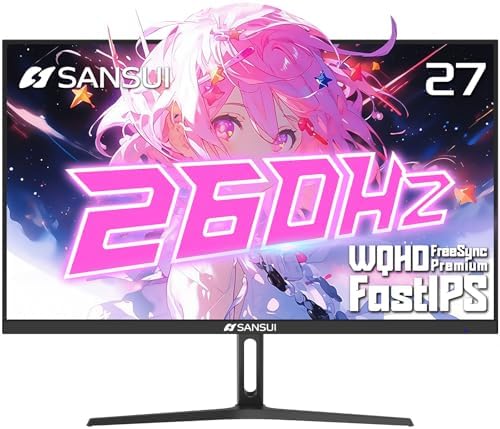
| Size | 27 inch |
| Resolution | 2560×1440 |
| Refresh | 260Hz |
| Panel | Fast IPS |
| Rating | 4.3 (4,579) |

| Size | 27 inch |
| Resolution | 1920×1080 |
| Refresh | 240Hz |
| Panel | IPS |
| Rating | 4.4 (419) |

| Size | 27 inch |
| Resolution | 3840×2160 |
| Refresh | 120Hz |
| Panel | IPS, USB-C |
| Rating | 4.4 (1,055) |
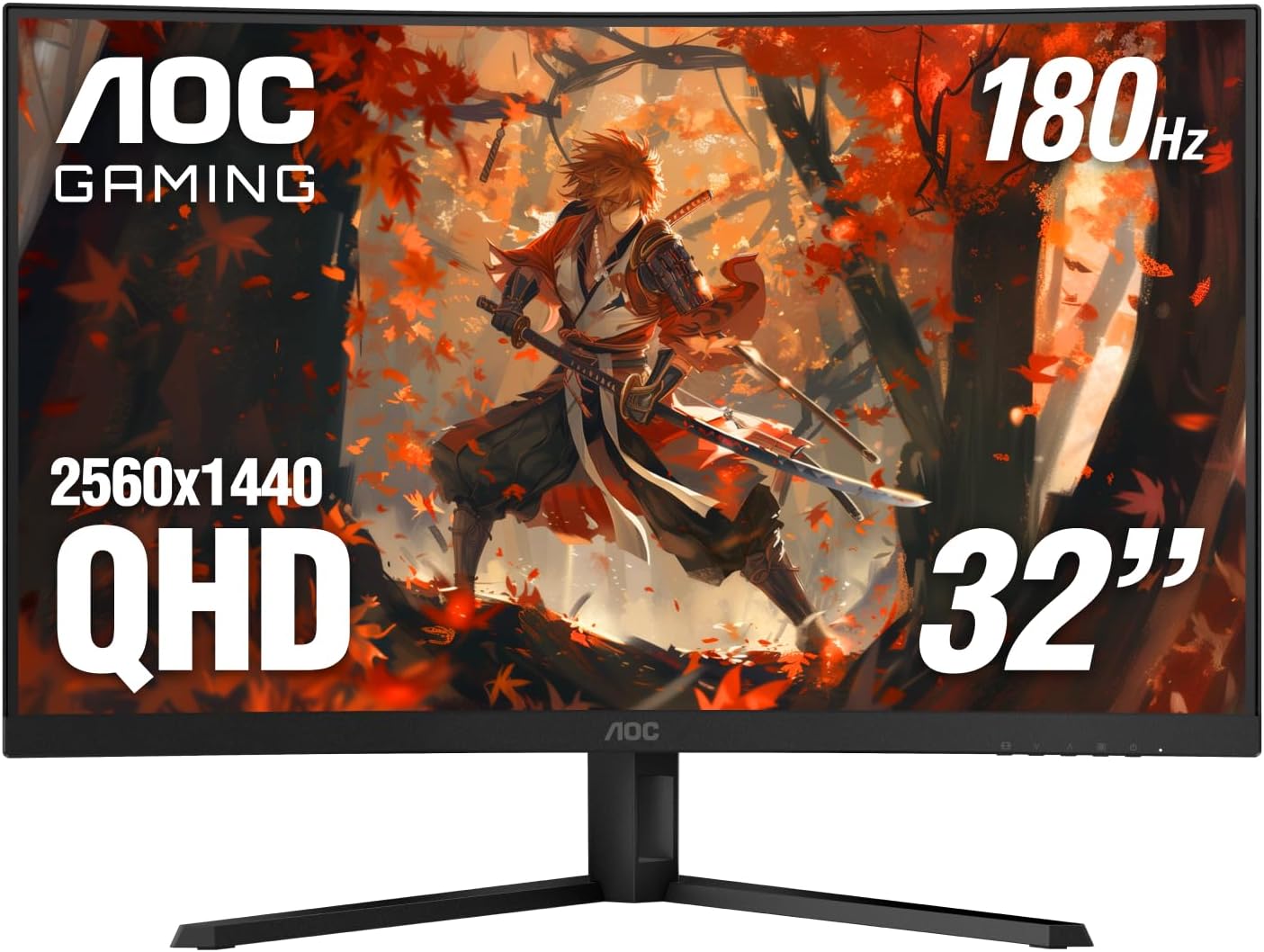
| Size | 32 inch |
| Resolution | 2560×1440 |
| Refresh | 180Hz |
| Curve | 1500R |
| Rating | 4.4 (182) |

| Size | 34 inch |
| Resolution | 3440×1440 |
| Refresh | 240Hz |
| Panel | Fast VA |
| Rating | 4.5 (5,683) |

| Size | 27 inch |
| Resolution | 2560×1440 |
| Refresh | 240Hz |
| Panel | OLED, 0.03ms |
| Rating | 4.5 (378) |

| Size | 27 inch |
| Resolution | 2560×1440 |
| Refresh | 300Hz |
| Panel | Fast IPS |
| Rating | 4.4 (306) |
How we chose these eight
Every candidate needed a live price from a real seller, a 4.0 star minimum, and enough reviews for that rating to mean something. Monitors are unusually good on that last point: four of our eight carry more than two thousand ratings each, and one carries over four and a half thousand.
The specific gate for this category is different from the others, and it caught two products. The advertised refresh rate has to be real at the advertised resolution. More on that below, because it is the trick worth understanding before you shop.
We also excluded two panels for rating alone, at 3.7 and 3.8 stars. Both happened to be the same products that failed the refresh rate test, which is not a coincidence worth over-reading but is worth noting.
Start here: your graphics card decides your resolution
Monitor shopping goes wrong when people buy the sharpest panel they can afford and discover their graphics card cannot feed it.
Resolution is a workload. Moving from 1080p to 1440p is roughly 1.8 times the pixels. Moving from 1440p to 4K is roughly 2.25 times again, so 4K is about four times the pixel workload of 1080p. Your frame rate falls accordingly, and no monitor setting fixes that. A 240Hz panel showing 50 frames per second is a 50 frames per second experience.
The practical order is: pick the resolution your graphics card can drive at the frame rate you want, then buy the best panel at that resolution. Our graphics card guide is the companion piece here, and if you are building the whole machine, the prebuilt gaming PC guide covers systems that come matched.
If you are assembling the machine yourself rather than buying it complete, the rest of the parts chain is covered too: our gaming CPU guide and gaming motherboard guide handle the processor and the board it sits in, and the RAM guide covers memory. Frame rate is produced by the graphics card and the processor together, so a monitor is the last decision in that chain rather than the first.
This is also why our top pick is 1440p rather than 4K. It is not that 4K is worse. It is that 1440p at 240Hz is achievable for far more people, and a monitor you can actually saturate feels faster than a sharper one you cannot.
Refresh rate: how much is enough, and where the marketing lies
Refresh rate is how many times per second the panel can redraw. Higher is genuinely better for motion clarity, with diminishing returns: the step from 60Hz to 144Hz is dramatic, 144Hz to 240Hz is clear, and 240Hz to 360Hz is a refinement most players will not notice outside competitive shooters.
Now the part worth knowing. Some monitors advertise a headline refresh rate that the panel cannot reach at its headline resolution. The listing will say something like 4K 72Hz DFR 144Hz, where DFR means Dual Frame Rate: the panel hits the high number only by dropping to a lower resolution. So a screen sold in a search for “4K 144Hz gaming monitor” is a 4K panel at 72Hz, or a 144Hz panel at 1080p, and never both at once.
Two Acer Nitro panels in our search did exactly this, one at 4K 72Hz with DFR 144Hz and one at 4K 160Hz with DFR 320Hz. Both are excluded. The lesson generalizes: read the native refresh rate at the native resolution, and treat any second, larger number as a different mode rather than a bonus.
A gentler version of the same thing appears on legitimate monitors, and it matters when you plug in. The SANSUI 27 inch below runs 260Hz over DisplayPort but caps at 144Hz over HDMI 2.0. That is not deceptive, it is a cable standard limit, but if you connect it with the wrong cable you simply will not get what you paid for.
1. ASUS TUF VG27AQ3A: the best gaming monitor for most people

- High-Resolution QHD Gaming Display: 27-inch QHD (2560 x 1440) gaming monitor with 180Hz refresh rate designed for profes…
- ASUS Extreme Low Motion Blur Sync Technology: ELMB Sync technology enables ELMB and variable-refresh-rate technologies t…
- Advanced Synchronization Technologies: FreeSync Premium, G-Sync compatible and AdaptiveSync technology delivers a seamle…
27 inch, 2560×1440, 180Hz, Fast IPS, $179.00, 4.6 stars from 1,349 ratings. This is the configuration most people should buy, from the manufacturer with the deepest track record on this page.
The important pairing is 27 inches at 1440p. It is the resolution a mid-range graphics card can actually drive at high frame rates, on the screen size that suits a normal desk. 180Hz is comfortably past the point where extra refresh stops being obvious for most players, and Extreme Low Motion Blur Sync lets you run backlight strobing and variable refresh at the same time, which most monitors make you choose between.
It is G-SYNC Compatible and FreeSync Premium certified, so tearing is handled whichever graphics card you own. Color coverage is 130% sRGB, there are built-in speakers, and the stand tilts, swivels, pivots and adjusts for height — which the cheaper picks here do not.
The limitation is that 180Hz is not the highest number on this page. If you play competitive shooters and want the last increment, the ASUS TUF VG27AQM5A at position eight runs 300Hz for about sixty dollars more. For everything else, this is the better balance.
- 1,349 ratings at 4.6 stars
- 180Hz with variable refresh and strobing together
- Full ergonomic stand at this price
- G-SYNC Compatible and FreeSync Premium certified
- 180Hz, not the fastest panel on this page
- IPS contrast is weaker than the VA and OLED picks
- No USB hub
2. SANSUI 27 inch 1440p: thousands of owner ratings
- ⭐27-inch WQHD 2560 x 1440P @ 260Hz Fast IPS High Refresh Rates Gaming Monitor
- Performance: MPRT 1ms Response Time丨MPRT Low Motion Blur Technology丨 FreeSync Premium丨320Nits Brightness丨Crosshair/RACIN…
- Screen Colors: HDR 10丨10Bits 丨DCI-P3 98%丨sRGB 130%丨178°V/H Viewing Angle丨Low Blue Light丨Anti-Flicker
27 inch, 2560×1440, 260Hz, Fast IPS, $259.99, 4.3 stars from 4,579 ratings. That is a very large volume of owner feedback.
The color specification is unusually strong for the price: 98% DCI-P3 and 130% sRGB, 10-bit, HDR10, at 320 nits brightness. For a panel around the $259.99 mark, that coverage is better than the category norm and it shows in saturated content. FreeSync Premium handles tearing, and there is a built-in crosshair overlay plus racing, FPS and RTS presets.
Read the port list before you buy. The two DisplayPort 1.4 inputs run the full 260Hz. The two HDMI 2.0 inputs cap at 144Hz. That is a bandwidth limit of the HDMI 2.0 standard rather than a fault, but plug this into a console or a laptop over HDMI and you are getting 144Hz, not 260Hz. Use DisplayPort from a desktop graphics card.
At 4.3 stars the rating is a touch below the ASUS above it, but it is that score across nearly five thousand people rather than roughly a thousand, and that is a different kind of confidence.
- 4,579 ratings behind it
- 98% DCI-P3 and 130% sRGB, strong color for the price
- Two DisplayPort and two HDMI inputs
- Crosshair overlay and genre presets built in
- HDMI inputs cap at 144Hz, DisplayPort required for 260Hz
- 320 nits is modest for HDR content
- 4.3 stars, across a very large sample
3. Dell SE2726HG: the best budget gaming monitor
- Smooth motion: 240Hz refresh rate and fast 0.5ms response time provide crisp visuals and fluid movement with less input …
- Seamless gaming: FreeSync Premium and HDMI VRR eliminate tearing for smooth, responsive PC and console gameplay.
- Fast IPS: Faster 0.5ms response with excellent color accuracy across wide IPS viewing angles.
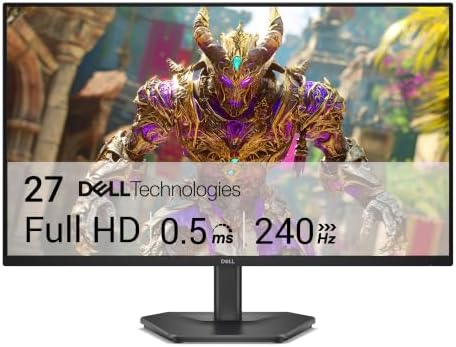
27 inch, 1920×1080, 240Hz, IPS, $149.99, 4.4 stars from 419 ratings. The budget route here, and the only one under $150.
240Hz for around a hundred dollars is the story. Two years ago that refresh rate cost three times this. The trade is resolution: this is 1080p, and at 27 inches you can see the pixels if you look for them. For competitive shooters, where frame rate matters more than sharpness and lower resolution is easier for a modest graphics card to drive, that trade is the right way round.
It is IPS rather than the TN panels budget monitors used to use, so colors and viewing angles hold up. FreeSync Premium handles tearing. The stand tilts only, and there is no USB hub or speakers, which is where the money was saved.
- 240Hz at $149.99
- 27 inches, not a 24 inch panel at this price
- IPS panel, so colors and angles hold up
- Dell warranty and support at budget money
- 1080p on a 27 inch panel shows its pixels
- Tilt-only stand
- 419 ratings, a modest sample
4. Dell S2725QS: the best 4K gaming monitor

- Improved ComfortView Plus: Reduces harmful blue light emissions to ≤35%, for all-day comfort without sacrificing color a…
- Refresh rate: A smooth, tear-free experience with AMD FreeSync Premium (refresh rate up to 120Hz) and an ultra-low 0.03m…
- Vivid colors: Immerse yourself in breathtaking 4K visuals with in-plane switching technology. Enjoy vibrant colors with …
27 inch, 3840×2160, 120Hz, IPS, $279.99, 4.4 stars from 1,055 ratings. A route onto 4K from a brand with a service department behind it.
Be honest with yourself about the graphics card first. 4K at 120Hz needs roughly twice the GPU of 1440p for the same frame rate, and if your card cannot feed it you have bought sharpness and given up smoothness. Read the resolution section above before you choose this over the 1440p picks — for most gaming builds, 1440p at 240Hz is the better spend.
What you get for the money is a properly finished monitor rather than a spec sheet. USB-C with power delivery means one cable to a laptop for video, data and charging. The stand adjusts for height, tilt, swivel and pivot, which none of the cheaper picks here manage. 99% sRGB and an anti-glare coating make it a genuine work display as well as a games one.
- 4K resolution at $279.99
- USB-C single-cable connection to a laptop
- Full ergonomic stand: height, tilt, swivel, pivot
- 1,055 ratings and Dell support behind it
- 120Hz, the lowest refresh rate on this page
- 5ms response, slower than the gaming-first panels here
- 4K needs a much stronger graphics card than 1440p
5. AOC CQ32G4VE: the best 32 inch gaming monitor

- Immersive Visuals: 32-inch curved QHD (2560×1440) VA panel with a 1500R curvature for an immersive gaming experience, fe…
- Wide Color Gamut: Covers over 120% of the sRGB color space and boasts an 80,000,000:1 SmartContrast ratio, delivering vi…
- Seamless Connectivity: Equipped with 2x DisplayPort 1.4, 2x HDMI 2.0 ports, and an audio line-out for convenient connect…
32 inch, 2560×1440, 180Hz, curved VA at 1500R, $199.99, 4.4 stars from 182 ratings. This is the size step most people are actually looking for when they say they want a bigger screen.
1440p is the right resolution at 32 inches, and that is not obvious. Go to 4K at this size and you need a much stronger graphics card for a sharpness gain you have to lean in to notice. Stay at 1080p and the pixels become visible. 1440p on a 32 inch panel lands almost exactly where 1080p does on a 24 inch one, which is why this combination keeps selling.
The 1500R curve is the gentler of the two common curvatures and it suits this size: at 32 inches the edges of a flat panel sit noticeably further from your eyes than the center, and the curve corrects that without bending straight lines the way a tighter radius can. The panel is VA, so contrast is far better than the IPS options here at the cost of some viewing-angle shift.
- 1440p at 32 inches, the correct pairing for this size
- 1500R curve, which genuinely helps at this width
- VA contrast, much deeper blacks than the IPS picks
- 180Hz with Adaptive-Sync, and 120Hz on console
- 180Hz rather than the 240Hz and higher some panels here reach
- VA viewing angles shift more than IPS off-center
- AOC publishes only a dynamic contrast figure, not a static one
6. SANSUI 34 inch: the best ultrawide gaming monitor

- 34 Inch Curved 240Hz UWQHD(3440*1440) Fast VA Ultrawide 21:9 HDR400 Gaming Monitor with AI Crosshair and AI Bluelight.
- Performance: 240Hz Refresh Rate | MRPT 1ms Response Time | Freesync | AI PQ(Visual Enhance) | Ultra Vivid(Weak/Middle/St…
- Ergonomic Stand: PIP/PBP | Tilt -5°~15°(+/-2°) | VESA Compatible (100x 100mm) | 178° Wide Viewing Angle | Durable Metal …
34 inch, 3440×1440, 240Hz, 21:9, 1500R curve, Fast VA, $249.99, 4.5 stars from 5,683 ratings. A deep owner sample, and a credible route into ultrawide.
Ultrawide is the one format change that alters how games feel rather than just how they look. At 21:9 you see more of the world horizontally, which matters in racing, flight and open-world titles and matters less in competitive shooters, where some players find the extra width a distraction. Not every game supports 21:9 properly, though most modern releases do.
The specification is strong: 240Hz at 3440×1440, HDR400, a 1500R curve that is gentler than the Samsung 32 inch, and two HDMI 2.1 plus two DisplayPort 1.4 inputs all capable of the full 240Hz. HDMI 2.1 is the meaningful detail, because it is the reason this panel does not have the HDMI bottleneck the SANSUI 27 inch has. There is also PIP and PBP for running two sources side by side.
It has no speakers. The specification says so plainly, and it is worth knowing before it arrives. An HDMI cable is included.
- 5,683 ratings at 4.5 stars
- 240Hz over both HDMI 2.1 and DisplayPort, no port bottleneck
- 21:9 genuinely changes how immersive games feel
- PIP and PBP for two sources at once
- No speakers at all
- Not every game supports 21:9 correctly
- 3440×1440 is a heavier GPU load than standard 1440p
7. LG UltraGear 27GS93QE: the best OLED gaming monitor
- 240Hz Refresh Rate – Gear up for smooth gameplay with an ultra-fast 240Hz OLED display. The faster speed lets you respon…
- VESA DisplayHDR True Black 400 & 1.5M:1 contrast ratio – VESA DisplayHDR True Black 400 certified means this monitor mee…
- NVIDIA G-SYNC Compatible and AMD FreeSync Premium Pro – Officially validated by NVIDIA as G-SYNC Compatible and equipped…
27 inch, 2560×1440, 240Hz, OLED, $499.99, 4.5 stars from 378 ratings. If you want to see what OLED actually does, this is the one here worth the money.
The number that matters is 0.03ms response time, roughly ten times faster than the quickest IPS panel on this page. In practice that removes the smear behind fast-moving objects entirely, which is a difference you notice within a minute rather than one you have to look for. DisplayHDR True Black 400 is the other half of it: OLED switches individual pixels off, so black is genuinely black rather than dark gray.
Connectivity is HDMI 2.1 and DisplayPort, so it runs a PS5 or Xbox Series X at their full capability as well as a PC. The stand tilts, raises and pivots. LG covers the OLED panel itself under a two-year UltraGear warranty, which is the risk people reasonably worry about with OLED.
The limitation is money. At $499.99 this is a big step up from the LCD picks above it. OLED is a genuine upgrade, not a marketing one, but you are paying for the panel technology rather than for resolution or refresh rate.
- 0.03ms response, about ten times faster than IPS here
- True per-pixel black, not backlight gray
- 4.5 stars from 378 ratings
- HDMI 2.1 for PS5 and Xbox Series X at full speed
- A big outlay next to the LCD picks here
- OLED burn-in remains a long-term consideration
- 378 ratings, a smaller sample than the IPS options
8. ASUS TUF VG27AQM5A: the highest refresh rate here
- High-Resolution QHD Gaming Display: 27-inch QHD (2560×1440) gaming monitor with 300Hz refresh rate designed for professi…
- Fast IPS Technology with Rapid Response Time: ASUS Fast IPS technology enables a 0.3ms (GTG) response time(min.) for sha…
- Advanced Motion Blur Reduction: ASUS Extreme Low Motion Blur Sync (ELMB Sync) technology enables ELMB and variable-refre…
27 inch, 2560×1440, 300Hz, Fast IPS, $269.00, 4.4 stars from 306 ratings. For competitive players who want 1440p sharpness without dropping refresh rate.
300Hz at 1440p is a demanding combination and it needs a strong graphics card to be worth paying for. Response time is 0.3ms GTG minimum. The feature that distinguishes it is ELMB Sync, which runs ASUS’s motion blur reduction and variable refresh rate at the same time. On most monitors those two are mutually exclusive and you pick one, so having both active together is a real advantage in fast motion.
Color coverage is 95% DCI-P3, there is a Shadow Boost mode for lifting detail in dark areas, a built-in speaker, and a three year warranty.
Whether the step from 180Hz to 300Hz is worth roughly sixty dollars over the VG27AQ3A is an honest question, and for most players the answer is no. If you play competitive shooters at a level where frame timing matters to you, it is the pick. 306 ratings is a modest sample.
- 300Hz at 1440p, the highest refresh rate in this guide
- ELMB Sync runs blur reduction and adaptive sync together
- Shadow Boost, built-in speaker and a three year warranty
- Roughly sixty dollars more than the VG27AQ3A for 120 extra Hz
- Needs a strong GPU to reach anywhere near 300fps at 1440p
- 306 ratings, a modest sample for the price
Compared side by side
| Monitor | Size | Resolution | Refresh | Panel | Price | Rating | Best for |
|---|---|---|---|---|---|---|---|
| ASUS TUF VG27AQ3A | 27 in | 2560×1440 | 180Hz | Fast IPS | $179.00 | 4.6 (1,349) | Best overall |
| SANSUI 27 inch | 27 in | 2560×1440 | 260Hz | Fast IPS | $259.99 | 4.3 (4,579) | Owner-rated |
| Dell SE2726HG | 27 in | 1920×1080 | 240Hz | IPS | $149.99 | 4.4 (419) | Best budget |
| Dell S2725QS | 27 in | 3840×2160 | 120Hz | IPS | $279.99 | 4.4 (1,055) | Best 4K |
| AOC CQ32G4VE | 32 in | 2560×1440 | 180Hz | VA 1500R | $199.99 | 4.4 (182) | Best 32 inch |
| SANSUI 34 inch | 34 in | 3440×1440 | 240Hz | Fast VA | $249.99 | 4.5 (5,683) | Best ultrawide |
| LG UltraGear 27GS93QE | 27 in | 2560×1440 | 240Hz | OLED | $499.99 | 4.5 (378) | Best OLED |
| ASUS TUF VG27AQM5A | 27 in | 2560×1440 | 300Hz | Fast IPS | Check price | 4.4 (306) | Highest refresh |
What we left out, and why
Dual frame rate panels
Two Acer Nitro monitors advertised a 4K resolution and a high refresh rate that cannot both apply at once, marked DFR in the listing. One is a 4K panel running natively at 72Hz. Both also sat below our 4.0 star floor, at 3.7 and 3.8. Excluded on both counts.
Monitors below 4.0 stars
The rating floor is applied before anything else, regardless of how good the specification reads. A panel is a component you look at for years and a low rating in this category usually means panel lottery, backlight bleed or dead pixels.
Refurbished and renewed listings
Excluded as standard. Panel condition is exactly the thing a refurbished listing cannot promise you.
Monitor arms and mounts
Our first filter pass wrongly excluded seven legitimate monitors because their listings mention VESA mount compatibility or an included cable. That was our error, caught and corrected before any pick was made, and all seven were reinstated for consideration. Accessories are excluded, but a monitor that mentions an accessory is still a monitor.
Panel types: IPS, VA and OLED
Three panel technologies appear in this guide and each is a real trade rather than a tier.
IPS gives accurate color and wide viewing angles, and modern Fast IPS is quick enough for competitive play at 0.3ms. Its weakness is contrast: blacks look gray in a dark room, and backlight bleed at the edges is common. Five of our eight picks are IPS because it is the best all-round compromise.
VA trades some response speed for much better contrast. The LG 32 inch is VA too, and quotes contrast several times what a typical IPS achieves, so dark scenes have genuine depth. VA panels have historically smeared in fast dark transitions, though the fast VA panels here are much improved. Both our large-format picks are VA, which suits big immersive screens.
OLED lights every pixel individually, so contrast is effectively infinite and response is around 0.03ms. It is the best image available and it costs the most. The two real caveats are burn-in risk, which manufacturers now actively mitigate but have not eliminated, and brightness in well lit rooms, particularly on a glossy panel.
Frequently asked questions
What is the best gaming monitor in 2026?
The ASUS TUF VG27AQ3A for most people. It is a 27 inch 1440p panel running 180Hz, holds 4.6 stars from 1,349 ratings, and is a well-evidenced way here into the resolution and refresh rate combination that suits the widest range of graphics cards. If you want more owner evidence instead, the SANSUI 27 inch has 4,579 ratings for a little more.
Is 1440p or 4K better for gaming?
1440p for most people, and the deciding factor is your graphics card rather than the monitor. 4K is roughly 2.25 times the pixel workload of 1440p, so frame rates fall accordingly. A 1440p monitor you can drive at 200 frames per second feels faster and smoother than a 4K monitor you can only drive at 60. Buy 4K when your graphics card can feed it.
What does DFR mean on a monitor listing?
Dual Frame Rate. It means the monitor reaches its highest advertised refresh rate only at a reduced resolution, not at its headline resolution. A listing reading 4K 72Hz DFR 144Hz is a 4K panel that runs at 72Hz, and reaches 144Hz only by dropping below 4K. Always read the native refresh rate at the native resolution and treat the larger number as a separate mode.
How many Hz do I need for gaming?
144Hz is the point where high refresh rate becomes obvious against 60Hz, and it is enough for most players. 240Hz is a clear further step and is the sweet spot for competitive shooters. Beyond 240Hz the returns are small and mostly matter to players who compete seriously. There is no benefit to a refresh rate your graphics card cannot supply frames for.
Is an ultrawide monitor good for gaming?
For immersive single player, racing and flight games, yes, because 21:9 genuinely shows you more of the world. For competitive shooters it is more divisive, since some players find the extra width distracting. Two practical points: not every game supports 21:9 correctly, and 3440×1440 is a heavier load on your graphics card than standard 1440p.
Are OLED gaming monitors worth it?
For image quality, clearly yes. OLED lights each pixel individually, so black is genuinely black, contrast is effectively unlimited and response times are around 0.03ms. The costs are price, brightness in a well lit room, and burn-in risk. Manufacturers now fit heatsinks and care routines that substantially reduce burn-in, but they have not eliminated it.
Do I need DisplayPort or is HDMI fine?
Check the specification, because it varies by monitor. HDMI 2.0 does not have the bandwidth for high refresh rates at 1440p, so a monitor advertising 260Hz may cap at 144Hz over HDMI 2.0 while reaching full speed over DisplayPort 1.4. HDMI 2.1 does have the bandwidth. If you connect a desktop graphics card, DisplayPort is the safe default.
What size gaming monitor should I buy?
24 inches suits 1080p and competitive play, because the whole screen sits inside your focal view. 27 inches is the standard for 1440p and the best all-round choice. 32 inches works well at 1440p if you sit further back, though text looks softer. Sharpness depends on resolution and size together, not size alone.
IPS, VA or OLED: which panel type is best?
IPS for accurate color, wide viewing angles and fast response, at the cost of weaker blacks. VA for much stronger contrast, which suits large immersive screens, at some cost to response speed. OLED for the best image available, at the highest price and with burn-in as a managed risk. IPS is the right default for most gaming builds.
The bottom line
The ASUS TUF VG27AQ3A at $179.00 is the best gaming monitor for most people. 1440p at 180Hz is the configuration that suits the widest range of graphics cards, and this is an inexpensive, credible way to get it.
If owner evidence matters more to you than a tenth of a star, the SANSUI 27 inch at $259.99 has 4,579 ratings and stronger color coverage, provided you connect it over DisplayPort. On a tight budget the Dell SE2726HG at $149.99 is the budget route here and still runs 240Hz. If you want the best picture on this page and the price is not the obstacle, the LG UltraGear 27GS93QE at $499.99 is not close to being beaten.
And the advice most likely to save you money: match the resolution to your graphics card before you match it to your ambitions. A monitor is the one component you look at every second you use the machine, but it cannot generate frames. Check what your card actually delivers, then buy the best panel at that resolution rather than the sharpest one you can afford.
Prices and ratings on this page update automatically. Every other figure was accurate when this guide was last reviewed and carries no guarantee beyond that. Check the current price before you buy.
The screen and the headset are the two things you use every second the machine is on. Our best gaming headsets guide covers the other half of that pair.
The screen and the keyboard are the two things in front of you all session. Our best gaming keyboards guide covers the other one.
A high refresh screen only pays off if your aim can keep up with it. Our best gaming mice guide covers the hardware half of that.
Screen height only works if your seat height does too. Our best gaming chairs guide explains why seat height range is the spec most listings leave out.
Matching a monitor to a machine? Our $2,000 gaming PC build is a 1440p system, which is the resolution most of these screens are built for.
The monitor is a separate purchase from the tower and the two should be matched deliberately. Our budget gaming PC build is an explicitly 1080p machine at about $930, so the high-refresh 1080p panels above are the ones that suit it, and the 1440p and 4K screens here would waste it.
A higher resolution and a higher refresh rate push the graphics card harder, and the graphics card is what sets your power budget. If a new panel is going to prompt a card upgrade, read our best gaming power supply guide before you order either one.
If you game on a laptop, an external monitor is the upgrade that changes the most for the least. Every machine in our gaming laptop guide ships with a 15.6 or 16-inch panel, and plugging any of them into a larger, faster display at a desk turns the same hardware into a noticeably better experience.
This applies to consoles as much as PCs. Every machine in our gaming console guide advertises frame rates that only a 120Hz display can actually show, and plugging a modern console into an old 60Hz television quietly discards half of what you paid for.
Your monitor decides how much graphics card you need, not the other way round. Once you have picked a resolution here, our guide to how much VRAM you need tells you the memory figure to shop for.
Still deciding which resolution to buy into? Our guide to 1080p vs 1440p vs 4K pairs each one with the graphics card that actually drives it, which is the part that sets your budget.
Gamers Tech Guide participates in the Amazon Services LLC Associates Program. As an Amazon Associate we earn from qualifying purchases.