
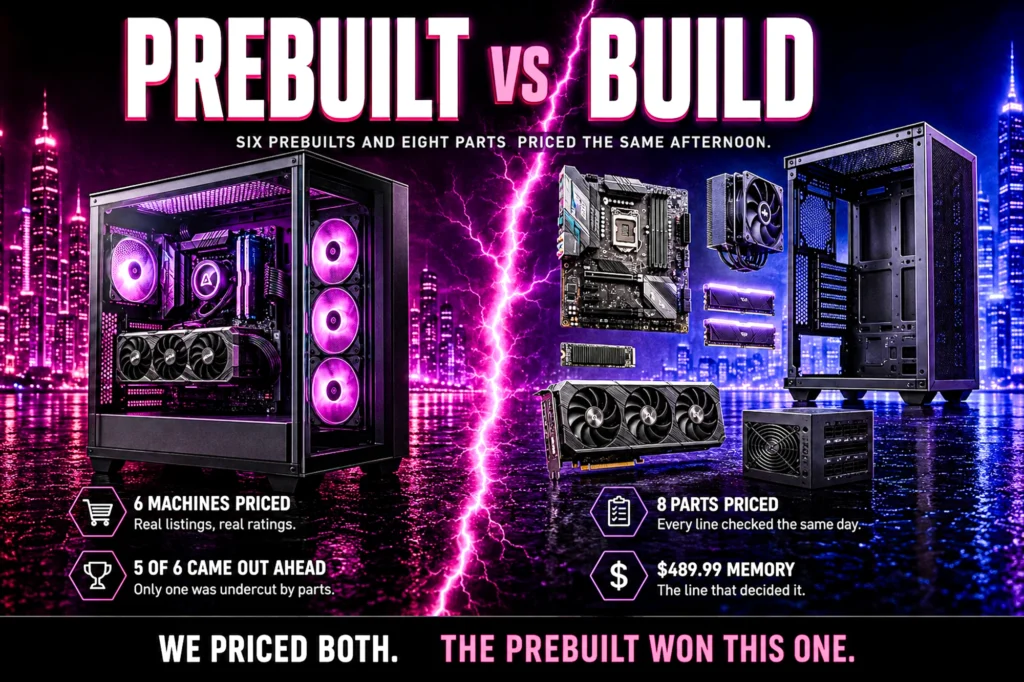
Everyone tells you building is cheaper. We priced a complete parts list against six real machines on the same afternoon to find out whether that is still true.
- Building is not cheaper right now. Our eight-part list came to $2,351.84. Five of the six prebuilts here cost less.
- Memory is why. A 32GB DDR5 kit is $549.99, more than a fifth of the whole build.
- Prebuilt makers buy at volume on exactly the parts that have risen most: graphics cards and memory.
- Build anyway if you want to choose every component, keep individual warranties, or upgrade one part at a time.
Prebuilt vs build your own PC is usually settled with a slogan rather than a receipt. Building is cheaper, everyone says, and it has been repeated for so long that almost nobody re-prices it. So we did, on one afternoon, using the same verified products that appear across our component guides.
The result is not the one the slogan predicts. A complete eight-part build using our top pick from every category came to $2,351.84. Of the six prebuilt machines below, five cost less than that, and one of them pairs a faster graphics card with the same 2TB of storage for $266.28 under our parts total.
That does not make building pointless. It makes the reason for building different from the one people give. This article prices both sides in full, names what each one actually buys you, and says plainly who should pick which. Every price is live from the product page, every rating and review count comes from the listing itself, and nothing here was typed from memory.
Prebuilt vs build your own PC: the 30-second answer
If your budget is around $1,300, buy a prebuilt. At that end the volume discount a system builder gets on a graphics card and a memory kit is larger than anything you can find as an individual, and the assembly is free. Our budget prebuilt here is $1,299.99 with a complete machine in the box.
If you want a specific gaming processor, build. The single strongest argument for a parts list in 2026 is that prebuilt makers rarely fit the chip a gamer would choose. Not one of the six machines below uses a 3D V-Cache processor, which is the part our CPU guide rates first for gaming at any resolution.
If you are between $1,500 and $2,100, read the arithmetic section carefully. This is where the two approaches cross over, and where the answer depends entirely on which parts you would have picked anyway.
If you want the machine today and do not enjoy the process, buy a prebuilt and stop reading. That is a completely legitimate answer and this site is not going to pretend otherwise.
Six prebuilt machines, priced today
These are the six desktops from our best gaming PCs guide, every one checked on its own Amazon product page. They cover a deliberately wide price range, because the prebuilt-versus-parts answer changes completely depending on where in that range you are shopping.

| GPU | RTX 5070 12GB |
| CPU | AMD Ryzen 9 7900X |
| Memory | 32GB DDR5 |
| Rating | 4.3 (2,683) |

| GPU | RTX 5060 Ti |
| CPU | Intel Core Ultra 7 265F |
| Memory | 32GB DDR5 |
| Rating | 4.5 (79) |

| GPU | RTX 5060 |
| CPU | AMD Ryzen 5 8400F |
| Memory | 16GB DDR5 |
| Rating | 4.4 (304) |

| GPU | RTX 3050 6GB |
| CPU | Ryzen 5 8400F |
| Memory | 16GB DDR5 |
| Rating | 4.0 (332) |

| GPU | RTX 5070 |
| CPU | Ryzen 7 8700F |
| Memory | 32GB DDR5 |
| Rating | 4.2 (280) |

| GPU | RTX 5070 Ti |
| CPU | Core Ultra 7 265F |
| Memory | 32GB |
| Rating | 4.6 (100) |
Eight parts, the same afternoon
This is a complete, buildable machine: the top pick from each of our eight component guides, checked for compatibility rather than simply listed. The processor is AM5, the motherboard is AM5, and the memory is DDR5, which is the only kind an AM5 board accepts. The cooler explicitly names AM5 in its own socket list. Nothing here is a part that will arrive and not fit.
There is no monitor, keyboard, mouse, headset or operating system in this total, and there is none in the prebuilt totals either, so the comparison is like for like. Those are covered in our monitor, keyboard and headset guides.
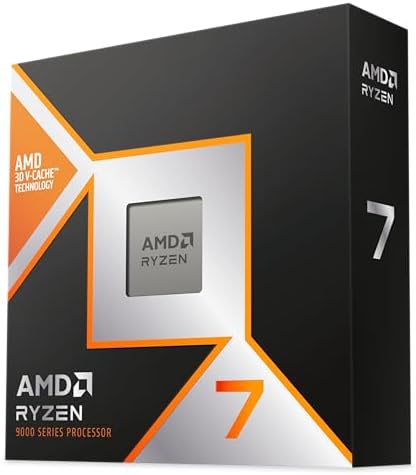
| Cores | 8C / 16T |
| Cache | 3D V-Cache |
| Socket | AM5 |
| Rating | 4.8 (505) |

| Socket | AM5 |
| Chipset | B850 |
| Size | ATX |
| M.2 slots | 4 |
| Rating | 4.4 (459) |

| Type | DDR5 |
| Kit | 32GB (2×16) |
| Speed | 6000 CL30 |
| Rating | 4.7 (4,323) |
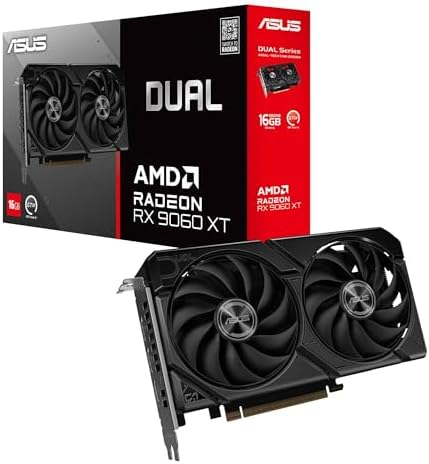
| GPU | RX 9060 XT |
| Memory | 16GB GDDR6 |
| Rating | 4.7 (357) |

| Capacity | 2TB |
| Interface | PCIe Gen4 |
| Read | 7,450 MB/s |
| Rating | 4.7 (13,488) |

| Capacity | 750W |
| Efficiency | Cybenetics Gold |
| Cables | Fully modular |
| Rating | 4.6 (403) |
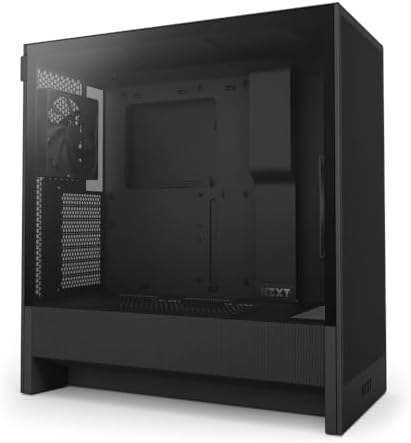
| Fans | 2 x 120mm |
| Radiator | 360mm front |
| Size | Compact ATX |
| Rating | 4.7 (1,240) |

| Type | Dual tower air |
| Heat pipes | 6 |
| Fans | 2 x 120mm PWM |
| Rating | 4.7 (3,344) |
Build your own PC and the arithmetic goes the wrong way
Eight parts: $2,351.84. Here is where that lands against the six machines above.
It beats exactly one of them. The Lenovo Legion Tower 5i is $2,483.15, so the parts list comes in under it — but that machine carries an RTX 5070 Ti, a full tier above the RX 9060 XT in our build. Buy the equivalent card and the saving disappears.
Against the other five it loses, and against two of them it loses badly. The iBUYPOWER Element is cheaper than our parts with a faster graphics card, though it halves the storage to 1TB. The Alienware is cheaper again, with an RTX 5060 Ti. The MSI Codex Z2 is cheaper too, with an RTX 5070 and the same 2TB of storage. Against the cheapest machine here it is not a contest: the parts list costs more than double.
Three parts account for two thirds of the total. The processor at $474.90, the memory at $549.99 and the graphics card at $529.99 come to $1,563.98, which is 66.5 percent of the build. Everything else — motherboard, storage, power supply, case and cooler — is $787.86 combined.
The memory is the part that breaks the old assumption. $549.99 for a 32GB DDR5 kit is 23.4 percent of this build, and every prebuilt in the list above ships with 16GB or 32GB already included in its price. When a single component is a fifth of your total and a system builder buys it by the pallet, the individual buyer is not going to win that line. Our DDR5 versus DDR4 explainer covers what that money is actually buying.
There is one honest caveat on all of these figures. Prices move, and the number our system holds for a product can lag what the retailer page shows at the moment you click. Every figure here was read the same afternoon so the comparison is internally consistent, but check the live price before you commit to anything. The card next to each product always reflects the most recent figure we hold.
iBUYPOWER Element — the machine that makes the argument
At $2,299.99 it lands within a few percent of our eight-part total of $2,351.84, close enough that the decision stops being about money. It carries an RTX 5070 with 12GB against our RX 9060 XT and a Ryzen 9 7900X with twelve cores against our eight, but 1TB of storage against our 2TB. On raw component tier it is ahead of the build on graphics and on cores, and behind it on storage.

- AMD Ryzen 9 7900X, NVIDIA GeForce RTX 5070 12GB, 32GB DDR5 RGB 4800MHz 16×2 1TB NVMe SSD, WIFI Ready, Windows 11 Home
- Connectivity: 6 x USB 3.1 | 1x RJ-45 Network Ethernet 10/100/1000 | Audio: On board audio
- Special Add-Ons: Tempered Glass RGB Gaming Case | 802.11AC Wi-Fi Included | 16 Color RGB Lighting Case | Free iBuyPower …
- Costs about the same as our comparable parts list
- RTX 5070 12GB, a tier above the card in our build
- Twelve cores against the eight in our build
- AM5, the same socket our parts list uses, with an upgrade road ahead of it
- A previous-generation Ryzen 9, where our parts list uses a current-generation chip
- 1TB of storage against our 2TB
- No 3D V-Cache, so a gaming-first buyer is not getting the gaming-first chip
The 2,683-rating sample is unusually deep for a prebuilt, and it is worth pausing on for the opposite reason to most machines here. Prebuilts are generally sold on specification rather than on owner evidence. A component is different again: our storage guide’s top pick alone has 13,488 ratings at 4.7.
Alienware — the mid-range machine for hundreds less
This is the closest the prebuilt side comes to a mainstream 1440p build, and it is uncomfortable reading for the build-it-yourself case. The Alienware pairs an RTX 5060 Ti with an Intel Core Ultra 7 265F, 16GB of DDR5 and a 1TB drive. Complete, assembled, warrantied as one unit: $1,699.99.
- Legend perfected: Modern design with a matte “basalt black” finish in an optimized chassis with customizable AlienFX lig…
- Game changing graphics: Step into the future of gaming and creation with the NVIDIA GeForce RTX 5060Ti graphics, powered…
- Marathon gaming unlocked: This high-performance technology ensures clean energy is consistently available, unleashing th…
- Hundreds below our parts total
- RTX 5060 Ti, a current-generation NVIDIA card
- Wi-Fi 7 and Killer 2.5Gb Ethernet included
- 4.5 stars from 79 ratings
- The listing does not state the card’s memory, so you cannot confirm it
- 1TB of storage against our 2TB
- 16GB of memory against our build’s 32GB
- You do not choose the power supply, board or cooler inside it
The graphics memory point is not a technicality and we are not going to bury it. Our VRAM explainer exists because that number is the one most likely to age badly on an otherwise capable card. This listing does not state that figure at all, and closing exactly that gap is what buying the card as a part is for.
Skytech Gaming PC — where prebuilt wins outright
At $1,299.99 there is no parts list that competes. Our build costs about a thousand dollars more than this machine. Around a thousand dollars the individual buyer simply cannot match what a system builder pays for a graphics card and a memory kit.
- System: AMD Ryzen 5 8400F, 16GB DDR5 5200, 1TB NVMe SSD, Windows 11.
- Graphics: NVIDIA GeForce RTX 5060.
- Power: 650W 80 Plus Gold power supply.
- RTX 5060, a current-generation card at this price
- 304 ratings at 4.4 stars
- AMD Ryzen 5 8400F, a genuinely capable 1080p processor
- 16GB DDR5 and a 1TB NVMe drive included
- 16GB is the floor rather than the comfortable figure
- The listing does not publish the graphics card memory size
- A Ryzen 5, where the machines above it carry Ryzen 7 or Core Ultra 7 parts
We say what the sample is so you can weigh it yourself: 304 ratings at 4.4 stars is a real body of owner feedback rather than a handful. That is a general rule on this site rather than a compliment to this machine.
iBUYPOWER Element SE — the one to think twice about
At $1,399.99 this is one of the cheapest machines on the page, and its score is among the lowest on it. An RTX 3050 6GB, the weakest card of the six, with 16GB of DDR5, a 1TB drive, and a 6-core Ryzen 5 8400F rather than the Intel 10-core above it.
- AMD Ryzen 5 8400F, NVIDIA GeForce RTX 3050 6GB, 16GB DDR5 4800MHz 16×1 1TB NVMe SSD, WIFI Ready, Windows 11 Home
- Connectivity: 6 x USB 3.1 | 1x RJ-45 Network Ethernet 10/100/1000 | Audio: On board audio
- Special Add-Ons: Tempered Glass RGB Gaming Case | 802.11AC Wi-Fi Included | 16 Color RGB Lighting Case | Free iBuyPower …
- Gaming keyboard and mouse included in the price
- 332 ratings, the largest owner sample of any machine here
- AM5 socket, so the processor has an upgrade path the Intel machine does not
- 16GB DDR5 and 1TB NVMe included
- Six cores where the Intel machine above it has ten
- RTX 3050 6GB, the weakest graphics card of the six
The one genuine argument in its favor is the socket. AM5 is the platform our own parts list uses, and a machine on it can take a much faster processor later without a new motherboard. If you buy this and drop a 3D V-Cache chip in eighteen months, you end up somewhere the Intel machine cannot reach. That is a real plan, not a consolation. The boards that take those chips are in our best gaming motherboards 2026 guide.
MSI Codex Z2 — where preference decides, not arithmetic
$2,092.98 puts this a few hundred dollars under our parts total, and it is the machine where the decision genuinely turns on preference rather than arithmetic. It has an RTX 5070, 32GB of DDR5 and a 2TB drive, matching our build’s storage rather than halving it.
\n\nOne caveat that does not show up in the arithmetic: this machine ships from a marketplace seller rather than from Amazon. The listing is genuine and the price is live, but delivery and returns run through the seller.
- POWERHOUSE 8-CORE GAMING PERFORMANCE — Driven by the AMD Ryzen 7 8700F with 8 cores and 16 threads, boosting up to 5.0 G…
- NEXT-GEN BLACKWELL ARCHITECTURE — The NVIDIA GeForce RTX 5070 is powered by NVIDIA’s cutting-edge Blackwell GPU architec…
- Simplistic Design: Enjoy the latest generation of Windows 11 Home for your everyday needs. *MSI recommends Windows 11 Pr…
- Hundreds under our parts total with a faster graphics card
- 2TB of storage, matching our build rather than halving it
- RTX 5070 against our RX 9060 XT
- AM5 socket, so the processor can be upgraded later
- 4.2 stars from only 280 ratings
- Ships from a marketplace seller, not from Amazon
- Ryzen 7 8700F is not a 3D V-Cache part
- The narrow gap means the parts list is competitive here, unlike lower down the range
- You inherit whatever board and supply MSI chose
This is the point in the range where building starts to make sense on numbers as well as on preference. Spend the difference and you get to choose the gaming processor, the 16GB card, the power supply and the board. Below this price point that argument is much harder to make.
Lenovo Legion Tower 5i — the only one our parts undercut
At $2,483.15 it is the one machine our eight parts undercut. That is the single line in this article that supports the conventional wisdom, and it comes with an immediate qualification: the Legion has an RTX 5070 Ti, which is a tier above our card. Match the card and the saving is gone.
- EMPOWER YOUR PASSIONS ELEVATE YOUR GAME – Whether you’re dominating the leaderboard, streaming your gameplay live, or ta…
- BEYOND FAST – The Intel Core Ultra 7 265F CPU is designed to give you the power boost you need to dominate the latest an…
- GAME CHANGER – The NVIDIA GeForce RTX 5070 Ti GPU is beyond fast for gamers and creators. Experience lifelike virtual wo…
- 4.6 stars from 100 owners
- RTX 5070 Ti, the fastest graphics card in the comparison
- Core Ultra 7 265F, a current-generation Intel part
- Brand-level support rather than a boutique builder
- The highest price here, and the only one above our parts total
- Only 100 ratings behind that 4.6
- 1TB of storage at this price, half what our build carries
- LGA 1851 rather than AM5, a different upgrade story
The 4.6 is the best score of any machine here and the 100 ratings behind it are among the fewest, which is exactly the tension our guides keep running into: the highest-rated thing is often the least-sampled thing. Both facts are true and you should hold them together rather than picking the one that suits.
The processor — the one part no prebuilt here gives you
The Ryzen 7 9850X3D is $474.90 and it is the strongest single argument for building. It carries 3D V-Cache, the stacked cache design that our processor guide rates first for gaming at any resolution, and 4.6 stars from 100 ratings is the kind of evidence base that makes a recommendation easy.
Look back at the six machines above. Ryzen 9 7900X, two Ryzen 5 8400F, Ryzen 7 8700F and two Core Ultra 7 265F machines. Not one of them is a 3D V-Cache part. If that is the chip you want, no prebuilt on this page sells it to you at any price, and buying the parts is not a saving strategy but the only route.

- 3D V-Cache, the design our CPU guide ranks first for gaming
- 4.8 stars from 505 ratings, the deepest evidence of any processor here
- AM5, a socket with a real upgrade road ahead of it
- Not available in any of the six prebuilt machines here
- $484.00 is 20.6 percent of the entire build cost
- Eight cores, where two prebuilts here offer more
- Its advantage is specifically gaming, not heavy multi-core production work
- Requires DDR5, which is the expensive memory right now
The motherboard — $196.99 and the part prebuilts hide
The ASUS ROG Strix B850-A Gaming WiFi is AM5, B850, full ATX, with three M.2 slots and 4.4 stars from 459 ratings. Its own listing states support for Ryzen 9000, 8000 and 7000 processors, which is what makes the 9850X3D above a safe pairing rather than an assumption.
This is the component that most justifies building, and it never appears in a prebuilt specification. None of the six machines above tells you which board is inside it. Three M.2 slots means two more drives later without touching anything else, and that is the sort of detail that decides whether a machine is still useful in four years.

- Ready for Advanced AI PCs: Designed for the future of AI computing, with the power and connectivity needed for demanding…
- AMD AM5 Socket: Ready for AMD Ryzen 9000, 8000 and 7000 series desktop processors
- Intelligent Control: ASUS AI Advisor, AI Networking II and AEMP to simplify setup and improve performance
- Three M.2 slots, one of them PCIe 5.0
- Listing states Ryzen 9000, 8000 and 7000 support explicitly
- Wi-Fi included rather than an add-in card later
- Full ATX, so nothing is compromised for size
- 459 ratings is a modest sample next to the storage and cooler picks
- B850 rather than X870, so the highest-end connectivity is not here
- $196.99 is real money for a part that does no work on its own
- Full ATX needs a case sized for it, which constrains the build
The memory — $569.99, and the reason this comparison lost
A 32GB DDR5-6000 CL30 kit at $569.99 is just under a quarter of this build. It is one of the two largest lines, alongside the graphics card, it costs more than the motherboard and the processor’s cooler and the case and the power supply put together, and it is the single clearest reason the parts list does not undercut the machines above.
Every prebuilt on this page includes its memory in the sticker price. When a system builder buys DDR5 in volume and you buy one kit at retail, that is not a gap effort closes. Our memory guide covers the cheaper kits, and dropping to 16GB genuinely does move the total — but 16GB is the floor for a machine you intend to keep.

- Disclaimer: Maximum Speed requires overclocking/PC BIOS adjustments. Maximum speed and performance depend on system comp…
- Dynamic Ten-Zone RGB Lighting: Illuminate your system with ten individually addressable, ultra-bright RGB LEDs per modul…
- Onboard Voltage Regulation: Enables easier, more finely-tuned, and more stable overclocking through CORSAIR iCUE softwar…
- 6000 CL30, the speed and timing pairing our RAM guide recommends for AM5
- 4.7 stars from 4,323 ratings
- 32GB in two sticks, leaving two slots free
- XMP 3.0 profile, so the rated speed is one setting rather than manual tuning
- $549.99 makes it 23.4 percent of the total build
- Every prebuilt here bundles its memory and you cannot separate that cost out
- DDR5 is mandatory on AM5, so there is no cheaper memory route on this platform
- RGB adds nothing to performance if you do not want it
The graphics card — $542.99 and the 16GB decision
The ASUS Dual RX 9060 XT is $529.99 and 4.7 stars from 357 ratings. It carries 16GB of GDDR6, and buying the card as a part is how you control that figure rather than inherit it — the most consequential specification in this entire article.
Buying the card as a part is how you guarantee the 16GB version. A prebuilt lists its card by name and the memory figure is whatever the builder chose, usually the cheaper one. Our VRAM explainer goes through what that buys, and our graphics card guide covers the tiers either side of it.
- Axial-tech fans now feature a smaller fan hub that facilitates longer blades and a barrier ring that increases downward …
- 2.5-slot design allows for greater build compatibility while maintaining cooling performance
- 0dB technology lets you enjoy light gaming in relative silence
- 16GB of GDDR6, a memory figure you choose rather than inherit
- 4.7 stars from 357 ratings
- PCIe 5.0, matching the board it sits in
- Buying it as a part is the only way to be sure of the 16GB variant
- $542.99, one of the two largest lines in the build
- A narrower memory bus than the RTX 5070 Ti in the Lenovo above
- Two prebuilts here carry a faster card for less than our total
- 357 ratings is the thinnest sample of any part in this list
The storage — $409.99 for 2TB, and where prebuilts cut
The Samsung 990 PRO 2TB is $389.99 with 4.7 stars from 13,488 ratings, which is comfortably the deepest evidence base of any product in this article — more owner ratings than all six prebuilt machines combined. It reads at up to 7,450 MB/s on PCIe Gen4.
Five of the six machines above ship 1TB. Only the MSI Codex Z2 matches this build’s 2TB. Storage is the quietest place a prebuilt saves money, because it is the specification buyers scan past, and it is also the easiest thing to add later — which is exactly what those two spare M.2 slots on the motherboard are for.
- MEET THE NEXT GEN: Consider this a cheat code; Our Samsung 990 PRO Gen4 SSD helps you reach near max performance with li…
- REACH THE NEXT LEVEL: Gen4 steps up with faster transfer speeds and high-performance bandwidth; With a more than 55% imp…
- THE FASTEST SSD FROM THE WORLD’S FLASH MEMORY BRAND: The speed you need for any occasion; With read and write speeds up …
- 13,488 ratings at 4.7 stars, the strongest evidence in this build by a wide margin
- 2TB, double what four of the six prebuilts include
- Up to 7,450 MB/s read on Gen4
- M.2 2280, the standard size every slot on the board accepts
- $409.99 is a lot for storage when 1TB alternatives exist in our guide
- Gen4 rather than Gen5, though the board supports faster drives later
- It is the easiest part to defer, so spending here first is a choice
- Prebuilt makers get this cheaper than you do, same as everything else
The power supply — $89.99, and the part builders under-buy
The CORSAIR RM750e is $89.99, 750W, Cybenetics Gold, fully modular, ATX 3.1 and PCIe 5.1 ready, with 4.6 stars from 403 ratings. Our PSU wattage explainer puts 750W as covering everything up to an RTX 5070 Ti, so it has comfortable headroom over the RTX 5060 Ti in this build.
This is the component a prebuilt is most likely to have compromised, and the one you can never inspect from a product listing. None of the six machines above names its power supply. When you build, this is a decision you make on efficiency rating and warranty rather than one made for you on cost.
- Fully Modular PSU: Reliable and efficient, low-noise power supply with fully modular cabling, so you only have to connec…
- Intel ATX 3.1 Certified: Compliant with the ATX 3.1 power standard, supporting PCIe 5.1 platform withstands 2x transient…
- Keeps Quiet: A 120mm rifle bearing fan with a specially calculated fan curve keeps fan noise down, even when operating a…
- 750W with real headroom over this build’s card
- ATX 3.1 and PCIe 5.1 ready, so the modern connector is native
- Fully modular, which makes a first build considerably easier
- Only $89.99, under 4 percent of the total
- 403 ratings is a small sample against the most-reviewed units in our PSU guide
- 750W leaves less room if you later jump to a flagship card
- Cheaper Bronze and non-modular units exist if the budget is tight
- No prebuilt tells you what it uses, so you cannot compare this line directly
The case — $69.99, and the constraint people discover last
The NZXT H5 Flow is $69.99 with 4.7 stars from 1,240 ratings, two 120mm fans included and room for a 360mm front radiator. It is a compact ATX mid-tower, which is what the full-size board in this build needs.
One honest warning that our own best PC cases 2026 guide makes repeatedly: cooler height is the specification that stops builds, and most cases do not publish theirs. That is precisely why the cooler below is the one in this list rather than the taller top pick from our cooler guide. It is also a problem a prebuilt buyer never has, because somebody already solved the fitment.
- EXCEPTIONAL GPU COOLING-The PSU shroud is perforated on the side and bottom, enabling optimal air intake from two 120mm …
- LARGE RADIATOR SUPPORT-Supports up to a 360mm radiator in front and a 240mm radiator up top for powerful liquid cooling …
- HIGH-PERFORMANCE AIRFLOW-Ultra-fine mesh on the top, front, and side panels creates maximum airflow and filters dust.
- 4.7 stars from 1,240 ratings, a solid sample for a case
- Takes a 360mm front radiator if you switch to liquid cooling later
- Two 120mm fans in the box
- $94.99, one of the cheapest lines in the build
- Like most cases, it does not publish a CPU cooler height limit
- Only two fans included, fewer than several alternatives in our guide
- Compact means less cable management room than a full tower
- Case choice is the part of a build with the least effect on performance
The cooler — $31.41, the cheapest line and the easiest mistake
The Thermalright Peerless Assassin 120 SE is $34.90 with 4.7 stars from 3,344 ratings, a dual-tower air design with six heat pipes and two 120mm PWM fans. It is in this build for one specific reason: its socket list explicitly names AM5, which the 9850X3D above requires.
Our cooler guide ranks a taller dual-tower first on outright performance, and that cooler is 168mm high — a figure the guide itself warns will not close some mid-towers. Since the case here does not publish a clearance number, recommending the taller cooler would have been a guess dressed up as a parts list. This is a genuine tax on building that nobody mentions: you are the compatibility engineer.
- [Brand Overview] Thermalright is a Taiwan brand with more than 20 years of development. It has a certain popularity in t…
- [Product specification] Thermalright PA120 SE; CPU Cooler dimensions: 125(L)x135(W)x155(H)mm (4.92×5.31×6.1 inch); heat …
- 【2 PWM Fans】TL-C12C; Standard size PWM fan:120x120x25mm (4.72×4.72×0.98 inches); fan speed (RPM):1550rpm±10%; power port…
- Socket list names AM5 explicitly, unlike several coolers in our guide
- 4.7 stars from 3,344 ratings
- $34.90, comfortably the cheapest line in the build
- Dual-tower air with six heat pipes at a single-tower price
- Not the outright performance leader in our cooler guide
- Any dual-tower design can foul tall memory heatsinks
- Air cooling will always be louder under load than a good liquid unit
- You still have to check height against your own case yourself
The build, line by line
Every price below is live from the product page. The total is a snapshot — nothing sums live prices automatically, so treat that one figure as dated and the eight above it as current.
| Part | What we picked | Price | Share of build | Rating |
|---|---|---|---|---|
| Graphics card | ASUS Dual RX 9060 XT 16GB | $542.99 | 22.5% | 4.7 (357) |
| Memory | CORSAIR Vengeance RGB 32GB DDR5-6000 | $569.99 | 23.4% | 4.7 (4,323) |
| Processor | AMD Ryzen 7 9850X3D | $474.90 | 20.6% | 4.8 (505) |
| Storage | Samsung 990 PRO 2TB | $409.99 | 16.6% | 4.7 (13,488) |
| Motherboard | ASUS ROG Strix B850-A Gaming WiFi | $196.99 | 8.6% | 4.4 (459) |
| Power supply | CORSAIR RM750e 750W | $89.99 | 3.8% | 4.6 (403) |
| Case | NZXT H5 Flow | $94.99 | 3.0% | 4.7 (1,240) |
| CPU cooler | Thermalright Peerless Assassin 120 SE | $31.41 | 1.5% | 4.7 (3,344) |
| Total | Eight parts, complete machine | $2,351.84 | 100% | — |
What a prebuilt actually buys you
The obvious answer is assembly, and that is the least interesting one. Building a PC takes an unhurried afternoon and the hard parts are all documented. If somebody is charging you several hundred dollars for two hours of work, that is not where the value is. What you can change after you own it is a separate question, and our guide to upgrading a prebuilt gaming PC answers it.
The real answer is purchasing power on the two parts that dominate the total. The graphics card and the memory are 45.9 percent of our build between them. A system builder buys both by the pallet on contracts negotiated months ahead. You buy one of each, today, at whatever retail happens to be. That gap is structural, and no amount of patient shopping closes it.
Second is that fitment is already solved. Every compatibility question in this article — does the cooler clear the case, does the memory match the socket, is the supply large enough for the card — is somebody else’s problem in a prebuilt. We had to drop our cooler guide’s top pick from this build because it is 168mm tall and the case does not publish a clearance figure. A prebuilt buyer never encounters that decision.
Third is one warranty instead of eight. If a built machine stops working, you own the diagnosis. Is it the board, the supply, the memory, or a stick that was never quite seated? Each part has its own returns window with its own retailer. A prebuilt has one number to call and the fault is theirs to find. For a first machine that is worth more than most people credit before their first fault.
What you actually get when you build your own PC
The chip you want. This is the strongest item on the list and it is not really about money. Not one of the six machines above carries a 3D V-Cache processor. If you want the part our CPU guide rates first for gaming, there is no prebuilt route to it on this page. You either build or you do without.
The specification behind the name. A prebuilt says “RTX 5060 Ti” and you find out later whether that is the 8GB card or the 16GB one. It says “32GB DDR5” without a speed. It says nothing at all about the power supply or the motherboard. Every one of those is a decision somebody made on cost, and you are not in the room.
An upgrade path you chose deliberately. Three M.2 slots means two more drives without opening another decision. An AM5 board means a much faster processor later without replacing anything around it. A 750W supply with headroom means a bigger card is a card swap rather than a rebuild. None of that is visible on a prebuilt spec sheet, and some of it is actively absent.
Individual warranties, which cut both ways. Eight parts means eight returns processes, which is the downside. It also means a failed power supply after two years is a $89.99 problem rather than a whole-machine problem, and a part that fails in month thirty is still covered by its own manufacturer when the machine warranty has long expired.
How to make building win, with real numbers
Our build used the top pick from every guide, which is the most expensive way to assemble a parts list. Take the same eight categories and choose the value option in five of them — keeping the same platform, so everything still fits — and the total drops to $1,388.17.
The swaps: a Ryzen 5 9600X at $169.99 instead of the 9850X3D, saving $314.01. A GIGABYTE B850M Gaming X at $155.00 instead of the ROG Strix B850-A, saving $47.99. A 16GB DDR5 stick at $234.99 instead of 32GB, saving $405.00. An RTX 5060 8GB at $479.99 instead of the RX 9060 XT 16GB, saving $50.00. And a 1TB Crucial P310 at $153.32 instead of the 2TB drive, saving $233.22. The supply, case and cooler stay as they are. Total saved: $1,050.22.
At $1,388.17 that machine is $311.82 below the Alienware, and it is a genuinely better proposition than the cheapest prebuilt here: an RTX 5060 against its RTX 3050, on a socket that still has somewhere to go. This is the version of the parts list that wins, and it wins by giving up the things our guides rank first rather than by shopping harder.
One honest warning on that cheapest memory. The $234.99 stick is a single 16GB module, and one stick runs in single channel. That is a real performance compromise on AM5 and not a technicality. The cheapest genuine 32GB pair in our RAM guide is $469.99, ninety dollars under the kit we picked — so there is no inexpensive route to 32GB right now. If you want two channels and 32GB, memory is going to cost roughly what it costs.
The costs nobody puts in the comparison
Both totals on this page cover the machine and nothing else, which is the only way to compare them fairly. It also means both are understated in the same direction, and it is worth being explicit about what sits outside them, because two of these land on the builder and not on the prebuilt buyer.
An operating system. Every prebuilt in this comparison arrives with Windows installed and licensed. A parts list does not. Whatever route you take — a retail license, a cheaper channel, or a Linux distribution if your library supports it — that is a line the prebuilt buyer has already paid inside the sticker price and the builder has not. It is the single largest omission from our $2,351.84 and we are not going to pretend it rounds to nothing.
Thermal paste, and whether you need it. Most tower coolers ship with a tube or a pre-applied layer, including the one in this build. Most, not all. It is a small cost that becomes a large annoyance when you discover it at eleven at night with a processor already seated.
Fans, if the case is short of them. The NZXT H5 Flow includes two. Our case guide has options that include seven. Two is enough for this build and it is not generous, so anyone planning a warmer configuration should assume a fan purchase that is not in the total above.
Returns friction, which is asymmetric and rarely mentioned. A dead-on-arrival part in a build means identifying which of eight components is at fault, then dealing with that component’s retailer while the other seven sit in a box. A prebuilt that does not start is one return, one label, one conversation. The expected cost of this is low and the worst case is genuinely miserable, and it falls entirely on the builder.
Your afternoon. Priced at nothing here, deliberately, because for a good number of people it is the point rather than the cost. If it is not the point for you, that is worth weighing honestly rather than talking yourself into a project you do not want.
The five compatibility checks that actually decide a build
This is the work a prebuilt buyer never does, and it is the real tax on building — not the assembly, which is straightforward, but the research that has to be right before anything ships. Five checks catch almost everything.
1. Processor socket against motherboard socket. The 9850X3D in this build is AM5, the ROG Strix B850-A is AM5, and the board’s own listing names Ryzen 9000, 8000 and 7000 support. These have to match exactly. There is no adapter and nothing partially fits.
2. Memory type against the platform, which the socket already decided. AM5 takes DDR5 and only DDR5. The modules are physically keyed so a DDR4 stick will not seat in a DDR5 slot, which is a mercy but an expensive one to discover after delivery. Our DDR5 versus DDR4 explainer covers why the generation follows the socket rather than being a free choice.
3. Cooler height against case clearance. This is the one that catches people, and it caught us writing this article. Our cooler guide’s top pick is 168mm tall, our case guide states plainly that several mid-towers will not close on it, and the case in this build — like most cases — does not publish a clearance figure at all. We changed the pick rather than assert a fit we could not verify. If you cannot find the number for your case, choose a shorter cooler or a liquid unit sized to a radiator mount the case does state.
4. Power supply capacity against the graphics card. The card sets this and everything else is a rounding error. 750W covers this build comfortably, with room for a step up later. Our wattage explainer works through the tiers if your card is different, and the short version is that a good supply at the right capacity beats a poor one with a bigger number on the box.
5. Graphics card length and motherboard size against the case. A full ATX board needs a case that takes one, and long cards need clearance our case guide notes most manufacturers do not publish. The compact ATX case here fits the full-size board in this build, which is the pairing we checked. If you change either one, check the pair again rather than assuming.
None of this is difficult and all of it is boring, which is exactly why it gets skipped. It is also the entire difference between a parts list and a machine, and it is the work you are declining to do when you buy a prebuilt.
So should you buy a prebuilt or build your own PC?
Around $1,300: buy the prebuilt. The Skytech Gaming PC at $1,299.99 is a complete machine with current-generation graphics, and nothing you assemble at that price will beat it. The gap is not close enough to argue about.
$1,300 to $1,700, and you want the most machine per dollar: buy the prebuilt. The Alienware at $1,699.99 undercuts our comparable parts list by hundreds. If you do not care which power supply is inside it, that is a lot of money to pay for the privilege of caring.
$1,300 to $1,700, and you want to choose: build the value list. $1,388.17 gets you a better graphics card than either budget prebuilt, an upgradeable socket, and a supply and board you selected. Accept 16GB and 1TB to start with, and add to both later.
Above $2,000: build, if you want a gaming-first processor. This is where the parts list stops losing badly and starts being a real choice. It is also the only way to get 3D V-Cache, which is the entire argument in one line.
If you have never done it and nobody around you has: buy the prebuilt. Not because building is hard, but because the first fault is much harder to diagnose alone than it is to hand to a support line. Build the second machine.
Frequently asked questions
Is it cheaper to build a PC or buy a prebuilt in 2026?
On our pricing, buying is cheaper at most budgets. Our eight-part list using the top pick from every component guide came to $2,351.84, and five of the six prebuilt machines we compared cost less than that. The parts list only undercut the most expensive machine, and that one carried a faster graphics card. Building becomes competitive again if you choose value parts rather than top picks, which brought the same eight categories down to $1,388.17.
Why is building not cheaper any more?
Memory and graphics cards. Those two parts are 45.9 percent of our build total, and they are exactly the components a system builder buys in volume on contracts negotiated well ahead of retail. A 32GB DDR5 kit alone is $549.99, which is more than a fifth of the build. An individual buying one kit at retail cannot match that pricing no matter how carefully they shop.
What is the best reason to build your own PC?
Getting the processor you actually want. Not one of the six prebuilt machines we priced uses a 3D V-Cache chip, which is the design our CPU guide ranks first for gaming at any resolution. If that is the part you want, no prebuilt on this page sells it to you at any price. Building is the only route, and that is an argument about capability rather than cost.
How much does a good gaming PC build cost in 2026?
Our top-pick build came to $2,351.84 and a value version of the same eight categories came to $1,388.17, both excluding monitor, keyboard, mouse and operating system. Prebuilt machines in our comparison ran from a budget tower to a flagship on the same afternoon. Anywhere between about $1,300 and $2,300 buys a capable 1440p machine either way.
What parts do I need to build a gaming PC?
Eight: processor, motherboard, memory, graphics card, storage drive, power supply, case and CPU cooler. Some processors include a cooler and some cases include enough fans that you buy none, but assume all eight. You also need an operating system, and a monitor, keyboard and mouse if you do not already have them, none of which are in the totals on this page.
Do prebuilt PCs use cheap parts?
They use parts chosen on cost, which is not the same accusation. The pattern in our comparison was consistent: five of six machines shipped 1TB of storage where our build has 2TB, and none of the six named its power supply or motherboard at all. Those are the two components most likely to have been the cheapest option that worked, and they are the two you cannot check before buying.
Is a prebuilt PC easy to upgrade?
It depends entirely on parts you cannot see in the listing. Socket determines whether a faster processor is possible, M.2 slot count determines how many drives you can add, and power supply capacity determines whether a bigger graphics card is a swap or a rebuild. Two of the machines we priced use AM5, which has a real upgrade road ahead of it. The rest are on sockets with less room to grow.
How long does it take to build a PC?
An unhurried afternoon for a first build, and around an hour once you have done a few. The time is not the constraint. The genuine tax is compatibility research beforehand: checking cooler height against case clearance, memory type against socket, and supply capacity against the graphics card. We had to change our cooler pick for this very build because our guide’s top choice is 168mm tall and the case does not publish a clearance figure.
Should a first-time builder buy a prebuilt instead?
If nobody around you has built one, yes for the first machine. Assembly is well documented and not difficult, but diagnosing the first fault alone is genuinely harder than handing it to a support line, and a built machine gives you eight separate warranties instead of one. Build the second one, when you know what a working machine feels like.
Is 16GB or 32GB of RAM better for gaming?
32GB is the comfortable figure and 16GB is the floor. The problem in 2026 is price: a 32GB DDR5-6000 kit is $549.99 in our build, and the cheapest 16GB DDR5 option is a single stick, which runs in single channel and costs performance on AM5. The cheapest genuine 32GB pair in our memory guide is $469.99, ninety dollars less than our pick, so there is no inexpensive route to 32GB at the moment.
Related buying guides
- Best Gaming PCs 2026 — the full review of all six prebuilt machines above.
- Best Gaming CPUs 2026 — why 3D V-Cache is the part no prebuilt here fits.
- Best RAM for Gaming 2026 — the component that decided this comparison.
- Best Graphics Cards 2026 — the largest single line in any build.
- Gaming PC Build Under $2,000 — a complete parts list already costed and matched.
- How to Build the Ultimate Gaming PC — an RTX 5080 parts list with every assembly step written out.
- What PSU Wattage Do You Need — how to size the supply for whichever card you land on.
What would flip this answer back
This article is a snapshot, and it is worth saying plainly what would have to change for the conventional wisdom to be right again, so you can check it yourself rather than trusting a page written on one afternoon.
Memory coming back to earth. This is the big one. A 32GB DDR5 kit at $549.99 is 23.4 percent of our build, and it is the line where a system builder’s volume pricing hurts an individual most. If that kit returned to a figure that felt normal a couple of years ago, several hundred dollars would come straight off the parts total and nothing would come off the prebuilts, because they have already banked their discount.
Graphics card supply loosening. The card is 22.5 percent of the build. Prebuilt makers are allocated cards on contracts; individuals buy whatever is on the shelf. Narrow that gap and the parts list narrows with it.
A genuine sale on a single expensive part. Because three components are two thirds of the total, one real discount on the processor, memory or graphics card moves the answer more than careful shopping across the other five ever will. That is where to spend your patience.
Prebuilt makers fitting gaming processors. If a 3D V-Cache chip starts appearing in machines at these prices, the strongest non-price argument for building loses most of its force. It has not happened in the six machines here, but it is the development to watch.
Re-price it yourself before you buy either way. The eight cards above and the six machines all carry live prices, so the arithmetic in this article is reproducible on any given day — and on some future day it will come out the other way.
The bottom line
Building your own PC is no longer the cheaper option, and pretending otherwise does nobody any favors. Our eight-part list using the best of everything came to $2,351.84 and lost to five of six prebuilt machines, the widest of them by more than a thousand dollars. Memory and graphics card pricing has moved the arithmetic and it has not moved back.
What building still buys is control: the gaming processor no prebuilt on this page fits, the 16GB card instead of the 8GB one, a power supply you chose rather than inherited, and a socket with somewhere to go. Those are worth paying for if you want them, and worth nothing at all if you do not.
So price both, on the same day, with the actual parts you would buy. That is the only version of this question that has a real answer, and for a good number of people that answer is going to be the prebuilt.
Gamers Tech Guide participates in the Amazon Services LLC Associates Program. As an Amazon Associate we earn from qualifying purchases.