
Twelve gaming monitors across all three panel types, every one verified on its own product page and Prime-eligible rather than sold through a marketplace reseller.
- Best all-rounder: IPS. Accurate color, stable viewing angles, and an inexpensive route to a good 1440p screen at $169.99.
- Best contrast per dollar: VA. Black looks black, which matters more in a dark room than any spec sheet admits.
- Best image, full stop: OLED. Per-pixel light, instant response, and a price that now starts at $379.99.
- There is no winner here. Each panel fails in a different way. Pick the failure you can live with in the room you actually play in.
IPS vs VA vs OLED is the one monitor decision that cannot be undone by changing a setting. Refresh rate, resolution and size are all numbers you can shop for, but the panel underneath decides how the screen behaves in every game you will ever play on it, and no menu option changes it.
This explainer settles IPS vs VA vs OLED on what each panel actually does to the image, and pairs each one with four monitors you can buy today. Twelve screens in total, four per panel type, each verified for price, rating and owner count on the day of writing.
The finding that runs through this guide: there is no best panel. There are three different sets of compromises, and the right one is decided by your room, your games and your budget, in that order.
IPS vs VA vs OLED: the 30-second answer
IPS is the safe default. It gives you accurate color that stays accurate when you move your head, and it is an inexpensive way to a good high-refresh 1440p screen. What it gives up is black depth. In a dark room an IPS panel shows dark gray where the other two show black.
VA is the contrast play. A VA panel blocks light far more effectively, so blacks are genuinely dark and the picture has depth that IPS cannot match at the price. What it gives up is speed in the darkest transitions, which shows up as smearing in night scenes.
OLED is the best image and the biggest asterisk. Every pixel makes its own light, so black is the pixel being switched off, and response time is effectively instant. What it gives up is money, peak brightness in a bright room, and the long-term risk of burn-in.
The practical answer: if you play in a bright room and want one screen that does everything competently, buy IPS. If you play in a dark room and watch films and play single-player games, buy VA. If image quality is the point and the budget allows it, buy OLED.
What a monitor panel actually is
Before IPS vs VA vs OLED means anything, it helps to know what the three letters describe, because two of them are the same technology and one is not.
IPS and VA are both LCD panels. An LCD does not make light. Behind the panel sits a backlight that is always on while the monitor is on, and the panel’s job is to block that light selectively. Liquid crystals twist to let more or less light through each subpixel, and a color filter turns that light red, green or blue.
The consequence of that design is the single most important fact in this guide: an LCD can never produce true black, because the backlight is still shining behind a shutter that does not close completely. Some light always leaks. How much it leaks is the difference between IPS and VA.
OLED works on a different principle entirely. There is no backlight. Each subpixel is its own light source, an organic compound that emits light when current passes through it. To show black, the pixel simply stops emitting. Nothing leaks because nothing is shining.
That single architectural difference explains almost everything else that follows: the contrast figures, the response times, the viewing angles, the price, and the burn-in risk.
How IPS works, and what it is good at
IPS stands for In-Plane Switching, and the name describes the mechanism. The liquid crystals lie flat and rotate within the plane of the panel rather than tilting away from it.
Because the crystals stay in the same plane relative to your eye, the amount of light reaching you barely changes as your viewing angle changes. This is why IPS panels hold their color and brightness when you look at them from the side, and it is the property that made IPS the standard for anyone who cares what a color actually is.
What IPS is genuinely good at:
- Color accuracy. IPS is the panel professionals use, and the reason gaming IPS monitors quote figures like 95% DCI-P3 or 130% sRGB with a straight face.
- Viewing angles. Typically 178 degrees with minimal shift. On a 32-inch or ultrawide screen this matters even when you sit alone, because the edges of the panel are at an angle to your eye.
- Fast, consistent response. Modern Fast IPS panels quote 1ms and, more importantly, they are consistent. They do not have one slow transition that ruins the average.
- Price. This is an inexpensive route to a good 1440p high-refresh screen, which is why three of our four IPS picks land under $230.
What IPS gives up: contrast. A typical IPS panel measures around 1000:1, and that number is not a marketing failure, it is the physics of a shutter that does not fully close. In a lit room you will not notice. In a dark room, a black letterbox bar or a night sky reads as dark gray, and once you have seen it next to a VA or OLED panel you cannot unsee it.
There is also IPS glow, a faint wash visible in dark scenes at the corners of the panel, most obvious when you are off-axis. It is a characteristic of the technology rather than a defect, and it varies between individual units.
How VA works, and what it is good at
VA stands for Vertical Alignment. At rest the liquid crystals stand perpendicular to the panel, and in that state they block the backlight far more completely than IPS crystals do.
That is the whole story of VA in one sentence: the shutter closes further, so less light leaks, so black is darker. Where IPS gives you around 1000:1, VA panels routinely measure 3000:1 to 4000:1. Our LG pick quotes 3000:1 and the Samsung Odyssey G9 in this guide reaches far beyond that with a mini-LED backlight behind the VA layer.
What VA is genuinely good at:
- Contrast and perceived depth. Three to four times the contrast of IPS at the same price. In dark games and films the picture has a dimensionality IPS does not reach.
- Curved screens. VA tolerates tight curves better, which is why almost every 1000R monitor you see is VA. All four of our VA picks are curved and three of them are 1000R.
- Large sizes for the money. A 32-inch 1440p VA screen costs less than a 27-inch IPS of similar quality, which is why VA dominates the big-screen and ultrawide shelves.
What VA gives up: speed in dark transitions, and viewing angles. The crystals that block light so well take longer to move when they are moving between two dark states. That produces black smearing, a dark trail behind moving objects in night scenes. A VA panel can quote 1ms and still smear, because the quoted figure is the best transition, not the worst one.
Viewing angles are also narrower than IPS. Colors shift and blacks wash out as you move off-center, which is precisely why manufacturers curve these panels: the curve brings the edges of a large screen back around toward your eye and hides the weakness.
How OLED works, and what it is good at
OLED removes the backlight and the shutter entirely. Each subpixel emits its own light, so the picture is built from millions of independent light sources rather than one lamp behind a mask.
What OLED is genuinely good at:
- True black and effectively infinite contrast. A black pixel is off. There is nothing to leak. Contrast figures for OLED are quoted as 1,500,000:1 or simply as infinite, and both are ways of saying the same thing.
- Response time. Around 0.03ms, roughly thirty times faster than the best LCD. There is no crystal to rotate, so there is no smearing of any kind, dark or light.
- Per-pixel HDR. A bright object against a dark background can be genuinely bright while the background stays genuinely black, in the same frame. No LCD can do this without a backlight divided into zones, and even then only approximately.
- Viewing angles. As good as or better than IPS, because there is no shutter whose behavior depends on angle.
What OLED gives up: price first, at roughly double the equivalent LCD. Then full-screen brightness, because an OLED panel limits how much of the screen can be at peak brightness at once to protect the panel and manage heat. A bright white spreadsheet on OLED is dimmer than the same page on a good LCD, which is a real consideration if your monitor works during the day and games at night.
And burn-in, which gets its own section below because the honest answer is more nuanced than either side of the argument usually admits.
IPS vs VA vs OLED: contrast is the real dividing line
If you only compare one specification across IPS vs VA vs OLED, make it contrast ratio, because it explains more of what you will actually see than refresh rate, response time or color gamut combined.
Contrast ratio is the difference between the brightest white and the darkest black a panel can show at the same time. A 1000:1 panel means white is a thousand times brighter than black. It does not tell you how bright the screen gets, only how far apart the two ends are.
Here is what that looks like across the twelve monitors in this guide:
- IPS: around 1000:1. Our SANSUI 4K pick states exactly that figure.
- VA: 2500:1 to 4000:1. Our SANSUI 32-inch and 34-inch picks both state 3000:1, and some panels reach 4000:1.
- OLED: quoted as 1,500,000:1 by LG, and functionally infinite because the black pixel emits nothing at all.
Why this matters more than the number suggests: contrast is what your eye reads as depth. A high-contrast image looks three-dimensional and a low-contrast one looks flat, even when both are sharp, both are colorful and both are running at the same frame rate. It is the difference people describe as a picture having punch without being able to say why.
And the room decides how much you care. In a bright room, ambient light hitting the panel raises the black level anyway, and the gap between 1000:1 and 3000:1 narrows to something you would struggle to pick out. In a dark room it is the most obvious difference between these three technologies. This is the single reason we ask about your room before your budget.
Response time, and the smearing nobody mentions
Every monitor box quotes a response time and almost every one of them is close to meaningless, because manufacturers publish the fastest transition their panel can manage rather than the slowest.
Response time is how long a pixel takes to change from one color to another. The figure that matters is not the best case but the worst case, and the worst case differs enormously by panel type.
IPS is consistent. A Fast IPS panel quoting 1ms is genuinely quick across most transitions, including dark ones. This consistency, rather than the headline number, is why competitive players who cannot afford OLED buy IPS.
VA is inconsistent, and that is the problem. A VA panel can hit its quoted 1ms on a bright transition and take several times longer moving between two dark grays. That is black smearing: a shadow trailing behind a moving object in a dark scene. Every VA monitor does it to some degree, and the amount varies by model rather than by price.
OLED does not have the problem at all. At 0.03ms there is no transition slow enough to see. This is not a marginal improvement over LCD, it is a different category, and it is the reason OLED motion looks the way it does even at matched refresh rates.
The practical test: if you mostly play bright, fast games, VA smearing will rarely bother you. If you play horror, space or night-heavy games, it is the thing you will notice first and be unable to ignore.
Viewing angles matter even when you sit alone
Viewing angle sounds like a specification for people who share a screen, and that is why it gets skipped. On a large monitor it applies to you sitting alone, directly in front of it.
On a flat 32-inch panel, the far edges are at a meaningful angle to your eye even when your head is centered. On a 34-inch or 49-inch ultrawide the effect is far stronger. If the panel shifts color off-axis, the edges of your own screen do not match the middle.
IPS and OLED hold up. Both stay consistent to around 178 degrees, which is why a flat ultrawide is usually IPS or OLED.
VA shifts, and the curve is the fix. Curving the panel points the edges back toward your eye so they are viewed closer to straight on. This is the real engineering reason curved monitors are overwhelmingly VA, and why our 49-inch VA pick uses an aggressive 1000R curve rather than a gentle one.
Color accuracy, and what those percentages mean
Monitor listings quote color coverage as a percentage of a standard, and the standard matters as much as the number.
sRGB is the old, narrow standard that most desktop content and older games target. Anything above 99% sRGB is effectively complete coverage. A figure like 130% sRGB, which our ASUS TUF pick quotes, means the panel can show more saturation than the standard requires, which is not automatically a good thing: oversaturated color is inaccurate color unless the monitor has a proper sRGB clamp mode.
DCI-P3 is the wider modern standard used for HDR content and current games. This is the number worth reading. Our Acer pick quotes 95% DCI-P3, which is genuinely wide coverage at that price.
How the three panels compare: IPS and OLED are both excellent, with OLED usually ahead on saturation because its colors are not filtered through a shared backlight. VA sits slightly behind on accuracy but its higher contrast often makes the image look more colorful, which is a different thing from being more accurate.
IPS vs VA vs OLED: which panel reaches which refresh rate
Panel type used to limit refresh rate. In 2026 it mostly does not, and this table shows where the three sit across the twelve monitors here.
| Property | IPS | VA | OLED |
|---|---|---|---|
| Contrast ratio | ~1000:1 | 2500:1 to 4000:1 | Effectively infinite |
| Response time | 1ms, consistent | 1ms best case, slow on dark | 0.03ms |
| Refresh rate here | 160Hz to 320Hz | 180Hz to 240Hz | 180Hz to 360Hz |
| Viewing angles | Excellent | Narrower, curve compensates | Excellent |
| Black smearing | No | Yes, varies by model | No |
| Burn-in risk | None | None | Low but real |
| Full-screen brightness | High | High | Limited by design |
| Price here | Lowest here | Mid-range here | Highest here |
Read the contrast row and the burn-in row together, because between them they contain the entire trade. OLED wins the picture and carries the only long-term risk. VA wins depth for the money and pays in motion. IPS wins nothing outright and loses nothing badly, which is exactly why it is the default recommendation.
Burn-in: the honest state of it in 2026
Burn-in is permanent image retention. If an OLED pixel displays the same bright element for thousands of hours, it ages faster than its neighbors and eventually a faint ghost of that element remains. On a monitor the candidates are obvious: a taskbar, a HUD, a health bar, a scoreboard.
What has genuinely improved: panels are more resistant than they were, and every OLED monitor sold now ships with active countermeasures. Pixel shifting nudges the whole image by a pixel or two periodically. Logo dimming reduces brightness on static bright elements. Panel refresh cycles run compensation passes when the monitor idles. ASUS bundles these as OLED Care Pro on the PG27UCDM in this guide.
What has not changed: the mechanism still exists. These are mitigations, not a cure.
The honest risk assessment. If the monitor is used for mixed gaming and video, at sensible brightness, with the countermeasures left enabled, burn-in is unlikely to appear within a normal ownership period. If the same screen displays a fixed productivity layout for eight hours a day at high brightness on top of gaming, the risk is real and worth taking seriously.
The part that actually settles it for most buyers: check the warranty. Several manufacturers now cover burn-in explicitly for a fixed term. A written burn-in warranty converts an unquantifiable worry into a known term of ownership, and it is the single most useful thing to look for on an OLED product page.
QD-OLED and W-OLED are not the same thing
OLED monitors come from two different panel makers using two different approaches, and the difference is visible.
QD-OLED, made by Samsung Display, uses a blue OLED layer with quantum dots converting light to red and green. It produces very high color volume, meaning saturated colors stay saturated as they get brighter. Three of our four OLED picks are QD-OLED: the Samsung Odyssey OLED G5, the Alienware AW2725DF and the ASUS ROG PG27UCDM.
W-OLED, made by LG Display, adds a white subpixel alongside red, green and blue to raise brightness.
The practical difference you can actually see: QD-OLED panels typically have a slightly better color volume, while W-OLED handles bright rooms marginally better. The more visible distinction is how each behaves with ambient light on a switched-off screen. QD-OLED lacks a polarizing layer, so in a bright room the black screen can look faintly gray or purple. W-OLED keeps its black looking black under the same light. In a dark room, where an OLED belongs, both are excellent.
Every monitor at a glance
Twelve monitors, four per panel type, each verified on its own product page. This is the IPS vs VA vs OLED shortlist in full, sorted by panel rather than by price.

| Panel | IPS |
| Size | 27″ QHD |
| Refresh | 180Hz |
| Rating | 4.5 (1,954) |

| Panel | Fast IPS |
| Size | 27″ QHD |
| Refresh | 180Hz |
| Rating | 4.6 (1,349) |

| Panel | Fast IPS |
| Size | 27″ QHD |
| Refresh | 180Hz |
| Rating | 4.4 (1,095) |
| Panel | Fast IPS |
| Size | 27″ 4K |
| Refresh | 160Hz / 320Hz |
| Rating | 4.4 (5,683) |
| Panel | VA, 1500R |
| Size | 32″ QHD |
| Refresh | 180Hz |
| Rating | 4.4 (182) |

| Panel | Fast VA, 1500R |
| Size | 32″ QHD |
| Refresh | 180Hz |
| Rating | 4.4 (5,192) |

| Panel | Fast VA, 3000:1 |
| Size | 34″ UWQHD |
| Refresh | 240Hz |
| Rating | 4.5 (5,683) |

| Panel | VA, HDR 1000 |
| Size | 49″ DQHD |
| Refresh | 240Hz |
| Rating | 4.0 (551) |

| Panel | QD-OLED |
| Size | 27″ QHD |
| Refresh | 180Hz |
| Rating | 4.4 (499) |

| Panel | OLED |
| Size | 27″ QHD |
| Refresh | 240Hz |
| Rating | 4.5 (378) |

| Panel | QD-OLED |
| Size | 26.7″ QHD |
| Refresh | 360Hz |
| Rating | 4.3 (434) |

| Panel | QD-OLED |
| Size | 27″ 4K |
| Refresh | 240Hz |
| Rating | 4.5 (226) |
The four IPS monitors worth buying
These four are separated by resolution, connectivity and price rather than by panel quality. All four are Fast IPS or equivalent, all four hold color off-axis, and all four give up the same thing: black depth.
1. Acer Nitro XV271U M3 — the value pick
- 27″ WQHD (2560 x 1440) Widescreen IPS PC Gaming Monitor
- AMD FreeSync Premium Technology
- Refresh Rate: 180Hz (Using Display Port) – 144Hz (Using HDMI Port) | Response Time: 1ms (G to G) – Up to 0.5ms (G to G) …
At $169.99 this is an inexpensive and sensible 1440p IPS screen, and it carries a deep owner sample behind it: 4.5 stars across 1,954 owners. It runs 2560×1440 at 180Hz with a 0.5ms quoted response and 95% DCI-P3 coverage.
The DCI-P3 figure is the one to notice. Wide color coverage at this price is unusual, and it is the specification that separates a good IPS panel from a cheap one. The ergonomic stand tilts, swivels and adjusts for height, which is not guaranteed at $169.99.
The compromise is the one every IPS panel makes. In a dark room the black bars on a film are visibly gray, and no setting fixes that.
- 4.5 stars from 1,954 owners
- 95% DCI-P3 is wide coverage for the money
- Full ergonomic stand with height and pivot
- 1440p at 180Hz for $169.99
- Around 1000:1 contrast, so blacks read as dark gray
- IPS glow visible in dark scenes at the corners
- No USB-C, unlike the ROG model below
2. ASUS TUF VG27AQ3A — the motion-clarity pick
- High-Resolution QHD Gaming Display: 27-inch QHD (2560 x 1440) gaming monitor with 180Hz refresh rate designed for profes…
- ASUS Extreme Low Motion Blur Sync Technology: ELMB Sync technology enables ELMB and variable-refresh-rate technologies t…
- Advanced Synchronization Technologies: FreeSync Premium, G-Sync compatible and AdaptiveSync technology delivers a seamle…
At $179.00 the TUF adds the thing the Acer does not have: ELMB Sync, ASUS’s backlight strobing running at the same time as variable refresh rate. Strobing inserts a black frame between real ones, which sharpens moving detail considerably.
Historically you had to choose between strobing and adaptive sync. Running both together is the feature worth paying the difference for if motion clarity is what you are chasing, and it is a genuine reason to pick this over the cheaper Acer.
Specification is 2560×1440 at 180Hz, 1ms, 130% sRGB. Treat that sRGB figure as a coverage claim rather than an accuracy one: a panel that exceeds the standard oversaturates sRGB content unless you use its clamp mode.
- ELMB Sync runs strobing and adaptive sync together
- 4.6 stars from 1,349 owners
- Built-in speakers and a full input selection
- The most complete IPS feature set under $210
- 130% sRGB oversaturates unless you enable the sRGB clamp
- Strobing costs brightness while it is enabled
- Same IPS contrast limitation as every panel in this group
3. ASUS ROG XG27ACS — the one-cable desk
- 27-inch 2560 x 1440 HDR gaming monitor with ultrafast 180Hz refresh rate designed for professional gamers and immersive …
- ASUS Fast IPS technology enables a 1ms response time (GTG) for sharp gaming visuals with high frame rates
- ASUS Extreme Low Motion Blur Sync (ELMB SYNC) technology enables ELMB together with variable refresh rate, eliminating g…
At $229.00 the XG27ACS is the same broad specification as the TUF above, 1440p at 180Hz on a Fast IPS panel, with one addition that changes how it is used: USB-C.
One cable carries video and power to a laptop simultaneously. If your machine is a laptop that docks at a desk, this removes an adapter, a power brick and a cable from the equation, and that is worth more day to day than a small specification difference.
It also carries DisplayHDR 400 certification and 133% sRGB. DisplayHDR 400 is the entry rung of the HDR ladder and does not deliver a meaningful HDR experience on any panel, whatever the box says.
- USB-C video and power on one cable for laptops
- Fast IPS at 1440p 180Hz with ELMB Sync
- 4.4 stars from 1,095 owners
- Costs more than the TUF for the same panel specification
- DisplayHDR 400 is a badge, not real HDR
- Pointless premium if you never connect a laptop
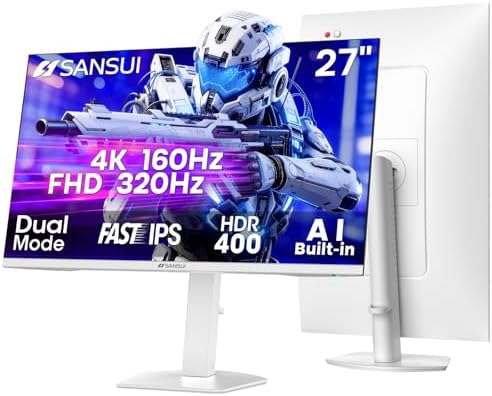
4. SANSUI 27″ 4K Dual Mode — the resolution jump
- ⭐SANUI 27″ Dual Mode (4K 160Hz/144Hz/120Hz or FHD 1080p 320Hz/300Hz/240Hz) PC Computer Monitor for Gaming & Office
- Features: MPRT 1ms Response Time丨FreeSync Premium丨AI Crosshair丨Sniper Scope丨Night Vision丨RACING/RTS Game Mode
- Suplendid Colors: Fast IPS丨400Nits Brightness丨AI PQ丨DCI-P3 93%丨sRGB 126%丨HDR400丨178°V/H Viewing Angle丨AI DBL Eye Care Te…
At $264.99 this is the only 4K IPS screen in this guide and the only monitor here with a genuine dual-mode switch: 3840×2160 at 160Hz, or 1920×1080 at 320Hz, selectable in the menu.
That is a real answer to a real problem. Run 4K for single-player games where detail matters, then switch to 1080p at 320Hz for competitive shooters where frame rate matters. One screen covering both cases at $264.99 is unusually good value, and it has a deep owner sample behind it at 5,683 ratings.
Contrast is stated at 1000:1, which is textbook IPS and the honest cost of the resolution.
- Genuine dual mode: 4K 160Hz or 1080p 320Hz
- 5,683 ratings behind it
- Two HDMI 2.1 and two DisplayPort 1.4 inputs
- 4K at high refresh for $264.99
- 1000:1 contrast, the same IPS limitation at a higher price
- 4K at 160Hz needs a strong graphics card to drive it
- A less established brand than Acer, ASUS or LG
The four VA monitors worth buying
Every monitor in this group is curved, and that is not a coincidence. Curving a VA panel points its edges back toward your eye and hides the one weakness the technology has, which is why the curve and the panel type travel together.
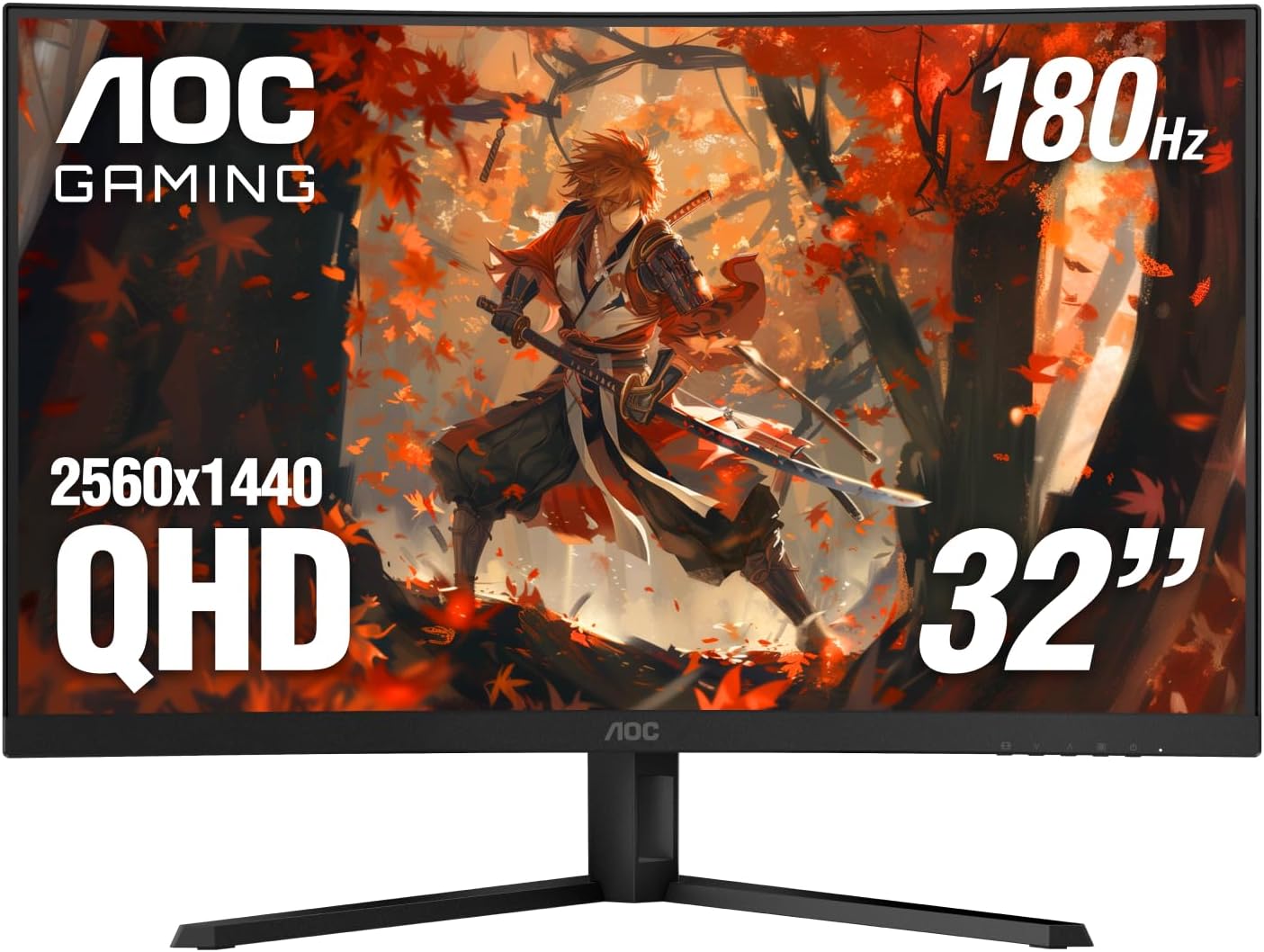
5. AOC CQ32G4VE — the 32-inch curved VA

- Immersive Visuals: 32-inch curved QHD (2560×1440) VA panel with a 1500R curvature for an immersive gaming experience, fe…
- Wide Color Gamut: Covers over 120% of the sRGB color space and boasts an 80,000,000:1 SmartContrast ratio, delivering vi…
- Seamless Connectivity: Equipped with 2x DisplayPort 1.4, 2x HDMI 2.0 ports, and an audio line-out for convenient connect…
At $199.99 this is a 32-inch 1440p VA screen on a 1500R curve, running 180Hz with a 0.5ms MPRT figure and covering over 120% of the sRGB space.
That is the entire argument for VA in one product. Against the 27-inch IPS picks above you get five more inches of screen and the deeper blacks VA is bought for. What you give up is off-axis stability and dark-transition speed, which the curve partly compensates for by bringing the edges around toward you.
Connectivity is two DisplayPort 1.4 and two HDMI 2.0 inputs with an audio line-out, and AOC backs it with a three-year zero-bright-dot warranty, three-year advance replacement and a year of accidental damage coverage.
- 4.4 stars from 182 ratings
- 32 inches of 1440p at $199.99
- 0.5ms MPRT and 180Hz with Adaptive-Sync
- Three-year warranty with advance replacement
- Black smearing in dark scenes, the standard VA cost
- Colors shift if you move off-center
- AOC publishes only a dynamic contrast figure, not a static one
6. SANSUI 32″ Curved — wide color on a Fast VA panel

- 32 inch Curved 1500R WQHD(2560 x 1440) @ 180Hz Fast VA Ultrawide Gaming Monitor.
- Performance: 180Hz Refresh Rate | OD 1ms Response Time | FreeSync | Blue light reduction| Flicker-free
- Screen Colors: sRGB 125% | 300 nits | 8 bits丨DCI-P3 95%丨HDR
At $229.99 this carries 4.4 stars from 5,192 ratings, a large owner sample for a screen at this price.
Specification is 2560×1440 at 180Hz on a 1500R curve, with a Fast VA panel rated 1ms with overdrive. At 32 inches a 1500R curve sits close to the point where you stop noticing the bend and simply get the wrap-around benefit, where the tighter 1000R curves some makers use at this size are aggressive enough that a few people find they distort straight lines in productivity work.
Color coverage is 125% sRGB and 95% DCI-P3, and a DisplayPort cable is in the box, which sounds trivial until you discover the monitor you bought only shipped HDMI and your card needs DP for the full refresh rate.
- 4.4 stars from 5,192 ratings
- 95% DCI-P3 coverage, wide for the price
- 1500R curve, gentler than 1000R for mixed work and play
- DisplayPort cable included
- 300 nits, dim next to the OLED group
- SANSUI is a newer name than Samsung or LG
- VA smearing in dark scenes is still VA smearing
7. SANSUI 34″ Ultrawide — the value ultrawide

- 34 Inch Curved 240Hz UWQHD(3440*1440) Fast VA Ultrawide 21:9 HDR400 Gaming Monitor with AI Crosshair and AI Bluelight.
- Performance: 240Hz Refresh Rate | MRPT 1ms Response Time | Freesync | AI PQ(Visual Enhance) | Ultra Vivid(Weak/Middle/St…
- Ergonomic Stand: PIP/PBP | Tilt -5°~15°(+/-2°) | VESA Compatible (100x 100mm) | 178° Wide Viewing Angle | Durable Metal …
At $249.99 this is the most screen per dollar in the entire guide: 3440×1440 at 240Hz on a Fast VA panel with 3000:1 contrast and HDR400, for less than the 27-inch 4K IPS above.
An ultrawide is a genuinely different experience rather than a bigger one. The extra horizontal space sits in your peripheral vision, which is where a wider field of view actually registers. In racing and flight games the difference is immediate, and in strategy games the extra width is simply more board.
It is also the fastest VA panel here at 240Hz, and SANSUI states Fast VA explicitly rather than hiding behind a generic LED label. 4.5 stars across 5,683 owners.
- 3440×1440 at 240Hz for under $250
- 3000:1 contrast with a 1500R curve
- 4.5 stars from 5,683 owners
- Two HDMI 2.1 and two DisplayPort 1.4 inputs
- Ultrawide resolutions need real graphics power at 240Hz
- Some games still letterbox at 21:9
- Fast VA still smears more than any IPS panel here
8. Samsung Odyssey G9 49″ — the two-monitor replacement
- WRAP YOURSELF IN ADVENTURE: Experience heart-pounding gaming with vivid scenes wrapped deeply around your field of view;…
- REVOLUTIONARY RESPONSE TIME: Conquer every enemy with extreme speed; A 240Hz refresh rate eliminates lag for ultrasmooth…
- CATCH THE DETAIL, DEFEAT YOUR ENEMIES: From gloomy shadows to sun-scorched scenes, 1000 nit peak brightness and 1,000,00…
At $797.99 the G9 is the only monitor here that genuinely replaces a dual-monitor setup: 5120×1440 at 240Hz, which is two 1440p screens side by side with no bezel down the middle.
It is also the one VA panel here that answers the contrast argument outright. VESA DisplayHDR 1000 certification requires a backlight divided into independently dimmed zones, so bright objects can be bright while nearby dark areas stay dark. That is the closest an LCD gets to OLED behavior, and it is why this screen costs $797.99 rather than $250.
Be honest with yourself about desk depth and graphics power before buying. Driving 5120×1440 at high frame rates is a serious ask.
- 5120×1440 at 240Hz replaces two 1440p monitors
- DisplayHDR 1000 with local dimming zones, real HDR
- 1000R curve that works at this width
- Height adjustable stand on a screen this size
- 4.0 stars across 551 ratings
- Needs a deep desk and a strong graphics card
- $797.99 buys a very good OLED instead
- Some games do not support 32:9 properly
The four OLED monitors worth buying
Three of these four are QD-OLED panels from Samsung Display, and the fourth is an LG UltraGear OLED. All four are 27-inch class, because that is where OLED monitor production is concentrated.
9. Samsung Odyssey OLED G5 — the way in
- Samsung’s 27” Odyssey OLED G5 QHD Gaming Monitor delivers hyper-real visuals and lightning-fast action.
- QD-OLED with QHD resolution provides unmatched picture quality and produces the highest levels of color accuracy and bri…
- OLED Safeguard keeps the screen cool by actively helping to prevent burn-in with a Thermal Modulation System.
At $379.99 this is an accessible way into OLED, and the interesting part is how close that now sits to what a good 4K IPS panel costs, for something that panel physically cannot do.
Specification is 2560×1440 QD-OLED running 180Hz with 0.03ms GtG response, G-Sync compatibility, AMD FreeSync and HDR10. The Glare Free coating is the part worth calling out: QD-OLED’s known weakness is that its blacks lift toward gray under bright room light, and a matte treatment is the direct answer to it.
OLED Safeguard is Samsung’s burn-in countermeasure on this panel, using a thermal modulation system to keep the screen cool, and the screen is Pantone Validated across 2,100 or more colors. Read the warranty terms on the listing before you buy, because burn-in coverage is the specification that matters most on any OLED, for the reasons set out above.
- 4.4 stars from 499 ratings
- 180Hz with 0.03ms GtG response
- Glare Free coating, the direct answer to QD-OLED gray-black
- OLED Safeguard with a thermal modulation system
- 180Hz, the lowest refresh of the OLED group
- No warranty term published on the listing
- Full-screen brightness is limited, as on every OLED
10. LG UltraGear 27GS93QE — the anti-glare OLED
- 240Hz Refresh Rate – Gear up for smooth gameplay with an ultra-fast 240Hz OLED display. The faster speed lets you respon…
- VESA DisplayHDR True Black 400 & 1.5M:1 contrast ratio – VESA DisplayHDR True Black 400 certified means this monitor mee…
- NVIDIA G-SYNC Compatible and AMD FreeSync Premium Pro – Officially validated by NVIDIA as G-SYNC Compatible and equipped…
At $499.99 this carries 4.5 stars from 378 ratings, and LG quotes a 1.5M:1 contrast ratio with VESA DisplayHDR True Black 400 certification.
The feature worth paying attention to is the anti-glare, low-reflection screen. Every OLED gives up some of its advantage opposite a window, and a coating that cuts reflections does more for what you actually see in a lit room than another 60Hz of refresh rate would.
It runs 1440p at 240Hz with 0.03ms GtG, up to 98.5% DCI-P3 coverage, G-Sync Compatible validation and AMD FreeSync Premium Pro, over HDMI 2.1 or DisplayPort 1.4, on a tilt, height and pivot stand.
- 4.5 stars from 378 ratings
- Anti-glare, low-reflection screen for lit rooms
- Full ergonomic stand with pivot
- HDMI 2.1 for consoles at high refresh
- Costs more than the Samsung OLED above for the same resolution
- Two-year warranty on the OLED panel
- 1440p, where the ASUS pick below is 4K
11. Alienware AW2725DF — the competitive OLED
- QD-OLED technology enables stunningly rich color and clarity, while QHD resolution (2560×1440) provides high level of de…
- 360Hz refresh rate translates to superb motion clarity, empowering players to see and react to in-game situations at hig…
- 0.03 ms gray-to-gray minimum response time** virtually eliminates blurring and ghosting and keeps latency to an absolute…
At $571.00 the AW2725DF is the fastest screen in this guide at 360Hz, and pairing that refresh rate with OLED’s 0.03ms response is the clearest motion this list offers at any price.
Whether you need it is a fair question. Above roughly 240Hz the returns diminish sharply for most players, and the difference between 240Hz and 360Hz is far smaller than the difference between 60Hz and 144Hz. If you play competitive shooters seriously it is a real advantage. If you do not, the LG above is the better buy.
It is a 26.7-inch QD-OLED at 2560×1440 with full height, tilt, swivel and pivot adjustment, at 4.3 stars across 434 owners.
- 360Hz, the fastest panel in this guide
- QD-OLED color volume with 0.03ms response
- Full ergonomic adjustment including pivot
- 418 owner ratings behind it
- Returns above 240Hz are small for most players
- Priced above the better-rated LG
- QD-OLED gray cast under bright ambient light
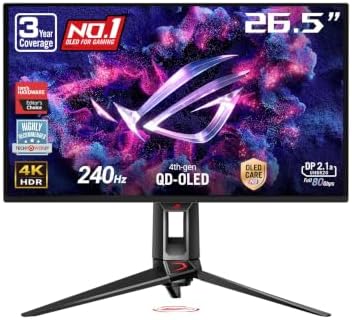
12. ASUS ROG PG27UCDM — the best image here
- High-Performance Display Specifications: 26.5-inch 4K (3840 x 2160) QD-OLED gaming monitor with 240Hz refresh rate and 0…
- Advanced QD-OLED Technology: Latest 4th-gen QD-OLED technology delivers sharper imagery and crystal-clear text, a longer…
- Enhanced Viewing Comfort: OLED Anti-Flicker 2.0 technology includes a new luminance compensation algorithm that reduces …
At $934.00 this is the best picture in the guide: 4K at 240Hz on a QD-OLED panel, which until recently did not exist as a product at any price.
4K on a 27-inch panel is roughly 166 pixels per inch, about a third finer than 1440p at the same size. Combined with per-pixel black and 0.03ms response, this is the specification ceiling for a desktop gaming monitor in 2026.
It also carries DisplayPort 2.1, which matters at this resolution and refresh rate because DisplayPort 1.4 needs compression to carry 4K at 240Hz, and OLED Care Pro, ASUS’s set of burn-in countermeasures.
- 4K at 240Hz on QD-OLED, the ceiling in 2026
- DisplayPort 2.1 with the bandwidth to drive it uncompressed
- OLED Care Pro burn-in countermeasures
- True 10-bit color and console support
- Over $1,000, which is flagship money
- 226 ratings, a thin sample
- 4K at 240Hz demands a top-tier graphics card
IPS vs VA vs OLED compared side by side
All twelve monitors in one table. Prices are live from each product page. Ratings and owner counts are read from the listing, not estimated.
| Monitor | Panel | Size and resolution | Refresh | Price | Rating |
|---|---|---|---|---|---|
| Acer Nitro XV271U M3 | IPS | 27″ 2560×1440 | 180Hz | $169.99 | 4.5 (1,954) |
| ASUS TUF VG27AQ3A | Fast IPS | 27″ 2560×1440 | 180Hz | $179.00 | 4.6 (1,349) |
| ASUS ROG XG27ACS | Fast IPS | 27″ 2560×1440 | 180Hz | $229.00 | 4.4 (1,095) |
| SANSUI 27″ 4K Dual Mode | Fast IPS | 27″ 3840×2160 | 160Hz / 320Hz | $264.99 | 4.4 (5,683) |
| AOC CQ32G4VE | VA, 1500R | 32″ 2560×1440 | 180Hz | $199.99 | 4.4 (182) |
| SANSUI 32″ Curved | Fast VA, 1500R | 32″ 2560×1440 | 180Hz | $229.99 | 4.4 (5,192) |
| SANSUI 34″ Ultrawide | Fast VA, 3000:1 | 34″ 3440×1440 | 240Hz | $249.99 | 4.5 (5,683) |
| Samsung Odyssey G9 49″ | VA, HDR 1000 | 49″ 5120×1440 | 240Hz | $797.99 | 4.0 (551) |
| Samsung Odyssey OLED G5 | QD-OLED | 27″ 2560×1440 | 180Hz | $379.99 | 4.4 (499) |
| LG UltraGear 27GS93QE | OLED | 27″ 2560×1440 | 240Hz | $499.99 | 4.5 (378) |
| Alienware AW2725DF | QD-OLED | 26.7″ 2560×1440 | 360Hz | $571.00 | 4.3 (434) |
| ASUS ROG PG27UCDM | QD-OLED | 27″ 3840×2160 | 240Hz | $934.00 | 4.5 (226) |
Which panel suits which kind of game
This is where IPS vs VA vs OLED stops being theory. The games you play genuinely change the answer.
Competitive shooters. OLED first for its response time, IPS second for its consistency. VA last, because black smearing hides exactly the fast-moving detail you are trying to track in dark corners. If the budget is tight, an IPS panel at 180Hz beats a VA panel at 240Hz for this use.
Single-player and atmospheric games. This is VA’s home ground and OLED’s showcase. Horror, space and anything set at night lives or dies on black level, and a 3000:1 VA panel at $229.99 delivers more of that feeling than a 1000:1 IPS panel at the same price.
Racing, flight and strategy. Width matters more than panel type. The 34-inch ultrawide VA at $249.99 gives more usable advantage here than a better panel in a narrower screen.
Console gaming. Look for HDMI 2.1 before you look at panel type, because that is what carries 4K at 120Hz from a PS5 or Xbox. The LG 27GS93QE and the SANSUI 4K both have it.
Mixed work and play. IPS, without much hesitation. Static interface elements for eight hours a day is the one usage pattern where OLED burn-in stops being theoretical, and IPS holds text and color better than VA across a wide screen.
Curved or flat, and how it maps to panel type
The curve is not a separate decision from the panel. In the IPS vs VA vs OLED comparison it is the most reliable visual clue to which technology you are looking at, and knowing that saves you from comparing the wrong things.
A tight curve implies VA. 1000R is an aggressive curve, and VA tolerates it because the curve corrects for VA’s angle weakness. Three of our four VA picks are 1000R and the fourth is 1500R.
Flat implies IPS or OLED. Neither needs the correction, so manufacturers leave them flat unless the screen is very wide.
What the curve number means: 1000R describes a circle with a 1000mm radius, so the ideal viewing distance is one meter. A smaller number is a tighter curve. On a 32-inch or wider screen a curve genuinely reduces the distance difference between the center and the edges of the panel. On a 27-inch screen it is mostly a styling choice, which is why almost no 27-inch monitors are curved.
How to tell what panel a monitor actually has
Listings hide this more often than you would expect, and the IPS vs VA vs OLED question is impossible to answer if the seller will not say which one you are buying.
Check the technical details table, not the title. Amazon listings carry a Display Technology field in the specification table. It is the most reliable place, though it sometimes reads a generic “LED” or “LCD” that tells you nothing.
When the field is generic, read the contrast ratio instead. This is the reliable tell and it almost never lies. Around 1000:1 means IPS. 2500:1 to 4000:1 means VA. A number in the hundreds of thousands or higher, or the word infinite, means OLED.
Use the curve as a secondary clue. A 1000R curved monitor is VA in practically every case.
Be careful with marketing names. Fast IPS, Nano IPS and Rapid IPS are all IPS. Fast VA and SVA are VA. QD-OLED and W-OLED are both OLED. The prefix describes a refinement, never a different underlying technology.
Five things that decide this more than panel type
IPS vs VA vs OLED is a real decision, but these five shape your experience more often than the panel underneath does.
1. Your room’s lighting. A bright room narrows the contrast gap to near-invisibility and punishes OLED’s brightness limits. A dark room does the opposite. This decides more than the panel debate itself.
2. Size and viewing distance. A 32-inch 1440p screen at close range shows visible pixel structure. 27 inches at 1440p, or 32 inches at 4K, is the comfortable pairing.
3. What your graphics card can drive. A 240Hz 4K panel on a mid-range card runs at neither 240Hz nor 4K. Match the screen to the card you own.
4. Inputs. HDMI 2.1 for consoles, DisplayPort 2.1 for 4K at very high refresh, USB-C if you dock a laptop. These are decided before panel type for many buyers.
5. The stand. Height adjustment is the difference between a comfortable desk and neck strain, and cheap monitors frequently skip it. Every pick in this guide except the entry LG offers meaningful adjustment.
What we would not worry about
Four specifications that consume a lot of attention in the IPS vs VA vs OLED argument and deserve very little of it.
Quoted response times. Every panel here claims 1ms or better and the number is measured on the transition that flatters it most. Panel type predicts real motion performance far better than the figure does.
DisplayHDR 400. It is the entry rung of the ladder and does not produce a meaningful HDR image on any panel. Real HDR starts at DisplayHDR 1000 on LCD, as on the Odyssey G9, or at HDR TrueBlack 400 on OLED.
Refresh rates above 240Hz. The gain from 240Hz to 360Hz is real but small, and far smaller than the gain from 60Hz to 144Hz. Only competitive players should pay for it.
Built-in speakers. They exist on several picks here and they are uniformly poor on all of them. Budget for headphones separately.
Frequently asked questions
IPS vs VA vs OLED: which is actually best for gaming?
OLED produces the best image, with true black and a 0.03ms response no LCD can match, but it costs the most and carries a small burn-in risk. IPS is the best default because it gives accurate color and consistent motion without a premium. VA gives the deepest blacks per dollar and pays for it with smearing in dark scenes. The honest answer is that your room and your games decide this, not a ranking.
Is OLED worth the extra money over IPS?
If you play in a dim room and image quality is the point, yes, and the gap is obvious rather than subtle. OLED pricing now overlaps what a good 4K IPS panel costs, which makes the decision closer than it used to be. If your monitor also displays a fixed work layout for hours a day, or sits in a bright room, IPS remains the more sensible buy.
What is black smearing and do all VA monitors do it?
It is a dark trail behind moving objects in dark scenes, caused by VA crystals moving slowly between two dark states. Every VA panel does it to some degree and the amount varies by model rather than by price. A VA monitor can quote 1ms honestly and still smear, because the quoted figure is the fastest transition and smearing happens on the slowest.
How serious is OLED burn-in in 2026?
Less serious than its reputation but not solved. Panels are more resistant and every OLED monitor ships with pixel shifting, logo dimming and panel refresh cycles. For mixed gaming and video at sensible brightness, burn-in is unlikely within a normal ownership period. For a static work layout displayed eight hours a day, the risk is real. Check whether the warranty covers burn-in explicitly.
Why do IPS monitors have such low contrast?
Because an LCD blocks a backlight rather than making its own light, and IPS crystals block it less completely than VA crystals do. Some light always leaks through, so the darkest black an IPS panel shows is really dark gray. That is physics rather than a manufacturing shortcut, which is why a 1000:1 figure appears on cheap and expensive IPS panels alike.
What is the difference between QD-OLED and W-OLED?
They come from different panel makers. QD-OLED from Samsung Display uses a blue OLED layer with quantum dots and delivers higher color volume. W-OLED from LG Display adds a white subpixel for brightness. The most visible difference is ambient light: QD-OLED black can look faintly gray in a bright room, while W-OLED holds its black. In a dark room both are excellent.
Do I need more than 240Hz?
Almost certainly not. The gain from 60Hz to 144Hz is dramatic, from 144Hz to 240Hz is clear, and from 240Hz to 360Hz is small enough that most players cannot reliably tell in a blind test. Buy above 240Hz only if you play competitive shooters seriously and your graphics card can actually reach those frame rates.
How can I tell what panel a monitor uses if the listing does not say?
Read the contrast ratio in the specification table. Around 1000:1 means IPS, 2500:1 to 4000:1 means VA, and anything in the hundreds of thousands or described as infinite means OLED. A 1000R curve is also a strong indicator of VA. Names like Fast IPS, Nano IPS, Fast VA and SVA are refinements of the same three technologies, not separate ones.
Is a curved monitor better for gaming?
On a large or ultrawide screen a curve genuinely helps, because it evens out the distance from your eye to the center and the edges. On a 27-inch screen it makes very little difference, which is why almost no 27-inch monitors are curved. Curves appear mostly on VA panels because the curve also compensates for VA’s weaker viewing angles.
Related buying guides
This explainer covers the IPS vs VA vs OLED decision itself. If you are choosing the rest of the setup around it:
- Best Gaming Monitors 2026 — the full monitor roundup, ranked on overall quality rather than panel type
- 1080p vs 1440p vs 4K — the resolution decision that comes before this one
- Best Graphics Cards 2026 — because the card decides what refresh rate you actually reach
- DLSS vs FSR vs XeSS — how upscaling changes what your monitor receives
- How Much VRAM Do You Need? — the memory question that decides 4K
More questions about monitor panels
Does panel type affect input lag?
Only slightly, and less than people assume. Input lag is dominated by the monitor’s internal processing rather than the panel, so a well-tuned VA screen can have lower input lag than a poorly tuned IPS one. What panel type strongly affects is pixel response, which is how quickly the image changes once it arrives. Those are two different delays and reviews often conflate them.
Will a better panel make me play better?
Marginally, and only at the top of the skill range. A faster panel gives you slightly earlier and cleaner information, which matters if you are already competing at a level where that decides fights. For most players a comfortable, well-positioned screen at 144Hz or above delivers more real benefit than an upgrade from IPS to OLED.
Can I use a gaming monitor for color-accurate work?
IPS yes, OLED yes with care, VA least of the three. Look for DCI-P3 coverage figures rather than sRGB percentages above 100, because a panel that exceeds sRGB oversaturates that content unless it has a proper clamp mode. VA’s shifting off-axis behavior makes consistent color judgment harder across a large screen.
Why is my OLED dimmer than my old monitor on white screens?
Because OLED limits full-screen brightness by design, to manage heat and protect the panel. A small bright highlight can be very bright, but a full white page cannot be, so a spreadsheet looks dimmer than it would on a good LCD. This is normal behavior rather than a fault, and it is the main reason OLED is a poor choice for a bright office.
Is a 1000R curve too aggressive?
On a 32-inch or wider screen it suits a single user sitting about a meter away, which is what the number describes. It becomes awkward if two people watch together, or if you do a lot of work with straight lines where the curve is visible in the geometry. On ultrawide screens the tighter curve is generally an advantage rather than a compromise.
Does a higher contrast ratio always mean a better picture?
It means a deeper black, which your eye reads as depth, and that is the largest single visual difference between these panel types. It says nothing about color accuracy, brightness or motion. A high-contrast VA panel with poor dark-transition speed can look worse in a moving night scene than a lower-contrast IPS panel that keeps up.
Should I buy a 4K monitor or a faster 1440p one?
Match it to your graphics card first. 4K at high refresh rates demands far more from a card than 1440p does, and a 4K screen running at low frame rates is a worse experience than a 1440p screen running well. The dual-mode SANSUI in this guide sidesteps the question by offering 4K at 160Hz or 1080p at 320Hz on the same panel.
Do OLED monitors work well with consoles?
Yes, and they are a strong pairing, but check for HDMI 2.1 rather than assuming it. That is the input which carries 4K at 120Hz from a PS5 or Xbox Series X. OLED’s per-pixel black also suits console HDR content particularly well, since consoles have supported HDR properly for longer than most PC games have.
Is mini-LED a fourth panel type?
No, it is a backlight rather than a panel. A mini-LED monitor is still an LCD, usually VA, with its backlight divided into many independently dimmed zones so dark areas can stay dark while bright areas stay bright. It closes much of the contrast gap to OLED without the burn-in risk, and it is what earns the Odyssey G9 in this guide its DisplayHDR 1000 rating.
The bottom line: IPS vs VA vs OLED
If you take one thing from this guide, take this: IPS vs VA vs OLED has no winner, only three different failures. IPS fails at black. VA fails at motion in the dark. OLED fails at brightness, price and long-term certainty. Choosing well means knowing which of those three you will actually notice in your room.
IPS is the right default, and the Acer Nitro XV271U M3 at $169.99 is an honest way into it, with 95% DCI-P3 coverage and 1,954 owners behind a 4.5-star average. You accept gray blacks in a dark room.
VA is the value play for atmosphere, and the AOC CQ32G4VE at $199.99 gives you 32 inches of 1440p on a 1500R curve. If you play at night, VA contrast is worth more than the specification gap suggests. You accept smearing in dark scenes.
OLED is no longer a luxury-only answer, and the Samsung Odyssey OLED G5 at $379.99 is the reason. It delivers per-pixel black, 0.03ms GtG response and 180Hz for less than a good 4K IPS panel cost a year ago. That is the most significant price development in this category in years.
And the trap worth naming: do not buy a panel type for a room it does not suit. An OLED opposite a bright window loses most of what you paid for, and a VA panel in a competitive shooter hides the enemy you were trying to see. The panel is not better or worse in the abstract. It is better or worse where you sit.
Gamers Tech Guide participates in the Amazon Services LLC Associates Program. As an Amazon Associate we earn from qualifying purchases.