
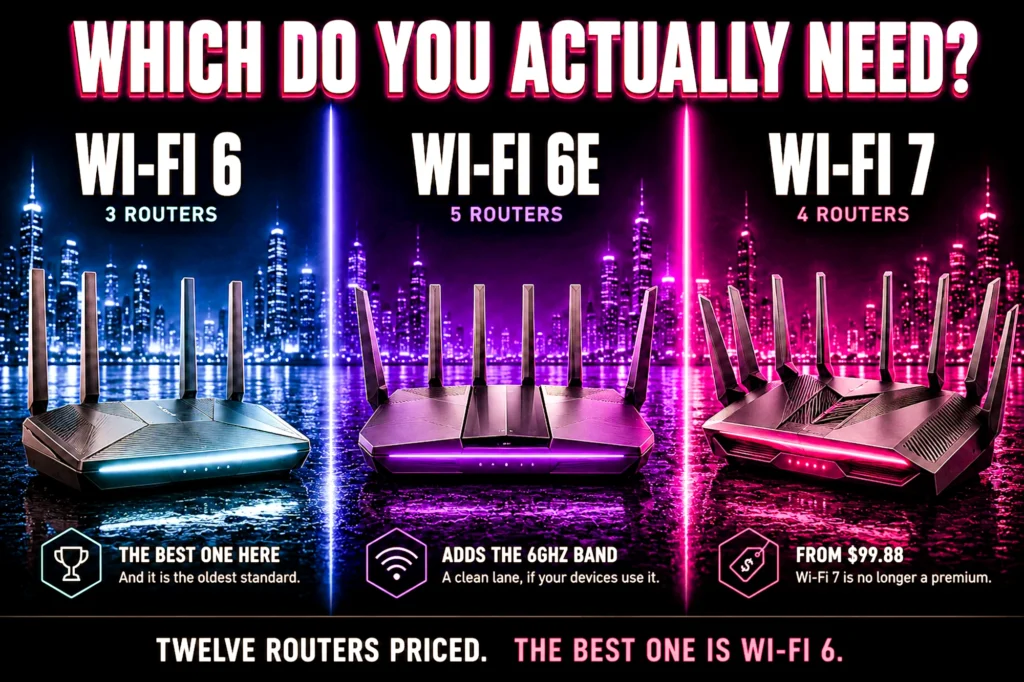
Your router can only speak a standard your devices also speak. Buy the newest one, pair it with hardware that cannot use it, and you have bought a number.
- WiFi 6 is still right for most people. The best-rated router in this comparison is the oldest standard.
- WiFi 6E matters if you live somewhere congested — an empty 6GHz band beats a faster crowded one.
- WiFi 7 is cheap now — $79.98 here, less than every 6E unit. Buy it because it is cheap, not because it helps this year.
- What actually decides your experience is whether the router prioritizes game traffic. That is a feature, not a generation.
WiFi 6 vs 6E vs 7 is a question with a much simpler answer than the marketing suggests, and the answer is mostly about your devices rather than your router. A router can only speak a standard your phone, laptop or PC also speaks — buy the newest one and pair it with hardware that cannot use it, and you have bought a number.
We priced twelve routers across all three generations on the same afternoon, every one validated against its live listing. Three Wi-Fi 6, three Wi-Fi 6E, six Wi-Fi 7, from $54.99 to $587.99.
The short version is that the generation matters far less than three other things, and we will show you the prices that prove it.
The 30-second answer
Wi-Fi 6 is still the right buy for most people. Every device you own supports it, it is mature, and it is cheap. Our best-rated router in this whole comparison is a Wi-Fi 6 unit at $169.99.
Wi-Fi 6E is worth it if you live somewhere congested, but it is on the way out. The 6GHz band it adds is empty in most neighborhoods, and an empty lane is worth more than a faster one. The catch is supply: four of the five 6E routers we previously listed are no longer properly stocked, and Wi-Fi 7 gives you the same 6GHz band on a standard that is not being retired.
Wi-Fi 7 is a fine thing to buy and a bad thing to pay extra for. Prices have fallen far enough that you can have it for $79.98, which is less than every 6E router here. Buy it at that price because it is cheap, not because it will improve your games this year.
And the thing that actually decides your experience: whether your router prioritizes game traffic when the house gets busy. That is a feature, not a generation, and a $184.49 router with a dedicated gaming port will beat a $587.99 flagship without one for the problem you are trying to solve.
What each generation actually adds
Wi-Fi 6 was about handling many devices at once rather than making one device faster. It introduced ways for the router to talk to several devices in the same transmission and to schedule when each one should wake up and speak. In a house with twenty connected things, that is the difference between a network that copes and one that does not. It uses the 2.4GHz and 5GHz bands.
Wi-Fi 6E is Wi-Fi 6 with one addition, and it is a significant one: access to the 6GHz band. Nothing else changed. No new efficiency tricks, no faster underlying technology — just a large stretch of newly opened radio space that older devices cannot use at all.
Why that matters more than it sounds. The 2.4GHz and 5GHz bands are crowded with every neighbor’s router, every smart plug, every Bluetooth device. The 6GHz band is, for now, nearly empty. Your game is not competing with the building for airtime. In a detached house in a quiet area this is worth little. In an apartment block it can be the single biggest improvement available.
Wi-Fi 7 adds wider channels, a denser way of encoding data, and its headline feature: the ability for a device to use more than one band simultaneously rather than picking one. That last part is genuinely clever — it means a connection can keep working smoothly when one band gets congested, because it was never relying on that band alone.
The catch, and it is the whole point of this article: every one of those Wi-Fi 7 features needs a Wi-Fi 7 device on the other end. Your router cannot use them alone. Most phones, laptops and desktop wireless cards in use today are Wi-Fi 6 or 6E, and connecting them to a Wi-Fi 7 router gets you Wi-Fi 6 or 6E performance.
The three Wi-Fi 6 routers
Mature, cheap, and universally supported. Both the best-rated router and the most-owned router in this entire comparison are in this group.

| Standard | Wi-Fi 6 |
| Ports | Dual 2.5G |
| Firmware | OpenWrt |
| Rating | 4.5 (3,075) |

| Standard | Wi-Fi 6 |
| Speed | AX3000 |
| Extras | VPN server, USB 3.0 |
| Rating | 4.4 (10,856) |

| Standard | Wi-Fi 6 |
| Speed | AX1800 |
| Owners | 24,840 ratings |
| Rating | 4.4 (24,840) |
The three Wi-Fi 6E routers
The generation that adds the 6GHz band, and the one that is quietly being wound down. This group was five routers when we last checked; four of those five are no longer buyable with Prime delivery, and we say which ones further down.

| Standard | Wi-Fi 6E, tri-band |
| Speed | AXE5400 |
| Port | 2.5Gbps WAN |
| Rating | 4.3 (5,510) |

| Standard | Wi-Fi 6E |
| Coverage | Up to 5,500 sq ft |
| Units | 2-pack |
| Rating | 4.4 (4,873) |

| Standard | Wi-Fi 6E, tri-band |
| Gaming port | Yes |
| Extras | USB 3.0, RGB |
| Rating | 4.3 (156) |
The six Wi-Fi 7 routers
The current standard, and now the largest group here. The important thing is the price: the cheapest is $79.98, which undercuts every 6E router above it.

| Standard | Wi-Fi 7, BE3600 |
| Port | 2.5 Gig |
| Coverage | 2,000 sq ft |
| Rating | 4.3 (1,628) |

| Standard | Wi-Fi 7, BE6500 |
| Ports | Dual 2.5Gbps |
| Bands | Dual-band |
| Rating | 4.3 (1,704) |

| Standard | Wi-Fi 7, BE3600 |
| Ports | 2×2.5G + 3x1G |
| Extras | USB 3.0, MLO |
| Rating | 4.2 (1,733) |

| Standard | Wi-Fi 7, tri-band |
| Speed | 9.7 Gbps |
| WAN | Dual WAN |
| Rating | 3.9 (121) |

| Standard | Wi-Fi 7, tri-band |
| Speed | 12 Gbps |
| Mesh | Yes |
| Rating | 4.1 (157) |

| Standard | Wi-Fi 7, quad-band |
| Ports | Dual 10G |
| Gaming | Triple-level |
| Rating | 4.2 (616) |
The prices tell the real story
Look at what those three grids actually cost, because the arithmetic contradicts the usual advice.
Wi-Fi 7 is no longer the expensive option. The cheapest Wi-Fi 7 router here is $79.98. Every single Wi-Fi 6E router in this article costs more than that. Generation and price have stopped correlating entirely.
Wi-Fi 6E is being wound down, and you can see it in what is actually buyable. This article compared five 6E routers when we last checked it. Four of those five are no longer available with Prime delivery — two moved to third-party resellers, one has only a used listing left, and one is shipping on a six-to-nine day estimate. We replaced them with the two 6E routers still properly stocked. If you are choosing a generation today, that scarcity is a real argument against 6E on its own.
The best-rated router is on the oldest standard, and so is the most-owned one. The GL.iNet Flint 2 is Wi-Fi 6 and holds the highest score here at 4.5. The Archer AX21 is also Wi-Fi 6 and carries 24,840 ratings, more than any other product in this article. Neither 6E nor 7 comes close on evidence.
The newest products have the thinnest evidence, and that is structural rather than a coincidence. The two Wi-Fi 7 tri-band routers have 157 and 121 ratings. The ASUS RT-BE9700 at 121 ratings is the least-reviewed product in this article. New standards mean new hardware, new firmware, and fewer owners to tell you whether it works — and firmware maturity matters more on a router than on almost anything else you buy.
So the buying logic inverts the marketing. If you want the safest purchase, buy the older standard with thousands of owners behind it. If you want the newest standard, buy the cheap one with the most reviews rather than the expensive one with the fewest.
Wi-Fi 6: GL.iNet Flint 2 — the best router in this article
$169.99, 4.5 stars from 3,075 owners, dual 2.5G ports and OpenWrt firmware. It is Wi-Fi 6, the oldest standard covered here, and it is still the one we would buy.
The OpenWrt point deserves emphasis in a generational article specifically: router firmware is where these devices actually age, not where their radio standard sits. A router whose manufacturer stops issuing updates becomes a security liability long before its Wi-Fi standard becomes a limitation. Open firmware, maintained by people other than the vendor, is a hedge against exactly that.
- ***Please update the firmware upon initial setup of the router, as it greatly enhances the device’s performance and ensu…
- 【High Speed Gaming Router】Dominate with uninterrupted performance with the ultimate MT6000 gaming internet router, equip…
- 【Rapid OpenVPN & Wireguard speed】Wireguard VPN and OpenVPN speeds up to 900Mbps and 880Mbps respectively, giving you com…
- 4.5 stars from 3,075 owners, the best score in this article
- OpenWrt, so firmware life does not depend on one vendor
- Dual 2.5G ports at $169.99
- Mesh capable with VPN support built in
- No 6GHz band, so no help in a congested building
- Wi-Fi 6 will age out of relevance before the 6E and 7 units
- OpenWrt expects more of you than a consumer interface
- No dedicated gaming port
Wi-Fi 6: TP-Link Archer AX55 — the one most people should actually buy
$74.99 and 4.4 stars from 10,856 owners. This router is the clearest argument in the whole article that you are usually paying for a standard you cannot use.
AX3000 dual-band Wi-Fi 6, four gigabit LAN ports, a USB 3.0 port, and both a VPN client and a VPN server built in. For the actual complaint people have — the connection getting worse when someone else in the house starts streaming — a competent router with QoS handles it on the oldest standard covered here, for a seventh of what the flagship costs.

- Next-Gen Gigabit Wi-Fi 6 Speeds: 2402 Mbps on 5 GHz and 574 Mbps on 2.4 GHz bands ensure smoother streaming and faster d…
- A More Responsive Experience: Enjoy smooth gaming, video streaming, and live feeds simultaneously. OFDMA makes your Wi-F…
- Expanded Wi-Fi Coverage: 4 high-gain external antennas and Beamforming technology combine to extend strong, reliable, Wi…
- $74.99 with 10,856 ratings, the second-deepest sample here
- VPN client and server built in, rare at this price
- USB 3.0 for sharing a drive across the network
- Solves the real problem for a fraction of flagship money
- Wi-Fi 6 only, and no 6GHz band
- No dedicated gaming port
- Gigabit WAN only, so no multi-gig benefit
Wi-Fi 6: TP-Link Archer AX21 — the price floor
$54.99 and 4.4 stars from 24,840 owners. It is both the cheapest product in this article and the most-owned by a very large margin, which is an unusual combination and the reason it is here.
AX1800 is the slowest wireless specification covered, and it has no gaming port and no 6GHz band. What it has is the thing this whole article keeps circling back to: if you are still on the box your internet provider supplied, this is the least money that produces a difference you will actually notice.

- DUAL-BAND WIFI 6 ROUTER: Wi-Fi 6(802.11ax) technology achieves faster speeds, greater capacity and reduced network conge…
- AX1800: Enjoy smoother and more stable streaming, gaming, downloading with 1.8 Gbps total bandwidth (up to 1200 Mbps on …
- CONNECT MORE DEVICES: Wi-Fi 6 technology communicates more data to more devices simultaneously using revolutionary OFDMA…
- $54.99, the cheapest product in this article
- 24,840 ratings, more than any other product here
- EasyMesh, so a second unit can extend it later
- Setup takes a few minutes in the Tether app
- AX1800 is the slowest specification here
- No 6GHz band and no gaming port
- Modest processor under heavy device counts
Wi-Fi 6E: TP-Link Deco XE75 — 6GHz plus coverage
$199.99 for two units, 5,500 square feet of coverage, and 4,873 ratings behind it.
This is also where 6E makes the most sense structurally. A mesh system uses the 6GHz band for the link between its own units, which keeps that traffic off the bands your devices are using. You get the benefit of 6E even if not one of your devices supports it, which is not true of any single-unit 6E router here.
- WiFi 6E Tri-Band Mesh WiFi – Cover up to 5,500 Sq.Ft with next-gen seamless WiFi and make dead zones and buffering a thi…
- New 6 GHz Band – The latest Wi-Fi frequency, eliminates interference from legacy devices. The 6 GHz band can work as a b…
- True Tri-Band Speed – All three WiFi bands work together to unleash your network’s total speeds up to 5,400 Mbps for 200…
- 4,873 ratings, deep evidence for a mesh system
- The 6GHz band benefits you even with no 6E devices
- Two units for $199.99
- Solves coverage, which no single router can
- No gaming-specific features
- A mesh hop adds latency a single router does not
- Costs more than every Wi-Fi 6 and Wi-Fi 7 router here except two
Wi-Fi 6E: TP-Link Archer AXE75 — the most-owned 6E router left
$119.99 and 4.3 stars from 5,510 owners, which makes it the most-owned 6E product in this article and one of the few left that you can still buy with next-day delivery. Tri-band AXE5400 with a 2.5Gbps WAN port and 160MHz channel width.
This is the 6E router to buy if you specifically want the 6GHz band on a single unit. It is worth being clear about why the choice is so narrow now: the 6E section of this article had five routers when we last checked it, and four of them have since stopped being buyable on Prime. That is what a standard being wound down looks like from the buyer’s side.

- Tri-Band WiFi 6E Router – Up to 5400 Mbps WiFi for faster browsing, streaming, gaming and downloading, all at the same t…
- WiFi 6E Unleashed – The 6 GHz band brings more bandwidth, faster speeds, and near-zero latency; Enables more responsive …
- Connect More Devices—True Tri-Band and OFDMA technology increase capacity by 4 times to enable simultaneous transmission…
- 5,510 ratings, the deepest 6E evidence here
- 2.5Gbps WAN port at $119.99
- 160MHz channels and OneMesh support
- Cheaper than both remaining 6E alternatives
- 6E is a transitional standard being replaced by Wi-Fi 7
- Dual-core processor, modest next to gaming routers
- No dedicated gaming port
Wi-Fi 6E: TP-Link Archer GXE75 — 6GHz with a gaming port
$184.49 for tri-band AXE5400 with a dedicated gaming port, a game acceleration panel, USB 3.0 and RGB lighting. 4.3 stars from 156 ratings.
The gaming port is the reason to consider it over the AXE75 above, and it is a real reason: whatever you plug into that socket gets traffic priority with no app and no rules to tune. The price is around twenty dollars more and the owner sample is a fraction of the size, so this is the pick only if that one feature is what you came for.

- 𝐀𝐗𝐄𝟓𝟒𝟎𝟎 𝗧𝗿𝗶-𝗕𝗮𝗻𝗱 𝗪𝗶-𝗙𝗶: Enjoy up to 5.4 Gbps Tri-Band Wi-Fi, keeping your PS5, Xbox, PC, and mobile gaming devices ready…
- 𝟮.𝟱𝗚 𝗠𝘂𝗹𝘁𝗶-𝗚𝗶𝗴𝗮𝗯𝗶𝘁 𝗣𝗼𝗿𝘁: Upgrade your gaming network with Archer GXE75’s 2.5G WAN port, delivering ultra-fast speeds fro…
- 𝗘𝘅𝗰𝗹𝘂𝘀𝗶𝘃𝗲 𝗔𝗰𝗰𝗲𝗹𝗲𝗿𝗮𝘁𝗶𝗼𝗻 𝗳𝗼𝗿 𝗚𝗮𝗺𝗲𝘀: Supports game application, gear, and server acceleration. Optimize connections for you…
- Dedicated gaming port with zero configuration
- 6GHz band plus 1×2.5G and 4x1G ports
- USB 3.0 and EasyMesh included
- 156 ratings, thin next to the AXE75
- Costs more than the AXE75 for one feature
- 6E is being wound down in favor of Wi-Fi 7
Wi-Fi 7: TP-Link BE6500 — the one to buy if you want the ports
$159.99, 4.3 stars, and 1,704 ratings — one of the three best-evidenced Wi-Fi 7 routers here, with more than ten times the sample of the two tri-band Wi-Fi 7 units.
On a standard this new, that matters more than usual. Early Wi-Fi 7 firmware has been the source of most complaints about the generation, and a router with well over a thousand owners has had those problems found and largely fixed. It is dual-band, so no 6GHz — a real limitation, and the reason it is this cheap.
- 𝐅𝐮𝐭𝐮𝐫𝐞-𝐑𝐞𝐚𝐝𝐲 𝐖𝐢-𝐅𝐢 𝟕 – Designed with the latest Wi-Fi 7 technology, featuring Multi-Link Operation (MLO), Multi-RUs, and…
- 𝟔-𝐒𝐭𝐫𝐞𝐚𝐦, 𝐃𝐮𝐚𝐥-𝐁𝐚𝐧𝐝 𝐖𝐢-𝐅𝐢 𝐰𝐢𝐭𝐡 𝟔.𝟓 𝐆𝐛𝐩𝐬 𝐓𝐨𝐭𝐚𝐥 𝐁𝐚𝐧𝐝𝐰𝐢𝐝𝐭𝐡 – Achieve full speeds of up to 5764 Mbps on the 5GHz band and 68…
- 𝐖𝐢𝐝𝐞 𝐂𝐨𝐯𝐞𝐫𝐚𝐠𝐞 𝐰𝐢𝐭𝐡 𝐒𝐭𝐫𝐨𝐧𝐠 𝐂𝐨𝐧𝐧𝐞𝐜𝐭𝐢𝐨𝐧 – Get up to 2,400 sq. ft. max coverage for up to 90 devices at a time. 6x high perf…
- 1,704 ratings, among the strongest Wi-Fi 7 evidence here
- Wi-Fi 7 without the flagship price
- Dual 2.5Gbps ports and USB 3.0
- Dual-band, so no 6GHz despite being Wi-Fi 7
- Wi-Fi 7 features need Wi-Fi 7 devices to do anything
- 2,400 sq ft coverage is modest
Wi-Fi 7: NETGEAR Nighthawk RS90 — a well-reviewed router on the current standard
A well-reviewed Wi-Fi 7 router, with 1,628 ratings at 4.3 stars, a 2.5 Gig internet port and a price of $118.47.
Wi-Fi 7 no longer carries a price premium, and that is the argument this article rests on. A current-standard router from an established networking brand, with over fifteen hundred owners behind it, sits below most of the 6E units here on price. Whatever you conclude about whether Wi-Fi 7 helps you today, paying a premium for it is no longer necessary.
- FASTER, FARTHER, MORE RELIABLE WIFI: A dedicated dual-band WiFi 7 router built to keep up when everyone’s online, with s…
- WORKS WITH YOUR EXISTING INTERNET SERVICE: Pairs with your existing modem or gateway via ethernet. Compatible with most …
- SET UP AND MANAGE YOUR NETWORK WITH THE NIGHTHAWK APP: Download the free Nighthawk app on iOS or Android for guided setu…
- Current wireless standard at the low end of this article
- 1,628 ratings behind it
- 2.5 Gig internet port at this price
- BE3600 is the entry rung of Wi-Fi 7
- Dual-band, no 6GHz
Wi-Fi 7: ROG Strix GS-BE12000 — Wi-Fi 7 done properly, and priced accordingly
$299.00 for tri-band Wi-Fi 7 at 12 Gbps with mesh support. 4.1 stars, but from only 157 ratings.
This is what Wi-Fi 7 looks like when it includes the 6GHz band and the full feature set rather than the entry rung. It is also several times the price of the NETGEAR RS90, and backed by a twelfth of the owner evidence. Both facts are true and you should weigh them together.
- Blazing-fast WiFi 7 boosts tri-band throughput up to 12000 Mbps with 320 MHz channels of 6 GHz band, Multi-Link Operatio…
- Powerful wired network capacity of up to 20G with one 2.5G WAN port and seven 2.5G LAN ports.
- High-performance quad-core 2.0GHz CPU with robust cooling, 2GB RAM and eight internal antennas providing up to 3000 sq. …
- Tri-band Wi-Fi 7 with 6GHz and the full feature set
- 12 Gbps and mesh support
- ROG gaming software
- 157 ratings, among the thinnest evidence in this article
- $299.00, more than three times the cheapest Wi-Fi 7 router
- Its advantages need Wi-Fi 7 client devices to appear at all
Wi-Fi 7: ASUS RT-BE9700 — tri-band Wi-Fi 7 for less
$219.00 for tri-band Wi-Fi 7 at 9.7 Gbps with dual WAN and mesh support. 3.9 stars from 121 ratings — the least-reviewed product in this entire article.
On specification it undercuts the ROG Strix by forty dollars for a similar shape of router. On evidence it is the thinnest thing here, and on a standard where firmware maturity is the main risk, that is not a small caveat. Worth watching rather than rushing at.
- Beyond-fast WiFi 7 (802.11be) – 320MHz channels in the 6 GHz band and 4096-QAM significantly increase network capacity a…
- Multi-link Operation – Link to multiple bands at the same time to ensure stable internet connections and efficient data …
- Versatile WAN configuration options – Establish always-on internet through AI WAN detection and a convenient USB port re…
- Tri-band Wi-Fi 7 with 6GHz for $219.00
- Less than the ROG Strix for a similar specification
- Dual WAN and mesh support
- 121 ratings, the least-reviewed product in this article
- 3.9 stars, at the bottom of the range here
- New enough that firmware maturity is an open question
Wi-Fi 7: TP-Link Archer BE230 — the cheapest way onto the standard
$79.98 for dual-band BE3600 Wi-Fi 7 with two 2.5G ports, three gigabit ports, USB 3.0 and MLO. 4.2 stars from 1,733 owners.
This is the single number that undoes most of the advice written about these three standards. Wi-Fi 7 now starts at $79.98 — cheaper than every Wi-Fi 6E router in this article. Whatever else is true about generations, the newest one stopped being the expensive one.

- 𝐅𝐮𝐭𝐮𝐫𝐞-𝐏𝐫𝐨𝐨𝐟 𝐘𝐨𝐮𝐫 𝐇𝐨𝐦𝐞 𝐖𝐢𝐭𝐡 𝐖𝐢-𝐅𝐢 𝟕: Powered by Wi-Fi 7 technology, enjoy faster speeds with Multi-Link Operation, incre…
- 𝐁𝐄𝟑𝟔𝟎𝟎 𝐃𝐮𝐚𝐥-𝐁𝐚𝐧𝐝 𝐖𝐢-𝐅𝐢 𝟕 𝐑𝐨𝐮𝐭𝐞𝐫: Delivers up to 2882 Mbps (5 GHz), and 688 Mbps (2.4 GHz) speeds for 4K/8K streaming, AR…
- 𝐔𝐧𝐥𝐞𝐚𝐬𝐡 𝐌𝐮𝐥𝐭𝐢-𝐆𝐢𝐠 𝐒𝐩𝐞𝐞𝐝𝐬 𝐰𝐢𝐭𝐡 𝐃𝐮𝐚𝐥 𝟐.𝟓 𝐆𝐛𝐩𝐬 𝐏𝐨𝐫𝐭𝐬 𝐚𝐧𝐝 𝟑×𝟏𝐆𝐛𝐩𝐬 𝐋𝐀𝐍 𝐏𝐨𝐫𝐭𝐬: Maximize Gigabitplus internet with one 2.5G WAN…
- The cheapest route onto Wi-Fi 7 anywhere in this article
- 1,733 ratings, deep evidence for a current-standard router
- Two 2.5G ports and USB 3.0 at this price
- MLO support, the feature Wi-Fi 7 actually delivers
- BE3600 is the entry tier of the standard
- Dual-band, so no 6GHz
- Quad-core but not a gaming-grade processor
Wi-Fi 7: ROG Rapture GT-BE98 Pro — the flagship, and who it is really for
$587.99 for quad-band Wi-Fi 7 at up to 30Gbps, with dual 10G ports and triple-level game acceleration. 4.2 stars from 616 owners, and the most expensive product in this article by a wide margin.
Be clear about what the money buys, because it is not wireless gaming performance. The Archer BE230 above runs the same standard. What $587.99 buys is a fourth radio for a house full of simultaneous devices, and 10-gigabit wired ports for moving large files between machines on your own network. If neither of those describes you, this is most of a graphics card budget.

- Beyond-fast WiFi 7 (802.11be) with new 320MHz channels in the 6 GHz band and 4096-QAM significantly increases network ca…
- Multi-link Operation links to multiple bands at the same time to ensure stable internet connections and efficient data t…
- Cutting-edge external dual-feeding antennas boost coverage by providing high efficiency and significantly enhanced signa…
- Quad-band, the only four-radio router in this article
- Dual 10G ports, unmatched by anything else here
- Triple-level game acceleration and subscription-free security
- 616 ratings, respectable for a flagship
- $587.99, nearly seven times the cheapest Wi-Fi 7 here
- Will not feel faster in a game than the cheapest TP-Link here
- Physically enormous
How to test what you actually have before you spend
Fifteen minutes of measurement beats any amount of reading, and it frequently shows the router is not the problem at all. Do these in order.
1. Speed test on a cable. Plug a machine into the router with an ethernet cable and test. This tells you what your internet service is genuinely delivering, with wireless removed from the equation. If this number is well below your plan, stop — your problem is the service or the modem, and no router in this article fixes it.
2. The same test over wireless, from where you actually play. Not standing next to the router. From the chair. The gap between this and the wired number is your wireless problem, and its size tells you whether you need a better router or a mesh.
3. Watch latency rather than download speed. Run a continuous ping to a reliable address and leave it running for a few minutes while you play. You are not looking at the average — you are looking for spikes. A connection that sits at 30ms and occasionally jumps to 300ms feels far worse than one steady at 60ms, and only the second number shows up on a speed test.
4. Repeat it while the house is busy. Have someone stream something in 4K, or start a large download, and watch what happens to that ping. If it degrades badly, you have a prioritization problem and QoS or a gaming port is your fix. If it holds steady, your router is already handling contention and a new one will not change much.
5. Count the networks around you. Open the wireless list on your phone where you game. Fifteen or more visible networks means real congestion and makes 6GHz genuinely valuable. Four or five means it will not do much for you.
Those five results tell you which router to buy, or that you do not need one. That is a better use of fifteen minutes than any specification comparison.
Mesh, extender or powerline: which one for distance?
If your problem is that the signal does not reach, the router generation is irrelevant and you have three real options. They are not equivalent.
A mesh system is usually the right answer. Multiple units share one network name and hand your device between them as you move, and on a tri-band system like the Deco XE75 the units talk to each other on a dedicated band so that traffic does not eat into your own. The cost is a wireless hop, which adds a little latency — but a little latency on a strong signal beats a weak signal every time.
A wireless extender is usually the wrong one. A traditional extender receives and rebroadcasts on the same band, which typically halves throughput, and it often creates a second network name you have to switch to manually. It is cheap, and it is cheap for a reason. If you already own one and your gaming machine is on it, that alone may be your problem.
Powerline adapters are the underrated option for gamers specifically. They send the network over your home’s electrical wiring and give you an ethernet port at the far end. Performance depends heavily on how your house is wired and they will not match a direct cable — but they give you a wired connection at the machine, and wired consistency is exactly what gaming wants. Worth trying before a mesh if the problem is one distant room.
The best option of all, if it is possible: a long ethernet cable run to a mesh unit or access point near the gaming machine. That removes the wireless hop entirely and gives the far end of the house a strong local signal. It is more effort and it beats everything else here.
QoS: the setting that does the actual work
Quality of Service is the single feature most responsible for whether a router improves your gaming, and it is switched off or misconfigured on a large share of the routers people own.
What it does. When your connection is saturated, something has to wait. Without QoS the router treats a game packet and a video chunk as equally important, so your game waits behind a stream. With QoS configured, game traffic goes first. That is the entire mechanism, and it is why a cheap router with working QoS beats an expensive one without it.
Why it needs your plan speeds. To hold traffic back, the router has to know the limit it is managing against. If it thinks you have a 1000Mbps connection and you have 200Mbps, it will not start prioritizing until far too late, and you get the spikes anyway. Run a wired speed test and enter the real figures. This one step is the difference between QoS working and QoS being decorative.
Adaptive versus manual. Most routers offer a mode where you simply select gaming as the priority and let the router classify traffic. That is the right choice for almost everybody. Manual rules by device or port are available on the ASUS and MSI units here, and are worth the effort only if the automatic mode is getting something wrong.
The cost, stated honestly. QoS makes the router work harder on every packet, which is why processor quality matters and why very cheap routers sometimes lose throughput when you turn it on. On the units in this article, the trade strongly favors having it enabled.
And the shortcut that skips all of it: a dedicated gaming port does this in hardware with no configuration. Plug in, done. It is why the routers with a gaming port keep appearing in our recommendations.
Router security, which gamers ignore and should not
A router is the one device in your home that every other device’s traffic passes through, and it is permanently exposed to the internet. It is also the device people set up once and never look at again.
Change the admin password immediately. Not the Wi-Fi password — the separate one for the router’s own settings page. Default credentials for every model are published online. This is the single most important thing on this list.
Keep firmware current. Router firmware updates fix genuine security holes, and many routers ship with builds that are already old. Turn on automatic updates if the model supports it. This is also why the GL.iNet Flint 2’s OpenWrt firmware is a real advantage — support does not end when the manufacturer loses interest in the model.
Turn off remote administration unless you genuinely need it. It lets you reach the settings page from outside your home, and it lets everyone else try to as well.
Be careful with port forwarding. Gaming guides frequently recommend opening ports to fix connection quality. Occasionally that helps. It also opens a path into your network, so open the specific port you need rather than placing a machine in the DMZ, and close it when you no longer need it.
Use the guest network for smart home devices. Cheap connected gadgets are the least secure things in most homes. Putting them on a separate network keeps a compromised one away from your PC. Every router in this article supports it.
When to upgrade, and when to keep what you have
Upgrade if your router is more than about five years old. Not for the wireless standard but for the processor and the firmware support. A router from 2020 serving a 2026 household with thirty connected devices is doing a job it was never built for, and it is probably no longer receiving security updates.
Upgrade if it came free with your internet service and you have never replaced it. ISP-supplied boxes are built to a price and configured for the average customer. This is where the $54.99 Archer AX21 earns its place — it is a real improvement for very little money.
Upgrade if your ping spikes when the house gets busy and your current router has no working QoS or gaming port. This is the most common genuinely fixable problem in the category.
Do not upgrade because a newer standard exists. If your devices are Wi-Fi 6, your house is not congested, and your connection is steady under load, a Wi-Fi 7 router will change nothing you can perceive.
Do not upgrade to fix a slow internet plan. Worth repeating because it is the most expensive mistake in this whole subject. Test on a cable first. If the wired speed is already what you pay for, the router is not your bottleneck and a new one is money spent on the wrong component.
And if you do upgrade, keep the old one. Many of these support mesh, so a previous ASUS router can frequently become a second node via AiMesh rather than going in a drawer. That turns an upgrade into a coverage improvement for nothing extra.
All twelve compared
| Router | Standard | Bands | Price | Rating |
|---|---|---|---|---|
| TP-Link Archer AX21 | Wi-Fi 6 | Dual | $54.99 | 4.4 (24,840) |
| TP-Link Archer AX55 | Wi-Fi 6 | Dual | $74.99 | 4.4 (10,856) |
| GL.iNet Flint 2 | Wi-Fi 6 | Dual | $169.99 | 4.5 (3,075) |
| TP-Link Archer AXE75 | Wi-Fi 6E | Tri | $119.99 | 4.3 (5,510) |
| TP-Link Deco XE75 | Wi-Fi 6E | Tri | $199.99 | 4.4 (4,873) |
| TP-Link Archer GXE75 | Wi-Fi 6E | Tri | $184.49 | 4.3 (156) |
| TP-Link Archer BE230 | Wi-Fi 7 | Dual | $79.98 | 4.2 (1,733) |
| NETGEAR RS90 | Wi-Fi 7 | Dual | $118.47 | 4.3 (1,628) |
| TP-Link BE6500 | Wi-Fi 7 | Dual | $159.99 | 4.3 (1,704) |
| ROG Rapture GT-BE98 Pro | Wi-Fi 7 | Quad | $587.99 | 4.2 (616) |
| ROG Strix GS-BE12000 | Wi-Fi 7 | Tri | $299.00 | 4.1 (157) |
| ASUS RT-BE9700 | Wi-Fi 7 | Tri | $219.00 | 3.9 (121) |
Will your devices even use it?
This is the check almost nobody performs before buying, and it decides whether the money does anything.
Your connection runs at the slower end’s standard. A Wi-Fi 7 router talking to a Wi-Fi 6 laptop produces a Wi-Fi 6 connection. Not a slightly worse Wi-Fi 7 one — a Wi-Fi 6 one. Every advantage you paid for is unavailable until both ends speak the same language.
How to check, per device. On Windows, open a command prompt and run netsh wlan show interfaces; the radio type line tells you what your adapter supports. On a phone, the specification page for your model states it. On a desktop with a wireless card, the card is the thing to check rather than the motherboard.
What you will probably find. Most phones from the last few years are Wi-Fi 6 or 6E. Wi-Fi 7 phones exist but are recent flagships. Most laptops in daily use are Wi-Fi 6. Consoles are generally Wi-Fi 6 at best. If your gaming machine is a desktop, there is a good chance its wireless card is older than everything else you own, because it was chosen years ago and nobody thinks about it.
The upgrade nobody mentions. A desktop wireless card is a cheap component. If your PC is the device that matters and its card is old, upgrading the card can do more for you than upgrading the router — and it is usually a fraction of the price. Check both ends before you assume the router is the weak link.
When 6GHz genuinely matters, and when it does not
The 6GHz band is the single real advantage 6E and tri-band Wi-Fi 7 have over Wi-Fi 6. Whether it helps you depends almost entirely on where you live.
It matters a great deal if: you live in an apartment block, a terrace, a dormitory, or anywhere a wireless scan shows a long list of neighboring networks. In those conditions the 2.4GHz and 5GHz bands are genuinely crowded, and moving onto a band almost nobody else is using is the biggest improvement available at any price.
It matters much less if: you live in a detached house with few neighbors in range. The existing bands are not congested, so an emptier one solves a problem you do not have.
The trade nobody puts on the box: higher frequencies travel less well through walls. 6GHz has the shortest range of the three bands and is the most easily blocked by solid objects. In the same room as the router it is excellent. Two rooms and a brick wall away, your device will likely fall back to 5GHz anyway — meaning you paid for a band you are not using.
Which is why 6GHz suits a mesh system so well, and why the Deco XE75 is the most sensible 6E purchase in this article. Mesh units use it for the short, clear link between themselves, where its weakness does not apply and its emptiness is pure benefit.
The practical test before you spend: open the wireless list on your phone where you game. If you can see more than about fifteen networks, 6E or tri-band Wi-Fi 7 is worth real money to you. If you can see four, buy the Wi-Fi 6 router and spend the difference elsewhere.
What a new router will not fix
Worth being blunt, because these are the disappointments people report after upgrading.
It will not raise your plan speed. Your internet service sets your maximum. A router can fail to deliver it, but it cannot exceed it. If a wired speed test already shows your full plan, a new router will not produce a bigger number.
It will not lower your baseline ping to a distant server. That is set by physical distance and the route your traffic takes. A router affects the stability of your latency, not its floor.
It will not fix bad wiring or a failing modem. If the connection drops at the source, the router faithfully passes on the problem.
It will not beat a cable. Every router in this article, including the $587.99 one, is worse than a $10 ethernet cable for consistency. If you can run one, do. The router still matters — it handles every other device and decides what happens when the line is busy — but no wireless generation closes that gap.
So which should you actually buy?
Buy Wi-Fi 6 if your devices are Wi-Fi 6, you live somewhere uncongested, and you want the best-evidenced product for the money. The GL.iNet Flint 2 at $169.99 or the TP-Link Archer AX55 at $74.99, and the Archer is the one most people should buy.
Buy Wi-Fi 6E if you live in a busy building and can see a long list of neighboring networks. The TP-Link Deco XE75 at $199.99 if coverage is also a problem, the Archer AXE75 at $119.99 if it is not.
Buy Wi-Fi 7 if it is cheap, which it now is. The TP-Link Archer BE230 or the NETGEAR RS90 — both cost less than every 6E router here and both have over a thousand owners behind them. Do not pay $299.00 for the standard unless you specifically need tri-band Wi-Fi 7 and accept the thin evidence that comes with it.
And whichever you buy, do these two things: turn QoS on and enter your real plan speeds, and use the dedicated gaming port if the router has one. Those two steps will do more for how your games feel than any choice between 6, 6E and 7.
The three bands, and which one you are actually on
Every router here uses two or three radio bands, and understanding what each is for explains most of the confusion in this subject.
2.4GHz is the long-range, low-speed band. It travels furthest and passes through walls best, and it is also the most crowded band in existence — every older device, every smart plug, every neighbor, plus microwaves and cordless phones. Useful for reaching the far end of a house. Poor for gaming when anything else is competing for it.
5GHz is the workhorse and where most gaming happens. Considerably faster, meaningfully shorter range, and far less crowded than 2.4GHz. If your machine is in the same room or one room away from the router, this is almost certainly the band it is using and the one that matters to you.
6GHz is the new, empty one, and it exists only on 6E and tri-band Wi-Fi 7 routers. Fastest, shortest range, and blocked most easily by walls. Its value is not raw speed — it is that almost nobody else is on it, so your traffic is not queuing behind the building.
Which band is your device on right now? Most routers present all bands under one network name and choose for you, which is convenient and occasionally wrong. If your gaming machine keeps landing on 2.4GHz because it once had a better signal there, you are getting the worst band for the job. Giving each band a separate name and connecting your gaming machine to the 5GHz or 6GHz one is a free fix.
Dual-band means 2.4 and 5. Tri-band usually means 2.4, 5 and 6. Note that two Wi-Fi 7 routers in this article are dual-band, so they have no 6GHz at all — a Wi-Fi 7 router is not automatically a 6GHz router, and the box rarely makes that obvious.
Decoding AX5400, AXE6600 and BE6500
These labels appear on every box and almost nobody explains them, so here it is.
The letters are the generation. AX means Wi-Fi 6. AXE means Wi-Fi 6E, with the E for the extra 6GHz band. BE means Wi-Fi 7. That is the whole code, and it is the only genuinely useful part of the label.
The number is a theoretical total across all bands added together. AX5400 does not mean 5400Mbps to your laptop. It means the combined maximum of every band at once, under laboratory conditions, with ideal hardware on the other end. No single device ever sees that figure and no real speed test will produce it.
Why the numbers mislead when you compare across generations. A tri-band AXE6600 router adds a 6GHz band into its total, so it posts a bigger number than a dual-band AX5400 — but if none of your devices use 6GHz, the part of that total you can actually reach may be no larger. You are comparing sums that include capacity you cannot access.
What to read instead. The number of bands, which tells you whether 6GHz is present. The port speeds, which are real and specified honestly. The processor, which decides behavior under load. And the review count, which tells you whether the firmware works. Those four say more about how a router will perform in your home than any AX or BE figure.
The one time the number is useful: comparing two routers of the same generation with the same band count from the same manufacturer. Then it is a rough tier indicator. Across generations or brands, it is marketing arithmetic.
Does any of this matter on a console?
Less than it does on a PC, and the reason is worth knowing before you spend.
Consoles are conservative about wireless. Current machines are generally Wi-Fi 6 at best, and none of them speak Wi-Fi 7. So the entire Wi-Fi 7 section of this article is, for a console owner, a description of capability their machine cannot reach. A Wi-Fi 7 router connected to a console gives you a Wi-Fi 6 connection and a receipt.
What does help a console is identical to what helps a PC: prioritization when the line is busy, and a wired connection where possible. Consoles sit near a television, televisions sit near where the internet enters the house, and that means a console is frequently the easiest device in the home to reach with a cable. If yours is, use one — it beats every router in this article.
If a cable is impossible, the dedicated gaming port on the TP-Link Archer GXE75 works exactly as well for a console as for a PC, provided the console is close enough to plug in. Failing that, a mesh unit placed near the television with the console cabled into it gives you the same benefit at one remove.
One console-specific point: download sizes are enormous and a console updating in the background will saturate a connection completely. This is one of the most common causes of a household’s ping problems, and it is exactly what QoS exists to manage. Setting your console’s downloads to a lower priority than your live game traffic is a genuine fix, and every router here can do it.
Frequently asked questions
What is the difference between WiFi 6 and 6E?
Wi-Fi 6E is Wi-Fi 6 with access to the 6GHz band added, and nothing else changed. There are no new efficiency features and no faster underlying technology. What you get is a large stretch of radio space that older devices cannot use at all, which means far less congestion. That is worth a lot in an apartment block and very little in a detached house.
Is WiFi 7 worth it for gaming in 2026?
It is worth buying and not worth paying extra for. Wi-Fi 7 features need Wi-Fi 7 devices on both ends, and most phones, laptops and consoles in use today are Wi-Fi 6 or 6E. The good news is that prices have fallen far enough that the cheapest Wi-Fi 7 routers in our comparison cost less than most of the 6E options, so you can have the current standard without paying a premium.
Do I need a WiFi 7 router if my devices are WiFi 6?
No. Your connection runs at the standard of the slower end, so a Wi-Fi 7 router talking to a Wi-Fi 6 laptop gives you a Wi-Fi 6 connection with none of the Wi-Fi 7 advantages. Check what your devices support first. On Windows run netsh wlan show interfaces and read the radio type line.
Does the 6GHz band improve gaming?
It can, and it depends entirely on where you live. The 6GHz band is nearly empty, so your traffic is not competing with every neighboring router for airtime. In an apartment block that is the biggest improvement available at any price. In a detached house with few neighbors in range it solves a problem you do not have.
Does 6GHz have worse range than 5GHz?
Yes, and it is the trade nobody prints on the box. Higher frequencies pass through walls less well, so 6GHz has the shortest range of the three bands and is the most easily blocked. It is excellent in the same room as the router and frequently unusable two rooms away, where your device will fall back to 5GHz anyway.
Will a new router increase my internet speed?
Only if the old one was the bottleneck. Your internet plan sets the maximum and no router exceeds it. A new one helps if the old could not deliver your full plan over wireless, if it struggled with the number of devices you own, or if it had no working QoS. If a wired speed test already shows your full plan speed, a new router will not raise it.
Which WiFi standard is best for a gaming PC?
Whichever your PC wireless card supports, which is often older than people assume because it was chosen years ago and forgotten. Check the card rather than the motherboard. If it is several generations behind, upgrading the card can do more for you than upgrading the router, and it usually costs a fraction as much.
Is a tri-band router better than dual-band?
For gaming it mainly matters because tri-band is how you get the 6GHz band, and because the extra band gives the router somewhere to put traffic when one band is busy. In a home with few devices and little neighboring congestion, dual-band is entirely adequate, and two of the best-evidenced routers in our comparison are dual-band Wi-Fi 6.
Should I buy the newest WiFi standard for futureproofing?
Only when it is cheap, which for Wi-Fi 7 it now is. Be aware of the trade though: the newest products have the thinnest owner evidence, and on a router firmware maturity matters more than on almost anything else you buy. The two tri-band Wi-Fi 7 routers we looked at have 157 and 121 ratings, against 3,075 for our best-rated Wi-Fi 6 unit.
What matters more than the WiFi generation?
Three things. Whether the router prioritizes game traffic when the connection is busy, which is QoS or a dedicated gaming port. Whether it has the processor to keep doing that under load. And where it physically sits in your home, since placement routinely beats an upgrade and costs nothing. An 89 dollar Wi-Fi 6 router with a gaming port beats a 449 dollar flagship without one.
Related buying guides
- Best Gaming Router 2026 — the full review of the eight we recommend.
- Best Gaming PCs 2026 — the machine at the other end of the connection.
- Best Gaming Laptops 2026 — the devices most dependent on good wireless.
- Best Gaming Consoles 2026 — generally Wi-Fi 6 at best, which affects your choice.
- Best Gaming Monitors 2026 — refresh rate changes how a game feels more than ping does.
- Prebuilt vs Build Your Own PC — where the rest of the budget should go.
The bottom line
The generation is the least important decision in this article. Buy the TP-Link Archer AX55 at $74.99, or if you want the best-reviewed router here, the GL.iNet Flint 2 at $169.99 — both Wi-Fi 6, both backed by nearly three thousand owners.
If you live somewhere congested, the 6GHz band is the one genuine upgrade in this whole comparison, and the Deco XE75 at $199.99 is the smartest way to get it. If you want the current standard, take the Archer BE230, because Wi-Fi 7 has stopped costing extra.
What will not help is paying a premium for a standard your devices cannot speak. Check both ends first, turn QoS on, and run a cable if you possibly can.
Gamers Tech Guide participates in the Amazon Services LLC Associates Program. As an Amazon Associate we earn from qualifying purchases.