
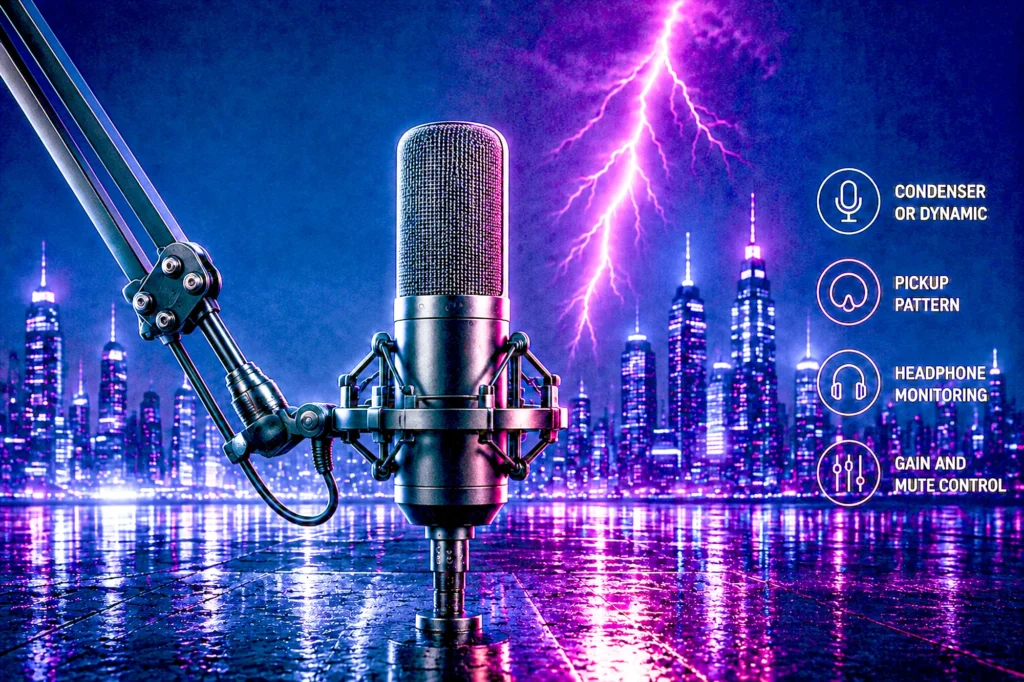
Eight USB gaming microphones from budget picks to the Shure MV7+, every one verified on its own product page for price, rating and owner count. Five are condensers and three are dynamics, and that split matters more than the badge on the front.
- Best overall: the Shure MV7+, a dynamic that ignores your room.
- Best budget: the Razer Seiren V3 Mini at $49.00, a bigger jump than any upgrade after it.
- Best value: the FIFINE AmpliGame AM8 at $56.99, with 12,275 owner ratings.
- Check the microphone type before the brand. A condenser hears your keyboard; a dynamic does not. Your room decides, not the price.
The best gaming microphone is the one upgrade your audience notices before your framerate. Nobody leaves a stream because the shadows are low, but they leave in seconds when your voice sounds like it is coming from inside a fish tank.
We compared eight contenders for the best gaming microphone, from budget picks to the Shure MV7+, every one verified on its own product page for price, rating and owner count on the day of writing. Five are condensers and three are dynamics, and that split turns out to matter more than the badge on the front.
The short version: most microphones sold as the best gaming microphone today are condensers, and most gaming rooms are exactly the wrong place for one. If you have a mechanical keyboard, a fan curve you are proud of, or housemates, a dynamic microphone will make you sound better than a condenser costing twice as much.
The 8 best gaming microphones at a glance
Eight contenders for the best gaming microphone, each verified on its own product page. Sorted by the job they do rather than by price.

| Type | Dynamic, unidirectional |
| Connection | USB-C and XLR |
| Controls | LED touch panel, tap-to-mute |
| Rating | 4.6 (1,138) |

| Type | Condenser, supercardioid |
| Mute | Tap-to-mute with LED |
| Mount | Detachable for boom arm |
| Rating | 4.6 (1,624) |

| Type | Dynamic, cardioid |
| Connection | USB and XLR |
| Response | 50Hz to 16kHz |
| Rating | 4.5 (12,275) |

| Type | 25mm condenser |
| Limiter | Integrated digital |
| Controls | Gain, mute, monitoring |
| Rating | 4.6 (842) |

| Type | Condenser, 2 capsules |
| Patterns | Cardioid and omni |
| Monitoring | Headphone out, no latency |
| Rating | 4.6 (10,319) |

| Type | Condenser, cardioid |
| Lighting | LIGHTSYNC RGB |
| Software | G HUB |
| Rating | 4.5 (421) |

| Type | Supercardioid condenser |
| Lighting | Reacts to stream events |
| Mute | Multi-function tap |
| Rating | 4.6 (413) |

| Type | Dynamic, cardioid |
| Connection | USB and XLR |
| Controls | Mute button, adjustable stand |
| Rating | 4.5 (103) |
The 30-second answer
Buy the Shure MV7+ if you want to stop thinking about your audio. It is a dynamic microphone, which means it hears the thing directly in front of it and largely ignores everything else, and Shure has wrapped that capsule in processing that does the job a sound engineer would otherwise do for you. Auto Level Mode rides your gain so you do not clip when you get excited. The real-time denoiser pulls down fan hiss, and a pop filter softens plosives that would otherwise thump. None of that is exotic on a studio desk, but with no interface required, it is the shortest path from plugging in to sounding finished.
Buy the Razer Seiren V3 Mini if this is your first real microphone. It costs less than most keycap sets and it will still be a night-and-day improvement over any headset boom.
Buy the FIFINE AmpliGame AM8 if your budget stops around $60 but your keyboard is loud. It is one of the cheapest dynamics here, and a dynamic in a noisy room beats a condenser every time.
Condenser or dynamic: the choice that decides everything
Almost every product marketed as the best gaming microphone is a condenser, and almost every room gamers play in is the wrong room for one. This is the single most useful thing to understand before you spend anything.
A condenser uses a very light, very sensitive diaphragm. It hears detail beautifully, which is why studios use them in treated booths. It also hears your keyboard, your case fans, the road outside, and the reflection of your own voice bouncing off the flat wall behind your monitor. Sensitivity is not selective. A condenser cannot tell the difference between the detail you want and the detail you do not.
A dynamic uses a heavier diaphragm and a moving coil. It takes more sound pressure to move it, so quiet things at a distance simply do not register. That is the entire trick. Your voice, four to eight inches away, is loud enough to move it. Your keyboard, two feet away, mostly is not. Broadcasters and podcasters use dynamics for exactly this reason, and it is why the Shure MV7+, the FIFINE AmpliGame AM8 and the FIFINE AmpliTank TANK2 in this list will sound cleaner in a real bedroom than a more expensive condenser will.
The honest rule: if you can record silence in your room and hear nothing, buy a condenser and enjoy the extra detail. If you can hear a fan, a keyboard, a television or a family, buy a dynamic. The room decides, not the price.
One caveat worth stating plainly, because the marketing blurs it: a dynamic microphone is not automatically better. In a genuinely quiet, soft-furnished room a good condenser will capture more of your voice’s character. The dynamic wins on rejection, not on fidelity.
USB or XLR: what the second connector actually buys you
Every microphone in this guide works over USB. Plug it in, pick it in Windows, talk. That is genuinely all that is required in 2026, and for the overwhelming majority of people it is where the story should end.
XLR is the professional connector, and two mics here offer it alongside USB: the FIFINE AmpliGame AM8 and, in kit form, the wider FIFINE range. The important detail that product pages tend to bury is that XLR is not a mode you switch to for free. FIFINE states it directly in its own listing: to use the XLR connection you need an audio interface or mixer, and the XLR cable is not included. So the honest cost of going XLR is the interface plus the cable plus the desk space, on top of the microphone.
What you get for that is a path that does not end. An interface gives you real preamp gain, the option of a better microphone later without replacing anything else, and no dependence on the manufacturer’s software. What you do not get is an immediate improvement in sound. Running the AM8 over XLR into a budget interface will not obviously beat running it over USB.
Buy USB unless you already own an interface, or you are certain you want to grow into one. The dual-connector mics are worth a small premium as insurance, not as an upgrade you will feel on day one.
What actually matters when choosing a gaming microphone
Once you have settled condenser versus dynamic, four things separate a microphone you enjoy from one you fight.
Pickup pattern. Cardioid hears in front and rejects behind. Supercardioid narrows that front lobe further, which is why Razer and Logitech both use it on their gaming mics: a tighter pattern means more of your voice and less of your desk. The trade is that you must stay in the beam. If you lean back, a supercardioid will notice before a cardioid does. The Blue Yeti Nano is the exception here, offering an omnidirectional pattern as well, which hears the whole room on purpose. That is useless for solo streaming and genuinely handy when a second person is sitting next to you.
Headphone monitoring. A 3.5mm jack on the microphone itself lets you hear your own voice with no delay. This sounds like a luxury and is not. It is the only way to catch that you are off-axis, muffled, or clipping while it is happening rather than in the recording afterwards. The Blue Yeti Nano, Razer Seiren V2 X and FIFINE AM8 all provide it.
Gain control you can reach. A physical knob or button beats a software slider, because you will need it mid-sentence at some point. Where there is no knob, look for automatic protection instead: Razer’s integrated digital limiter and Logitech’s Smart Audio Lock both exist to stop you clipping when a round goes badly. Shure’s Auto Level Mode goes further and manages the level continuously.
A mute you can hit without looking. Tap-to-mute on the top of the microphone, with an LED that tells you the state at a glance, is on most of this list for good reason. A mute you have to find in a menu is a mute you will fail to use at the moment you need it most.
Notice what is not on that list: sample rate. Every microphone here records well beyond what a Discord call or a Twitch stream will ever transmit. A higher number on the box will not make you sound better to your audience.
1. Shure MV7+ — Best overall

- CUSTOMIZABLE LED TOUCH PANEL: Personalize your setup with a full-color LED touch panel featuring 16.8 million color opti…
- AUTO LEVEL & REAL-TIME DENOISING: Auto Level Mode intelligently adjusts gain based on distance and volume, while the rea…
- BUILT-IN REVERB EFFECTS: Add depth and character to your sound with integrated reverb modes, including Plate, Hall, and …
Shure has been making the microphones broadcasters actually use for decades, and the MV7+ is the company aiming that experience squarely at a gaming desk. It is a dynamic with a unidirectional pattern, so it starts from the right side of the condenser argument, and then it adds the processing that normally requires either a rack of hardware or a lot of learning.
Voice Isolation Technology is Shure’s name for the rejection work: keyboard clicks, fan noise and room echo are pushed down before they reach your stream. On top of that sit three things doing a sound engineer’s job in real time. Auto Level Mode manages your gain continuously, so the shout when the round turns does not clip. The real-time denoiser handles steady background noise, and a pop filter softens the plosives that otherwise thump every time you say a hard P.
Connection is USB-C and XLR, so it plugs straight into a laptop now and into an interface or a mixer later. A full-color LED touch panel on the body shows your level in real time and doubles as tap-to-mute, and built-in reverb modes are there if you want them.
It is not cheap, and it earns that by being the one you can set up badly and still sound good on. 4.6 stars across 1,138 owners is a healthy sample for a microphone this recent.
- Dynamic capsule plus Voice Isolation Technology for strong noise rejection
- Auto Level Mode genuinely prevents clipping without you touching anything
- LED touch panel shows your level and doubles as tap-to-mute
- USB-C now, XLR later, without buying a second microphone
- Premium price for a USB microphone
- No RGB at all, if that matters to your desk
- Processing is doing a lot of the work, which purists will want to switch off
2. Razer Seiren V3 Mini — Best budget
- CONDENSER MIC — Fitted with a custom condenser capsule, the mic’s impressive sensitivity can capture more detail, especi…
- SUPERCARDIOID PICKUP PATTERN — A tighter pickup pattern allows the mic to focus on your voice while suppressing room noi…
- TAP-TO-MUTE SENSOR WITH LED INDICATOR — Whether gaming, chatting, or streaming, instantly prevent audio mishaps by simpl…
The V3 Mini is the answer to the most common question in this category: which small, affordable microphone is a genuine upgrade over my headset? At $49.00 this is it, and the gap is not subtle.
It is a condenser with a custom capsule and a supercardioid pattern, which is Razer being sensible about where this mic will live. The tighter pattern means it concentrates on whatever is directly in front of it and pushes down what is happening at the sides, so typing and mouse clicks are suppressed rather than featured. It will not reject a loud room the way a dynamic does, but it is considerably better behaved than a wide cardioid at the same money.
The practical touches are good. Tap the top to mute, and an LED tells you the state at a glance. There is a built-in shock absorber in the tiltable stand to damp desk knocks, and the stand detaches if you later move to a boom arm. It is plug-and-play with no drivers, and Razer Synapse is there if you want to set sample rates or separate volume mixes.
4.6 stars across 1,624 owners.
- Budget-friendly at $49.00 and a dramatic step up from any headset mic
- Supercardioid pattern suppresses typing better than most budget condensers
- Tap-to-mute with an LED state indicator
- Detaches from its stand for a boom arm later
- A condenser, so a noisy room will still get through
- Ultra compact body means it needs to be close to you to shine
- No headphone jack for monitoring
3. FIFINE AmpliGame AM8 — Best dynamic under $60
- [Natural Audio Clarity] Operated with frequency response of 50Hz-16KHz, the podcasting XLR mic delivers balanced audio r…
- [XLR Connection Upgrade-Ability] To use XLR connection, connect the podcast microphone to an audio interface (or mixer) …
- [USB Connection with Handy Mute] Skip the hassle of setting something up and plug the cable to play the dynamic USB micr…
This is the pick that makes the thesis of this guide affordable. A dynamic microphone with a cardioid pattern for $56.99 means you no longer have to choose between rejecting your keyboard and keeping the cost down.
FIFINE quotes a frequency response of 50Hz to 16kHz and describes the voicing as deliberately unexaggerated, which matches what a dynamic is for: it takes what is in front of it and does not editorialize. Off-axis noise is rejected rather than flattered.
It carries both USB and XLR, and it is worth repeating FIFINE’s own caveat here rather than letting the box imply otherwise: using XLR requires an audio interface or mixer, and the XLR cable is not in the box. Treat the second connector as a door you can open later, not a feature you get on day one.
The rest is well judged for a gaming desk. There is a controllable RGB ring with three modes, a tap-to-mute button that works independently of software, a headphone jack for monitoring, and a gain knob you can reach. Built-in 3/8 inch and 5/8 inch threads mean it fits standard stands and arms without an adapter hunt.
12,275 owners at 4.5 stars is a deep sample for a microphone at this price.
- A true dynamic capsule at $56.99, a cheap way to reject a loud room
- 12,275 ratings behind it
- Physical gain knob, tap-to-mute and a headphone jack for monitoring
- Standard 3/8 and 5/8 threads fit common boom arms
- XLR needs an interface and a cable, neither included
- 50Hz to 16kHz is a narrower response than the condensers here
- RGB ring is fun but adds nothing to the audio
4. Razer Seiren V2 X — Best cheap condenser
- 25MM CONDENSER MICROPHONE — The mic’s impressive sensitivity is capable of capturing voices with a high degree of accura…
- SUPERCARDIOID PICKUP PATTERN — Designed to suppress noise from the back and sides, so it can capture voices clearly with…
- INTEGRATED DIGITAL LIMITER — Programmed to automatically prevent clipping and peaking so there’s no reason to worry abou…
The V2 X sits between the V3 Mini and the $80 tier, and what the extra money buys over the Mini is control rather than a different class of sound.
The capsule is a 25mm condenser with a supercardioid pattern, so the same rejection logic applies: designed to suppress what arrives from the back and sides. The additions are the useful ones. There is an integrated digital limiter that automatically prevents clipping and peaking, which matters more than it sounds when you are reacting to a game rather than reading a script. There is mic monitoring, so you can plug headphones into the microphone and hear yourself with no delay. And there is a proper set of physical controls on the body for volume, gain and mute.
A built-in shock absorber handles knocks, damping the vibration before it becomes a bang in someone’s headphones.
At $55.32 with 4.6 stars across 842 owners, this is the pick for someone with a reasonably quiet room who wants hardware controls rather than software ones.
- Physical gain, volume and mute controls on the microphone itself
- Integrated digital limiter stops clipping without any setup
- Mic monitoring through a headphone connection
- 4.6 stars from 842 ratings
- Still a condenser, so it will hear a busy room
- What it adds over the V3 Mini is control rather than clarity
- No RGB, if that is part of the appeal for you
5. Blue Yeti Nano — Best all-rounder
- Legendary Blue broadcast sound: Yeti Nano features 2 custom mic capsules to give your voice exceptional presence and det…
- Blue VO!CE software: Elevate your streamings and recordings with clear broadcast vocal sound and entertain your audience…
- Multiple pickup patterns: Cardioid and omni pickup patterns are optimal for pro recording and streaming, Zoom meetings, …
The Yeti name is the most recognized in this category, and the Nano is the version that makes sense on a desk that also has to hold a monitor, a keyboard and a mouse pad. It is a condenser built around two custom capsules, and the reason to choose it over anything else here is the second pickup pattern.
Cardioid points it at you and is what you will use for streaming and calls. Omnidirectional opens it to the whole room, which is genuinely the right tool when a second person sits down next to you to record something together. No other microphone in this guide can do that. Every other pick is a solo instrument.
There is an onboard headphone output with volume control for no-latency monitoring, and physical controls for headphone volume, mute and pattern selection, so switching modes does not mean opening software. Blue VO!CE adds broadcast-style vocal processing, effects and samples if you want to lean into stream production.
At $99.34 with 10,319 owners at 4.6 stars, that volume of consistent feedback is worth something on its own.
- Two pickup patterns, the only mic here that can record two people properly
- 10,319 ratings at 4.6 stars
- Onboard headphone output, volume, mute and pattern controls
- Blue VO!CE processing included
- A condenser, and a sensitive one, so it wants a quiet room
- Omni mode is a niche feature most solo streamers will never use
- Larger footprint than the compact Razer options
6. Logitech G Yeti Orb — Best budget RGB
- It’s That Easy: The Logitech G Yeti Orb is a premium RGB gaming microphone with LIGHTSYNC that delivers best-in-class au…
- LIGHTSYNC RGB Lights: RGB logo and status light work with LIGHTSYNC in G HUB to enable custom illumination effects and a…
- Condenser Microphone Capsule: Optimized for game streaming, the condenser capsule features a cardioid pickup pattern tha…
The Orb is the cheapest way into the Logitech G ecosystem, and that is genuinely the reason to buy it. If your keyboard, mouse and headset are already Logitech G, this microphone joins them in G HUB and its LIGHTSYNC lighting syncs with the rest of your gear rather than fighting it.
The capsule is a condenser with a cardioid pattern, which Logitech describes as optimized for game streaming and tuned to zero in on your voice while ignoring key clicks. Cardioid rather than supercardioid means a slightly wider window to sit in, which is more forgiving if you move around while you play, at the cost of hearing a little more of the room.
Connection is USB plug-and-play, and everything else lives in G HUB alongside your other Logitech G controls, which is either a convenience or an extra piece of software depending on how you feel about it.
$69.99 and 4.5 stars across 421 owners, a modest sample, so weigh it accordingly.
- LIGHTSYNC RGB syncs with existing Logitech G gear in G HUB
- Cardioid pattern is forgiving if you shift position while playing
- Simple USB plug-and-play with no setup required
- Condenser capsule in a category where a dynamic serves most rooms better
- 421 ratings is a modest sample next to the Yeti Nano’s 10,319
- Little reason to choose it if you do not already own Logitech G gear
7. Razer Seiren V3 Chroma — Best reactive lighting

- STREAM AND GAME REACTIVE LIGHTING — Amp it up with lighting that not only works with Chroma-integrated games, but respon…
- MULTI-FUNCTION TAP-TO-MUTE SENSOR — Simply tap the top of the mic to prevent audio mishaps during gaming, chatting, or s…
- SUPERCARDIOID CONDENSER MIC — Sound the best with an impressive mic sensitivity that can capture more voice detail, supp…
The V3 Chroma is the pick for people whose microphone is on camera. It is a supercardioid condenser like the rest of the Seiren line, so the audio logic is familiar, and what you are paying the extra for is a lighting system that does something rather than simply glowing.
The lighting reacts to stream events, so emotes and alerts show up on the microphone in shot, and it works with Chroma-integrated games. More usefully, the lighting also warns you when your audio levels are peaking, which turns decoration into a meter you can see without looking at your levels.
The tap-to-mute sensor is multi-function here: a single tap mutes, while double and triple taps can be mapped to adjust lighting or toggle the digital gain limiter. That limiter, plus the built-in shock absorber and noise-dampening design, is the same sensible protection Razer puts across this range.
$99.99, 4.6 stars, 413 owners. A small sample, but consistent.
- Lighting reacts to stream events and doubles as a visible peak warning
- Multi-function tap sensor with mappable double and triple taps
- Digital gain limiter and built-in shock absorber included
- You are paying well over the V2 X mainly for lighting
- 413 ratings is a modest sample
- Condenser, so the room still matters
8. FIFINE AmpliTank TANK2 — Best dynamic that arrives ready to record
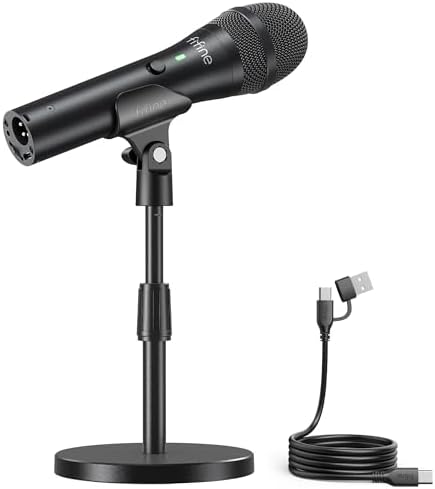
- [Dual-Studio Connectivity] The dynamic podcast microphone give you a way to switch between USB plug-and-play simplicity …
- [Clear Audio] The USB microphone for singing engineered with 192KHz/24bit sampling rate and cardioid pattern captures so…
- [Controls At Your Fingertips] Mute the recording microphone to instantly silences phone alerts or coughs during crucial …
The TANK2 is one of the cheapest ways onto a real dynamic capsule on this page, and a dynamic capsule is the whole argument this guide has been making. The pattern is cardioid, it hears what is directly in front of it, and it leaves most of the room behind it alone.
The connection is the unusual part at this price: USB and XLR in the same body. Plug it into a laptop today, and into an audio interface the day you outgrow it, without buying a second microphone. Most mics at this money give you one or the other.
The controls are on the body where they belong. A mute button silences it instantly for a cough or a phone alert, the stand adjusts between 5.5 and 8.26 inches so the capsule reaches your mouth without a boom arm, and a windscreen is in the box. Sampling is 192kHz/24-bit, and it needs no drivers on Windows or Mac.
Why this and not the AmpliGame AM8 at number three? Honestly, for most people it is the AM8: it is within a couple of dollars at $56.99, rates 4.5, and has 12,275 owners behind it against 103 here. The TANK2 earns its place on what is in the box — the adjustable stand, the windscreen and the mute button mean it works properly on a bare desk, where the AM8 assumes you will add a boom arm. If you already own an arm, buy the AM8 and keep the difference.
At $54.99 against the Shure MV7+, the comparison is the whole decision. What you give up is processing, not the capsule. There is no auto-levelling, no voice isolation and no software suite, so if you shout mid-game you will clip and nothing will catch it. It is a good dynamic with no safety net. Buy it if you want the right kind of microphone for the least money; buy the Shure if you want the microphone to look after you.
- A real dynamic capsule at $54.99
- USB and XLR in one body, so it outlasts the laptop you bought it for
- Mute button and a height-adjustable stand on the microphone itself
- Windscreen included, no drivers needed on Windows or Mac
- No onboard processing at all, so nothing catches you clipping
- 103 ratings, easily the thinnest owner sample in this guide
- No supercardioid option, so it rejects less of the room than a tighter pattern would
The best gaming microphones compared side by side
Prices are live from each product page. Ratings and owner counts are read from the listing, not estimated.
| Microphone | Type | Standout | Price | Rating |
|---|---|---|---|---|
| Shure MV7+ | Dynamic | Auto level, denoiser, USB-C and XLR | Check price | 4.6 (1,138) |
| FIFINE AmpliTank TANK2 | Dynamic | USB and XLR, stand and windscreen included | $54.99 | 4.5 (103) |
| Razer Seiren V3 Chroma | Condenser | Stream-reactive lighting | $99.99 | 4.6 (413) |
| Blue Yeti Nano | Condenser | Cardioid and omni patterns | $99.34 | 4.6 (10,319) |
| Logitech G Yeti Orb | Condenser | LIGHTSYNC, G HUB | $69.99 | 4.5 (421) |
| FIFINE AmpliGame AM8 | Dynamic | USB and XLR, gain knob | $56.99 | 4.5 (12,275) |
| Razer Seiren V2 X | Condenser | Digital limiter, hardware controls | $55.32 | 4.6 (842) |
| Razer Seiren V3 Mini | Condenser | Budget real upgrade | $49.00 | 4.6 (1,624) |
Comparisons in this table are relative and directional, based on manufacturer specifications and owner ratings read from each listing. They are not lab benchmarks.
What we left out of our best gaming microphone picks
Three categories were deliberately excluded.
Microphone kits with arms and interfaces bundled in. They look like value and they make the microphone impossible to price. When the bundle changes, the comparison breaks. Every pick here is the microphone alone.
Studio XLR classics. The famous broadcast dynamics are excellent and they are not gaming microphones in any practical sense: they need an interface with serious gain before they work at all, which turns a $170 decision into a $400 one. If you are already running an interface you do not need this guide to find them.
Anything we could not verify. A microphone had to have a live price and a real owner rating on its own product page to appear here. Several well-known names did not clear that bar on the day of writing and were dropped rather than listed on reputation.
What you still need after the microphone
The microphone is most of the job, but two cheap additions do more for your sound than spending another fifty dollars on the mic itself.
Get it off the desk. A desktop stand transmits every keyboard strike and every knock straight up into the capsule. Most of the picks here include some shock absorption for exactly this reason, but the real fix is a boom arm that isolates the microphone from the desk entirely. The Razer V3 Mini detaches from its stand for this, and the FIFINE AM8 carries standard 3/8 inch and 5/8 inch threads.
Get closer than feels natural. Four to eight inches is the working range for every microphone here. This matters most on the dynamics: their rejection of your room only works because your voice is close and loud while everything else is far and quiet. Back off to two feet and you undo the entire advantage you paid for.
Then treat the room, not the gear. A rug, curtains and anything soft on the wall behind your monitor will do more for a condenser than any upgrade. Hard flat surfaces facing each other are what make a room sound like a bathroom.
Frequently asked questions
Do I need a gaming microphone if my headset already has one?
If anyone listens to you, yes. Headset booms are tiny capsules placed badly and compressed hard for voice chat. Even the cheapest pick here is an obvious improvement to anyone hearing you on Discord, Twitch or a recording. If you only talk to friends who do not care, a headset is fine.
Condenser or dynamic: which should I buy for gaming?
Let the room decide. A condenser is more sensitive and captures more detail, which also means it captures your keyboard, fans and family. A dynamic needs more sound pressure to register, so it largely ignores anything that is not close and loud. If you can hear noise in your room right now, buy a dynamic.
Is a USB microphone good enough for streaming on Twitch?
Yes. Every microphone in this guide connects over USB and every one of them exceeds what a Twitch stream or a Discord call actually transmits. The limits on how you sound are your room, your distance from the microphone and your gain staging, not the USB connection.
Do I need an audio interface for an XLR microphone?
Yes. XLR is not a plug-and-play connection. FIFINE states in its own listing that using the XLR output on the AmpliGame AM8 requires an audio interface or mixer, and that the XLR cable is not included. Budget for both before treating XLR as a feature you already own.
What does a supercardioid pickup pattern actually do?
It narrows the area the microphone listens to. A cardioid hears in front and rejects behind. A supercardioid tightens that front area further, so more of what reaches the capsule is your voice and less is your desk. The trade is that you have to stay in that narrower window while you play.
Why does my microphone pick up my keyboard so badly?
Usually two reasons together. The microphone is a condenser, so it is sensitive enough to hear the keys clearly, and it is sitting on the same desk surface the keys are striking, so the impact travels up the stand into the capsule. Moving to a boom arm and switching to a dynamic capsule fixes both causes.
Do I need a boom arm and a pop filter?
A boom arm helps more than a pop filter for gaming, because it isolates the microphone from desk noise and lets you position it close without it blocking your monitor. A pop filter mainly softens plosives, and several picks here handle that in processing already, including the Shure MV7+ with its built-in pop filter.
Does a higher sample rate make me sound better on stream?
No. Every microphone here already records at a quality far beyond what Discord, Twitch or YouTube will transmit to your audience. Recording at a higher sample rate produces bigger files and no audible benefit for live voice. Spend the attention on microphone placement instead.
How far should I sit from a gaming microphone?
Four to eight inches for every microphone in this guide. This matters most with dynamics, whose ability to reject your room depends on your voice being close and loud relative to everything else. Sitting back at arm’s length is the most common reason a good microphone sounds thin and roomy.
The bottom line: the best gaming microphone for most setups
If you take one thing from this best gaming microphone guide, take the condenser and dynamic distinction, because it will save you more money than any individual pick. The industry sells gamers condensers because they photograph well and measure well in a quiet room, and most gamers do not have a quiet room.
The Shure MV7+ is the microphone to buy if you want to stop thinking about this. It is a dynamic, so it starts by ignoring your room, and its processing handles the parts most people get wrong.
The Razer Seiren V3 Mini at $49.00 is the one to buy first if you have never owned a real microphone. The step up from a headset boom is larger than the step from this to anything else on the list.
The FIFINE AmpliGame AM8 at $56.99 is the value pick, and it carries 12,275 owner ratings. A dynamic capsule at that price is the single best answer to a loud keyboard in this guide.
Once your voice is sorted, the camera is the other thing your audience looks straight at. Our streaming webcam guide compares eight from $16.89 to $149.99, and explains why paying for 4K is usually the wrong move.
Gamers Tech Guide participates in the Amazon Services LLC Associates Program. As an Amazon Associate we earn from qualifying purchases.